
Jun 16, 2026
BlogUser Provisioning and Deprovisioning: Automate the Access Lifecycle
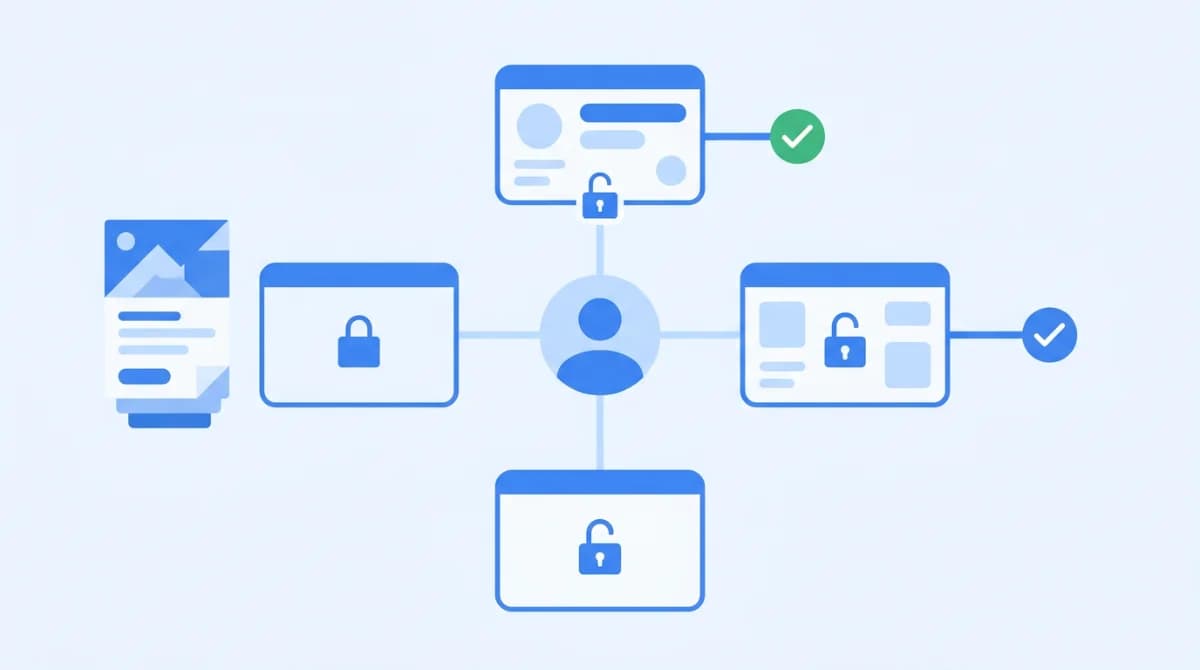
User provisioning is the process of granting a new employee, contractor, or partner access to the systems and apps they need to do their job. Deprovisioning removes that access when they leave or change roles. Together, they form the access lifecycle – and automating it prevents orphaned accounts, security gaps, and compliance failures that cost businesses far more than the setup time.
If you've ever found an ex-employee's account still active three months after they left, you've seen what manual deprovisioning looks like in practice. It's a gap that's embarrassingly common – and one that attackers know how to exploit.
What is user provisioning?
User provisioning is the process of creating accounts, assigning roles, and granting access to the specific apps and systems a person needs – on their first day, not their third week. Done well, it means a new hire can open their laptop and get to work. Done badly, it means a frantic email chain to IT, temporary admin access granted in a hurry, and permissions that never quite get cleaned up.
Provisioning typically covers:
- Creating the user account in your identity provider (Microsoft Entra, Google Workspace, or Active Directory)
- Assigning the user to the right role or group (which determines what they can access)
- Granting access to specific apps – your CRM, project tools, finance system, cloud storage
- Setting MFA requirements and SSO access
In a manual process, an IT Manager (or whoever handles onboarding) does all of this by hand – one system at a time. In an automated process, a trigger from HR (a new hire record, a role change, a start date) kicks off the provisioning flow automatically.
What happens when someone joins your company (the joiner scenario)
Day one access sets the tone. A new employee who can't log in on Monday morning doesn't just lose productivity – they lose confidence in the company they just joined. But rushed onboarding also creates risk: when someone has to ask for access to fifteen things over two weeks, they often end up with more permissions than they need, granted by people who weren't sure what the right level was.
The joiner checklist should include: a base account, role-based app access tied to their actual job function, SSO configuration, and a clear record of what was granted and when. That last part – the record – is what turns provisioning from a task into an audit trail.
What is user deprovisioning?
User deprovisioning is the process of removing a person's access to your systems – disabling accounts, revoking permissions, and ending active sessions – when they leave your organisation or change roles.
It sounds simple. In practice, it's where most companies fall short. An employee gives notice on a Friday. Their last day is two weeks out. By the time IT processes the off-boarding ticket, the accounts are still active – sometimes for months.
According to a 2023 study by Cybersecurity Insiders, 58% of organisations admitted that former employee accounts remained active longer than they should have. That's not a niche problem. That's the default.
When should deprovisioning happen?
The answer is: immediately, and automatically. Not "when IT gets to the ticket." Not "at the end of the quarter during the access review." Immediately – the moment the trigger fires.
The triggers include:
- Leaver: employee resignation, dismissal, end of contract, or retirement
- Role change (the "mover" scenario): employee changes departments, gets promoted, or moves to a different project – their old access should be removed, not just added to
- Contractor engagement ends: project completes, contract expires, or vendor relationship changes
- Extended leave: access should be suspended, not left open
The mover scenario is the one most organisations miss. When someone becomes a manager, do they lose their individual contributor access? Usually not – it just stacks. Over time, employees accumulate permissions from every role they've ever held. That's not a feature. That's a vulnerability.
For a detailed look at what to do the moment someone walks out the door, see our guide on revoking employee access when offboarding.
What is the difference between provisioning and deprovisioning?
Provisioning grants access; deprovisioning removes it. Provisioning happens at the start of a relationship – a hire, a contractor engagement, a partnership. Deprovisioning happens at the end, or when the relationship changes. Think of it like a key card: provisioning is issuing it; deprovisioning is deactivating it. The mistake most companies make is spending time on the issuing and forgetting about the deactivating.
Together, they form what's called the access lifecycle – the full journey from "this person needs access" to "this person no longer needs access." Identity and access management (IAM) exists to manage this lifecycle systematically, rather than leaving it to individual managers and overloaded IT tickets.
Why does failing to deprovision create serious risk?
Orphaned accounts – accounts that remain active after the person has left – are one of the most common entry points for attackers. They're real credentials, often with real permissions, attached to someone who no longer has any reason to be in your systems. And they're almost never monitored, The specific risks of failing to deprovision include:
Risk | What it means | Why it matters |
|---|---|---|
Orphaned accounts | Active accounts with no current user | Exploitable credentials; often unmonitored |
Stale privileges | Permissions that accumulate over time or across roles | Violates least privilege; broadens attack surface |
Insider threat surface | Disgruntled ex-employees or contractors with active access | Data exfiltration, sabotage, credential resale |
Regulatory exposure | Active accounts for departed employees in audited systems | Fails ISO 27001, SOC 2, cyber insurance requirements |
Data breach pathway | Credentials used for lateral movement or direct data access | Financial and reputational damage |
The access sprawl that builds up over years of incomplete deprovisioning is one of the most underestimated risks in an SME's security posture. If you want to understand the broader pattern, read our piece on access sprawl and the hidden risks growing companies ignore.
What does the joiner/mover/leaver process look like in practice?
The joiner/mover/leaver (JML) framework is how most organisations structure their access lifecycle. It's a practical way to think about the three main triggers for access changes – and to make sure none of them fall through the cracks.
Here's what each stage should look like in a well-run SME:
Stage | Who it covers | Access actions |
|---|---|---|
Joiner | New hire, new contractor, new partner | Create account → assign role → grant app access → confirm with user → document what was granted |
Mover | Employee changes role, department, or seniority | Identify old role access → deprovision old permissions → provision new role → verify no stacking |
Leaver | Employee resigns, is dismissed, contract ends | HR trigger → disable account immediately → revoke all active sessions → archive or delete accounts → confirm clean |
The mover step is the one that catches most organisations off guard. If your sales rep becomes a sales manager, do you remove their individual contributor access before adding manager access? If your finance analyst moves to operations, do they still have read access to payroll? In a manual process, the answer is usually "we're not sure." In an automated process, role-based rules handle it cleanly.
One honest opinion: most SMEs focus almost entirely on the joiner step because it's the one with a visible deadline (day one). The mover and leaver steps are where the actual risk lives, and they're the ones that get handled inconsistently. Fixing that is the real value of automation.
This connects directly to the principle of least privilege – every person should have exactly the access their current role requires, and no more. That principle only holds if movers get their old access removed, not just supplemented.
How do you automate user provisioning and deprovisioning?
Automated provisioning connects your HR system (or identity provider) directly to your apps, so when a person's status changes, their access changes automatically – no tickets, no manual steps, no forgotten accounts.
The standard protocol that makes this work is SCIM (System for Cross-domain Identity Management). In plain English: SCIM is the language that identity providers and SaaS apps use to talk to each other about users. When your HR system marks someone as terminated, SCIM tells every connected app to deactivate that account. It happens in seconds, not weeks.
Here's what the automated flow looks like for a typical SME using Microsoft 365 or Google Workspace:
- HR system updates (new hire added, employee terminated, role changed)
- Identity provider receives the signal (Microsoft Entra or Google Workspace syncs the change)
- Role-based rules apply (this role gets access to these apps and nothing else)
- Connected apps update automatically (Salesforce, Slack, your finance tools, your internal systems)
- Access log is created (timestamp, action, who approved – ready for your next audit)
The missing piece in most SME setups is step 3 – the layer that connects your identity provider to the rest of your app stack and enforces role-based rules. That's where a tool like ShieldNet Access fits in. It sits between your identity provider and your applications, so when HR marks someone as a leaver, their access across every connected system is revoked in one action – not in fifteen separate admin panels.
For companies with 20–200 people, the ROI is straightforward: manual provisioning takes an IT Manager 30–60 minutes per new hire across all systems. Multiply that by headcount growth, role changes, and offboarding – and you're looking at a part-time job just to keep access clean. Automation brings that to near-zero.
Frequently asked questions
What is the difference between user provisioning and deprovisioning?
Provisioning grants a user access to the systems and applications they need for their role. Deprovisioning removes that access when they leave or change roles. Both are part of the access lifecycle – and both need to happen reliably, not just when someone remembers to do it.
What is an orphaned account and why is it dangerous?
An orphaned account is a user account that remains active after the person it belongs to has left the organisation. These accounts are dangerous because they carry real credentials, often with elevated permissions, and are rarely monitored. Attackers can use them for months without detection.
What is the joiner mover leaver process?
The joiner/mover/leaver (JML) process is a framework for managing access changes across the three main lifecycle events: when someone joins (provisioning), when they change roles (updating access), and when they leave (deprovisioning). It ensures access is always tied to current role, not historical employment.
How does SCIM help with automated provisioning?
SCIM (System for Cross-domain Identity Management) is a protocol that lets identity providers and SaaS applications share user information automatically. When an employee's status changes in your HR system, SCIM propagates that change to every connected app – creating, updating, or deactivating accounts without manual steps.
How quickly should you deprovision a departing employee's access?
Immediately – on or before their last day, ideally triggered automatically the moment HR confirms departure. Access left active for days or weeks after departure is a security liability. For high-risk roles (finance, admin, IT), same-day revocation should be a hard requirement.
Stop managing access manually
If someone left your company last month, are you certain their accounts are closed? If the honest answer is "probably" rather than "yes," that's the gap automated provisioning and deprovisioning fixes.
ShieldNet Access connects to your identity provider and app stack so that access follows the person's current role – not their history. New hire? Access ready on day one. Role change? Old permissions removed, new ones applied. Departure? Everything revoked, automatically, with a log that proves it happened.
No security team required. No manual tickets. No forgotten accounts.
See how ShieldNet Access automates the access lifecycle →
Or if you'd like to see it running on your environment: start a free trial and get set up today.
Related Articles

Sep 10, 2026
Can a phishing email come from a real email address?
Yes, phishing emails can come from real email accounts. Learn how attackers hijack trusted accounts, what warning signs to check, and how to verify emails safely.

Sep 9, 2026
How to verify a suspicious email without clicking anything
Learn how to verify a suspicious email safely without clicking links, opening attachments, scanning QR codes, or replying to the sender.

Sep 7, 2026
What is CEO fraud? How fake executive emails work
Learn how CEO fraud works, how attackers impersonate executives by email, the warning signs to watch for, and how employees can verify suspicious requests.

Protect your business with ShieldNet 360
Get started and learn how ShieldNet 360 can support your business.