
Jul 27, 2026
BlogHow Modern Malware Bypasses Traditional Antivirus
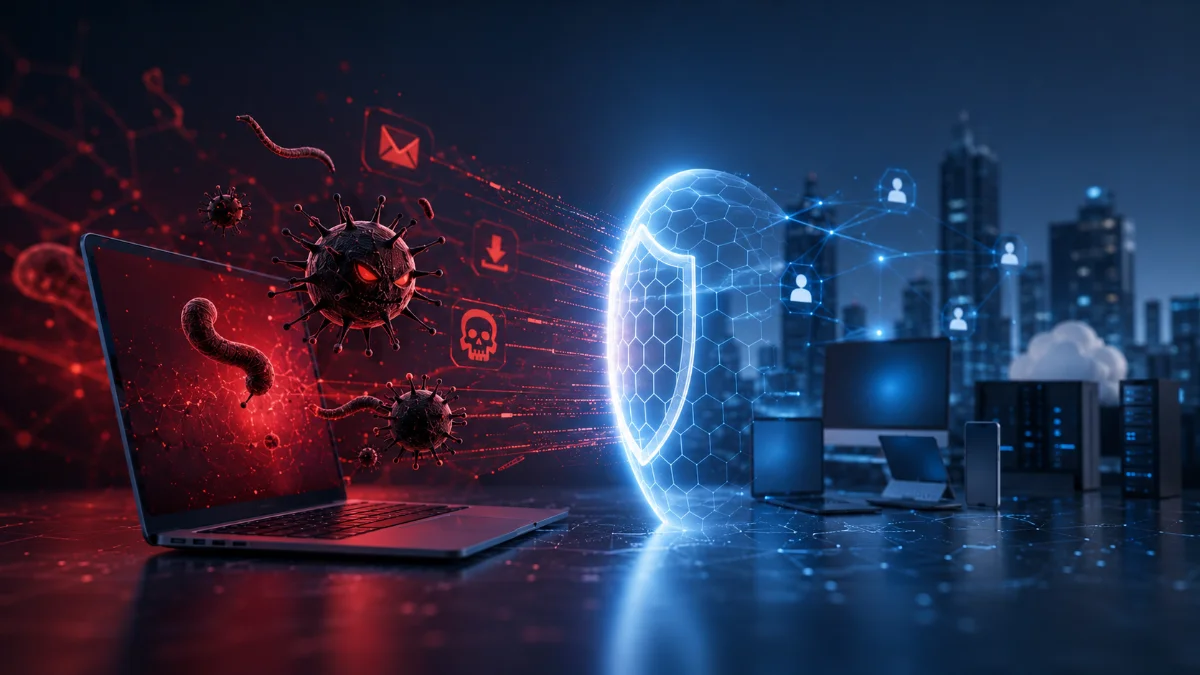
Cyberattacks have evolved – but many security tools have not
For years, antivirus software successfully protected businesses by identifying and removing known malware.
It looked for files that matched a database of known threats.
If a malicious file was recognized, it was blocked.
That approach worked well when most cyberattacks relied on traditional viruses.
Today's attacks are different.
Modern malware is designed to avoid detection. It hides inside trusted applications, runs directly in memory, steals legitimate user accounts, or uses built-in operating system tools that antivirus considers safe.
This is why businesses need security that understands behavior – not just malware signatures.
Quick Answer
How does modern malware bypass traditional antivirus?
Modern malware avoids detection by using techniques such as fileless attacks, legitimate system tools, stolen user accounts, encrypted payloads, and constantly changing code. Because these attacks often look like normal activity, traditional antivirus may not recognize them. AI-powered behavioral detection helps identify suspicious activity before damage occurs.
Traditional antivirus was built for yesterday's threats
Traditional antivirus asks one simple question:
"Is this file already known to be malicious?"
If the answer is yes, it blocks it.
If the answer is no, the file often continues running.
Years ago, this was enough.
Today, attackers know exactly how antivirus works – and they build attacks specifically to avoid it.
Five ways modern malware avoids detection
1. Fileless attacks
Some attacks never install traditional malware.
Instead, they use built-in Windows tools or scripts already available on the computer.
Without a suspicious file to scan, antivirus may never generate an alert.
2. Using trusted software
Attackers often abuse legitimate applications that employees already use every day.
Examples include:
- PowerShell
- Microsoft Office
- Remote management tools
- Cloud synchronization software
Since these applications are trusted, suspicious activity may look completely normal.
3. Constantly changing malware
Some malware automatically changes its appearance every time it spreads.
Although the malicious behavior stays the same, the file looks different each time.
This makes signature-based detection much less effective.
4. Stolen user accounts
Sometimes attackers do not need malware at all.
Instead, they steal employee credentials and simply log in.
To the security system, everything appears to be a normal user.
Yet the attacker can:
- Read confidential emails
- Download customer information
- Access cloud applications
- Create hidden email forwarding rules
No virus is required.
5. Encrypted or hidden payloads
Attackers often hide malicious code until the last possible moment.
The malware may remain encrypted while antivirus scans it.
Only after it starts running does the malicious activity begin.
By then, the attacker may already have access.
Why behavior matters more than files
Imagine two situations.
Traditional antivirus
A file is scanned.
No known malware signature is found.
The file is allowed to run.
Behavior-based detection
The file begins:
- Accessing saved passwords
- Encrypting documents
- Contacting suspicious internet servers
- Launching unusual processes
Although the file is unknown, its behavior clearly indicates an attack.
This is where modern security has an advantage.
What businesses should actually monitor
Instead of focusing only on malware files, businesses should also monitor:
- Employee logins
- Cloud identities
- Endpoint behavior
- Unusual software activity
- Large file downloads
- Network connections
- Ransomware behavior
Cybersecurity today is about understanding what is happening – not simply scanning files.
Why SMEs are increasingly targeted
Many attackers see SMEs as easier targets because they often rely on traditional security tools and have limited cybersecurity staff.
Once inside a business, attackers move quickly.
Early detection is often the difference between a minor incident and a major business disruption.
How ShieldNet Defense protects against modern malware
ShieldNet Defense was built for today's attacks – not yesterday's viruses.
Rather than relying on malware signatures, it continuously watches for suspicious behavior across employee devices, cloud services, identities, email, SaaS applications, servers, and Kubernetes workloads.
Everything follows a simple workflow.
Detect
ShieldNet Defense continuously monitors behavior across the business to identify suspicious activity, including ransomware behavior, privilege misuse, account takeover, unusual software execution, and cloud threats.
Analyze
AI Agents automatically investigate incidents, connect related events into a complete attack timeline, determine business impact, and explain everything in plain language.
Respond
ShieldNet Defense can automatically:
- Stop malicious processes
- Block attacker activity
- Isolate compromised devices
- Revoke stolen user sessions
- Prevent ransomware from spreading
- Guide businesses through safe recovery
Instead of waiting for malware to be identified, ShieldNet Defense focuses on stopping attacks while they are happening.
Modern protection is about visibility
Businesses no longer need security that simply scans files.
They need security that continuously watches what is happening across the organization.
The faster unusual behavior is detected, the less damage attackers can cause.
Key Takeaways
- Modern malware is designed to bypass traditional antivirus.
- Many attacks no longer rely on traditional virus files.
- Behavior-based detection identifies suspicious activity much earlier.
- AI helps investigate and explain attacks automatically.
- ShieldNet Defense enables businesses to Detect → Analyze → Respond before attackers can cause serious damage.
Frequently Asked Questions
Why can't traditional antivirus detect every attack?
Because many modern attacks use trusted software, stolen accounts, or fileless techniques that do not match known malware signatures.
What is fileless malware?
Fileless attacks use existing system tools instead of installing traditional malware files, making them harder for signature-based antivirus to detect.
Why is behavior-based detection important?
It looks at what programs and users are doing rather than what files look like, helping detect new and unknown attacks.
Is this important for SMEs?
Yes. SMEs are frequently targeted because attackers expect smaller security teams and traditional protection.
How does ShieldNet Defense help?
ShieldNet Defense continuously detects suspicious behavior, uses AI to investigate incidents, explains attacks in plain language, and automatically responds before threats spread across the business.
Ready to protect against modern malware?
Discover how ShieldNet Defense helps businesses detect today's cyber threats with AI-powered Detect → Analyze → Respond.
Related Articles

Oct 22, 2026
Real or Fake? HR Asking You to Review Payroll
Got an email from HR asking you to review payroll? Learn how to identify fake payroll emails, verify HR requests, and protect your salary and bank details.

Oct 9, 2026
I replied to a phishing email. Am I at risk?
Replied to a phishing email? Learn what risks you face, what attackers can learn from your reply, and what to do next to protect your account and business.
Oct 8, 2026
Real or Fake? How to verify a sharepoint file invitation
Received a SharePoint file invitation? Learn how to spot fake SharePoint emails, verify shared files safely, and protect your Microsoft 365 account from phishing.

Protect your business with ShieldNet 360
Get started and learn how ShieldNet 360 can support your business.