
Jun 11, 2026
BlogWhat Is Phishing? The 2026 Definition, Types & How to Stop It
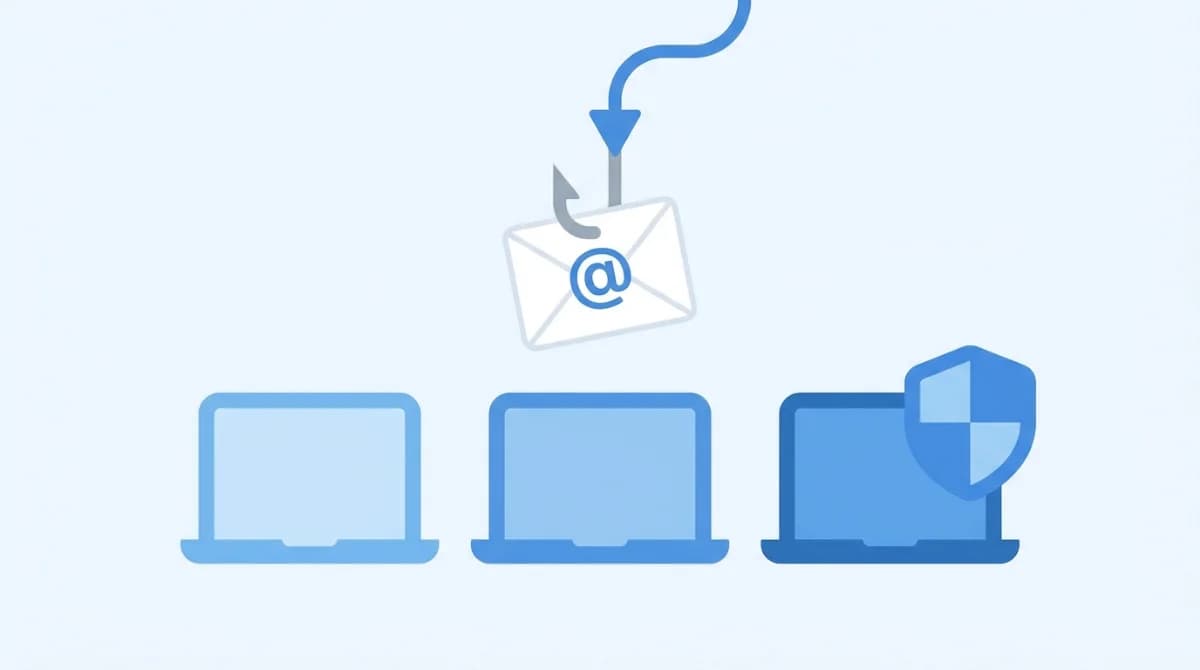
Phishing is a social-engineering attack in which criminals impersonate a trusted person or brand – by email, text message, phone call, or QR code – to trick victims into revealing credentials, paying fake invoices, or installing malware. It's the most common way breaches start, and AI-written lures have made the old "spot the typo" advice obsolete. Here's the 2026 picture: every major type, the red flags that still work, and the defenses that actually stop it.
What is phishing, in simple words?
Phishing is lying at scale. An attacker pretends to be someone you trust – your bank, Microsoft, a delivery service, your own CEO – and asks you to do something that helps them: click a link, open an attachment, enter a password, pay an invoice. The name plays on "fishing": the message is bait, and anyone who bites is the catch.
Unlike attacks that exploit software vulnerabilities, phishing exploits people. That's exactly why it works so well – and why it tops the breach statistics year after year. Phishing is the most common initial entry point to a breach, involved in roughly 15% of all incidents, and breaches that start with phishing cost organizations an average of USD 4.88 million (IBM Cost of a Data Breach Report, 2024). The FBI's Internet Crime Complaint Center (IC3) consistently ranks phishing as the most-reported cybercrime category, with business email compromise alone driving USD 2.9 billion+ in reported losses in a single year (FBI IC3, 2023).
How does a phishing attack work?
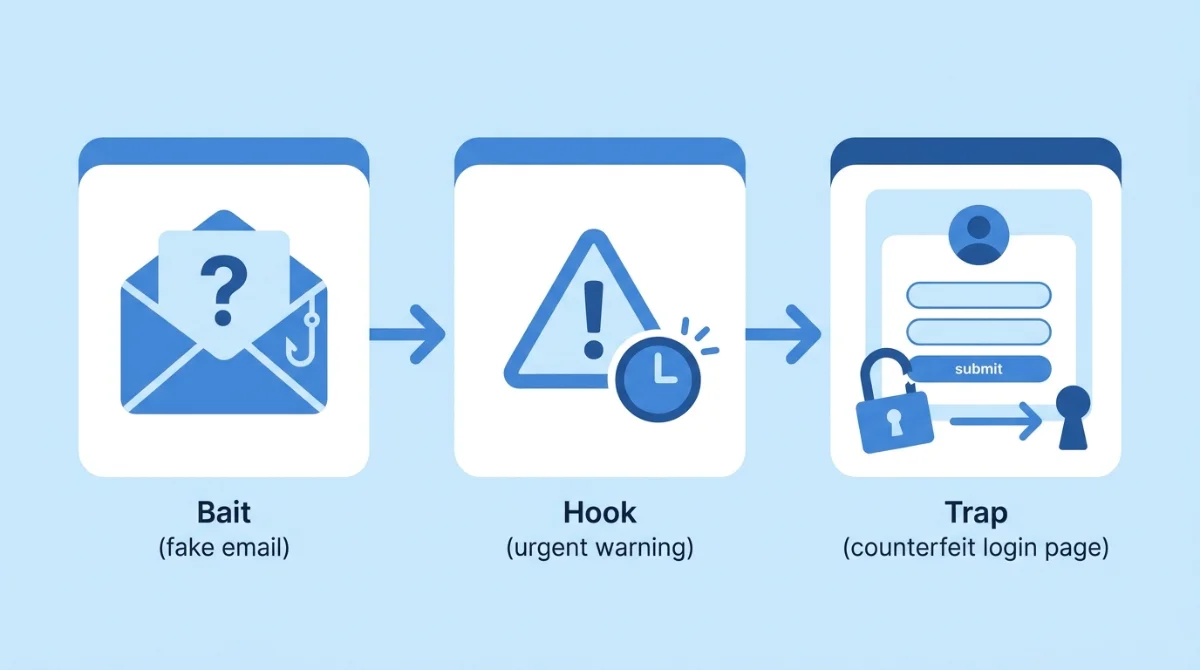
Nearly every phishing attack – from a mass spam blast to a hand-crafted CEO impersonation – follows the same three-step pattern:
- The bait. A message arrives that looks like it comes from a legitimate source. The logo is right, the sender address is close enough, the tone is familiar.
- The hook. The message creates urgency or fear: your account will be suspended, a package can't be delivered, an invoice is overdue, the boss needs this done before close of business.
- The trap. You're pushed to act – click a link to a counterfeit login page, open a malicious attachment, approve a payment – and the attacker collects credentials, money, or a foothold in your network.
A real-world version we've watched play out: a clinic's finance clerk receives an invoice that looks exactly like their regular medical supplier's – same format, same signature block, polite reminder tone. The only thing wrong is the bank account number. Companies have lost six figures to that single detail.
Why does phishing work so well?
Three reasons, and none of them is "people are careless."
It hijacks good instincts. Phishing weaponizes the exact behaviors workplaces reward: responding quickly, helping the boss, paying vendors on time. The hook isn't stupidity – it's diligence pointed at the wrong target. That's why even IT professionals get caught on a busy Tuesday.
The economics are lopsided. Sending a million emails costs almost nothing; one successful BEC payment can net six or seven figures. A defender has to be right every time, an attacker once. With AI writing the lures, the cost side of the attacker's ledger just dropped to near zero.
It bypasses your technology by design. A well-crafted phishing email contains no malware and no exploit – just words. Firewalls and antivirus inspect code; phishing's payload is trust. That's why it remains the front door for bigger attacks: a single harvested password becomes ransomware deployment, data theft, or a months-long quiet compromise. Most of the worst breaches in recent memory started with one convincing email.
What are the types of phishing attacks?
Email phishing (bulk)
The classic: mass emails impersonating big brands, sent to millions in the hope that a fraction bite. These spike around shopping events and tax season, when "problem with your order" and "refund pending" messages blend in with the real thing.
Spear phishing and whaling
Spear phishing targets a specific person, using researched details – your name, role, projects, vendors – to make the lure credible. When the target is an executive or someone with payment authority, it's called whaling. Social media and LinkedIn make the research trivially easy.
Business email compromise (BEC)
BEC is spear phishing aimed at moving money. The attacker impersonates (or actually hijacks) an executive's or vendor's mailbox and instructs an employee to pay an invoice or change banking details. There's often no malware and no link – just a perfectly normal-looking business email, which is why it slips past traditional filters and why its losses are measured in billions.
Smishing, vishing and quishing
Phishing left the inbox years ago. Smishing uses SMS ("your package is held – pay the customs fee"). Vishing uses phone calls, increasingly with AI-cloned voices – vishing attacks grew 260% between 2022 and 2023 (APWG Phishing Activity Trends Report, 2024). Quishing hides the malicious link inside a QR code – on a parking meter, a poster, or an email attachment – where URL filters can't read it.
Clone phishing and social-media phishing
Clone phishing copies a legitimate email you've already received – same wording, same attachment name – and resends it from a spoofed address with the link or file swapped for a malicious one. Because the original was real, the copy inherits its trust. Social-media phishing runs the same plays through LinkedIn InMail, Facebook Messenger, and X DMs: fake recruiter offers, "is this you in this video?" links, and account-verification scams. Anywhere a message can reach you, phishing can too.
AI phishing: the 2026 problem
Generative AI removed phishing's two oldest tells: bad grammar and limited scale. IBM X-Force found that a phishing email that takes a scammer 16 hours to craft manually can be produced by AI in about five minutes (IBM X-Force Threat Intelligence Index). Dark-LLM tools sold on criminal forums – like WormGPT, the malicious AI behind modern phishing lures – write flawless, personalized, multilingual bait on demand. The result: more phishing, better phishing, and training programs that aged out overnight.
What are the warning signs of a phishing email?
The classic red flags still catch the lazy attacks:
- Urgency and threats. "Act now or lose access." Real organizations rarely give you two hours.
- Unexpected requests for money or data. Password "confirmations", gift cards, changed bank details.
- Sender address that's almost right. rnicrosoft.com instead of microsoft.com; a CEO emailing from a personal address.
- Links that don't match. Hover before you click: bankingapp.scamsite.com is scamsite.com, not your bank.
- Vagueness. "There is an issue with your account" with no specifics, no order number, no name.
The honest 2026 caveat: AI-written lures often have none of these tells. Perfect grammar, correct tone, plausible context. As one ShieldNet threat analyst puts it: "The grammar mistakes we trained staff to spot are gone. Defense now has to assume the email looks perfect." Treat the red-flag list as necessary, not sufficient.
How do I know if I got phished – and what should I do?
Telltale signs: password-reset emails you didn't request, logins from unfamiliar locations, being locked out of an account, strange transactions, or colleagues receiving odd messages from you. If you suspect you've been caught:
- Change the affected password immediately – and anywhere else you reused it.
- Turn on multi-factor authentication (MFA) on the affected accounts if it wasn't already.
- Tell your IT or security contact right away. Speed limits damage; embarrassment helps the attacker. Early detection of credential theft is the difference between resetting one password and recovering a whole network.
- If money moved, contact the bank immediately and report to the FBI's IC3 (or your local cybercrime unit) – fast reporting sometimes recovers transfers.
Phishing vs spoofing vs spam: what's the difference?
Term | What it is | Relationship |
|---|---|---|
Phishing | The crime: deceiving someone into revealing data, paying, or installing malware | The attack itself |
Spoofing | The technique: forging a sender address, display name, domain, or caller ID | A tool phishing uses to look legitimate |
Spam | Unwanted bulk messaging, usually marketing | Annoying but not necessarily criminal; some phishing rides in spam blasts |
In short: spoofing is how the lie is dressed, phishing is the lie doing damage, and spam is mostly just noise – though the worst emails are all three at once.
How do you stop phishing in 2026?
No single control stops phishing. Layered defenses do:
- Email authentication (DMARC, DKIM, SPF). Makes your domain hard to spoof and flags inbound forgeries.
- MFA everywhere. A stolen password alone shouldn't be enough to log in. Prefer phishing-resistant methods (security keys, passkeys) for admins.
- Behavioral, AI-aware email security. Legacy filters check keywords and signatures; modern attacks pass both. Detection has to model behavior – who normally emails whom, about what – and inspect intent, then claw back messages that turn malicious after delivery.
- Train on AI-written examples. Simulations using 2019-era "Nigerian prince" templates teach the wrong lesson. Staff should practice against flawless lures.
- Process controls for money. Any change of bank details or urgent payment request gets verified on a second channel – a phone call to a known number. No exceptions, including the CEO.
This layered, behavior-first approach is exactly what the Upcoming ShieldNet NGES solution brings to SMB and mid-market teams: AI-aware email security that catches the phishing emails that look perfect – without needing a security department to run it.
And report what you catch. Reporting isn't just hygiene – it's herd immunity. Forward phishing emails to your security team or provider, report scams to the FTC and the FBI's IC3 in the US, and use the report-phishing button if your email client has one. CISA's "Recognize and Report Phishing" guidance makes the point bluntly: every reported lure helps filters catch the next thousand copies of it. Inside a company, the metric that matters isn't zero clicks – it's how fast the first person who spotted it told someone.
FAQ
What is phishing in cyber security?
Phishing is a social-engineering attack that uses fraudulent messages impersonating trusted sources to steal credentials, money, or data, or to deliver malware. It targets people rather than software vulnerabilities.
What is one example of phishing?
An email that looks like it's from Microsoft saying your password expires today, linking to a perfect copy of the Microsoft login page. Enter your credentials and the attacker now owns your mailbox.
What's the difference between phishing and spam?
Spam is unwanted junk marketing; phishing is a crime. Spam wants your attention – phishing wants your credentials, your money, or a foothold in your network.
Can opening a phishing email get me hacked?
Merely opening an email is usually safe. The danger is in interacting: clicking links, opening attachments, scanning QR codes, or replying with information. When in doubt, report and delete.
Why is phishing still so effective in 2026?
Because it attacks human trust, scales cheaply, and now uses AI to write flawless, personalized lures in any language. The economics favor attackers – which is why layered technical defenses matter more than perfect vigilance.
The bottom line
Phishing isn't going away; it's getting better-written. Teach the red flags, but build for the day the email has none of them: authenticate your domain, require MFA, verify payments out-of-band, and put behavioral AI between your team and their inbox.
Related Articles
Oct 22, 2026
Real or Fake? HR Asking You to Review Payroll
Got an email from HR asking you to review payroll? Learn how to identify fake payroll emails, verify HR requests, and protect your salary and bank details.
Oct 9, 2026
I replied to a phishing email. Am I at risk?
Replied to a phishing email? Learn what risks you face, what attackers can learn from your reply, and what to do next to protect your account and business.
Oct 8, 2026
Real or Fake? How to verify a sharepoint file invitation
Received a SharePoint file invitation? Learn how to spot fake SharePoint emails, verify shared files safely, and protect your Microsoft 365 account from phishing.

Protect your business with ShieldNet 360
Get started and learn how ShieldNet 360 can support your business.