
Mar 25, 2026
BlogHow to Detect Credential Theft in a Small Business: Signs & Response
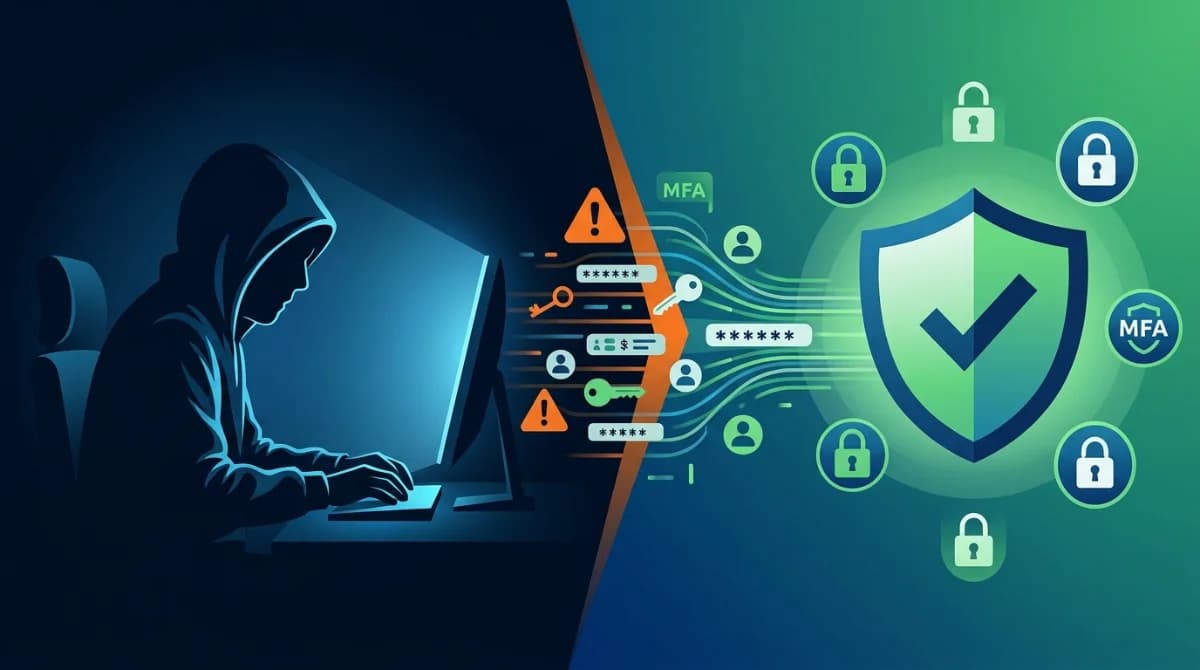
Your employee's login worked perfectly – and so did the attacker's, using the same stolen password.
Credential theft is when attackers steal usernames, passwords, or session tokens to access your systems as a trusted user. For small businesses, the key warning signs include logins at unusual hours, access from new locations, repeated failed login attempts, and alerts from MFA tools. Detecting it early requires monitoring login behavior, enabling alerts, and responding fast to anomalies.
This guide explains the behavioral signals that reveal credential theft in progress, the tools available to a small team, and the immediate steps to take when something looks wrong.
What Is Credential Theft and Why Does It Hit Small Businesses Hard?
Credential theft is the act of stealing authentication data – usernames, passwords, session cookies, or API tokens – to impersonate a legitimate user inside your systems. Unlike brute-force attacks, stolen credentials are valid credentials. That's what makes them so dangerous: the attacker looks like your CFO, your IT admin, or your contractor.
The 2024 Verizon Data Breach Investigations Report found that stolen credentials were involved in 77% of breaches within basic web application attacks, which are the most common attack pattern targeting businesses of all sizes. Nearly 38% of analyzed breaches used compromised credentials – more than double the rate of phishing and exploitation combined.
Small businesses are disproportionately exposed because:
- No dedicated security staff. No one is watching login dashboards in real time.
- Mixed personal and work devices. The 2025 DBIR found that 46% of systems compromised with infostealer malware that had possible corporate login data were non-managed devices.
- Over-reliance on VPNs. Traditional VPNs grant wide network access once credentials are validated – there's no per-session, per-resource verification.
- Shared passwords and poor offboarding. Former employees or contractors may retain access long after they've left.
Common methods attackers use to steal credentials include phishing emails with fake login pages, infostealer malware that harvests browser-stored passwords, credential stuffing (testing leaked passwords from other breaches), and social engineering calls impersonating IT support.
What Are the Warning Signs of Credential Theft?
This is the most actionable section for any SME owner or IT manager. Credential theft is hard to detect because the attacker is using valid credentials. Detection depends entirely on identifying behavior that doesn't fit the expected pattern.
Login-Based Signals
- Logins at unusual hours. Your office manager logging in at 3 AM from a device they've never used is a strong anomaly.
- Geographic impossibilities. An account that logged in from London at 9 AM and from Dubai at 10 AM is physically impossible – this is called "impossible travel."
- Multiple failed logins followed by a success. This pattern suggests credential stuffing: an attacker testing a list of stolen passwords until one works.
- Login from a new device or browser. Especially combined with an unusual location or time.
- MFA prompt notifications the user didn't trigger. If your employee receives an MFA push they didn't initiate, an attacker has the correct password and is attempting to complete the login.
Behavioral Signals Post-Login
- Accessing files or systems outside the user's normal scope. A salesperson suddenly pulling financial reports or accessing the server room's admin panel.
- Large file downloads or bulk email forwards. A common data exfiltration pattern.
- New admin accounts being created. Attackers often create a backdoor account to maintain access.
- Privilege escalation requests. A standard user suddenly requesting or receiving elevated permissions.
- Changes to MFA settings or recovery email. This is how attackers lock out the real user.
NIST SP 800-63B guidance specifically calls for monitoring suspicious login attempts, anomalous behavior, and credential-stuffing attacks – and triggering immediate password resets when evidence of compromise appears.
How to Detect Credential Theft: A Practical Approach for Small Teams
Most small businesses lack a SIEM (Security Information and Event Management) platform. That doesn't mean you're defenseless. Here's a layered detection approach that works with limited resources.
Layer 1: Enable MFA Everywhere
Multi-factor authentication doesn't just prevent unauthorized logins – it also signals attempted theft. Every MFA push your employee didn't request is a detection event. Tools like Microsoft Authenticator and Google Authenticator are free. Platforms like Microsoft 365 and Google Workspace have built-in MFA with login anomaly alerts.
Layer 2: Turn on Login Alerts in Your SaaS Tools
Microsoft 365, Google Workspace, AWS, and most cloud services have built-in alerts for:
- Sign-in from new locations
- Impossible travel
- Failed login spikes
- Admin role changes
These are free and take under 30 minutes to configure. Enable them today.
Layer 3: Check Your Access Logs Regularly
You don't need a full security team. Even a weekly 15-minute review of login logs can surface anomalies before they escalate. Look for:
- Accounts active outside business hours
- Users accessing systems they don't normally use
- New device sign-ins for any privileged account
Layer 4: Use Endpoint Detection
Endpoint detection tools monitor devices for infostealer malware – software that harvests browser-stored passwords and session cookies. Tools like CrowdStrike Falcon Go, Microsoft Defender for Business, or managed platforms like ShieldNet Defense run AI-driven detection 24/7 in the background, flagging anomalous process behavior that typically indicates credential harvesting malware.
ShieldNet Defense's Pro and Ultimate plans include AI Defense 24/7, Analysis and Investigation, and Auto Response capabilities – giving small teams the detection power of a dedicated security operations center without needing to hire one.
Layer 5: Dark Web and Breach Monitoring
Tools like Have I Been Pwned (free) or commercial dark web monitoring services scan breach databases for your business email domains. When your credentials appear in a breach dump, you can force password resets before attackers use them. With passwords no longer expiring on a mandatory schedule under NIST 2025 guidance, detecting when credentials have been compromised becomes more important – organizations should actively monitor for credential exposure and require changes when breaches are detected.
Credential Theft Detection: Manual Monitoring vs. Automated Monitoring
Approach | Coverage | Speed | Best For | Limitations (TAB) |
|---|---|---|---|---|
Manual log review | Login events only | Weekly/daily | Zero-budget teams | Misses real-time threats |
SaaS built-in alerts (M365/Google) | Cloud app logins | Near real-time | All SMEs | Limited to that platform |
Endpoint detection (Defender/CrowdStrike/ShieldNet Defense) | Devices + behavior | 24/7 automated | SMEs with 10+ devices | Requires installation |
Dark web monitoring | Leaked credential databases | Daily scans | All businesses | Doesn't detect active intrusion |
Managed Detection & Response (MDR) | Full environment | 24/7 + human analysts | Regulated or high-risk SMEs | Higher cost |
The most resilient approach is layered: SaaS alerts catch cloud login anomalies, endpoint detection catches malware and device-level threats, and dark web monitoring gives you early warning on leaked credentials.
What to Do Immediately If You Suspect Credential Theft
Speed matters. The average dwell time – how long an attacker operates undetected – is measured in days to weeks. Every hour of access is an opportunity for lateral movement, data exfiltration, or ransomware deployment.
Immediate Steps (First 30 Minutes)
- Force a password reset on the affected account.
- Revoke all active sessions – most platforms have a "sign out everywhere" option.
- Check and re-secure MFA settings – verify recovery email and phone haven't been changed.
- Disable the account temporarily if you cannot confirm the scope of access.
- Review access logs for what the account accessed in the last 24-72 hours.
- Notify your IT team or managed security provider immediately.
Within 24 Hours
- Audit other accounts that had contact with the compromised account.
- Check if any new admin accounts were created.
- Review outbound email rules – attackers commonly set forwarding rules.
- Determine if any sensitive files were downloaded or shared externally.
- If customer data may have been accessed, consult your legal or compliance obligations (GDPR, PCI DSS notification windows apply).
FAQ
What is the most common way credentials get compromised?
Phishing remains the most common entry point. Attackers send fake login pages via email, capturing credentials when employees type them in. Credential stuffing – using passwords leaked in other breaches – is a close second, especially when employees reuse the same password across personal and work accounts.
How do I know if my business credentials are already stolen?
Check your email domain on haveibeenpwned.com for free. Also look for unsolicited MFA notifications, unusual login activity in your Microsoft 365 or Google Workspace audit logs, and unfamiliar devices in your active session list. These are the clearest real-world signals.
Can small businesses detect credential theft without an IT team?
Yes. Free tools like Microsoft 365's sign-in log alerts, Google Workspace's security dashboard, and Have I Been Pwned cover the basics at no cost. For stronger protection, endpoint detection platforms like ShieldNet Defense automate 24/7 monitoring and alert your team the moment anomalous behavior is detected – no dedicated IT staff required.
Related Articles
Sep 24, 2026
Real or Fake? Google Account Security Alert
Got a Google Account security alert? Learn how to tell if it is real or phishing, verify it safely, and protect your account without clicking suspicious links.
Sep 18, 2026
What is Invoice Fraud and How can employees spot it?
Learn how invoice fraud works, how attackers fake supplier payment requests, the warning signs employees should check, and how to verify invoices safely.
Sep 17, 2026
What Is DLP for AI and Why do Businesses need t?
Learn what DLP for AI is, how it prevents employees from sharing sensitive business data with AI tools, and why businesses need AI data protection.

Protect your business with ShieldNet 360
Get started and learn how ShieldNet 360 can support your business.