
Jun 12, 2026
BlogHow to Run an Access Audit: Step-by-Step for Growing Companies
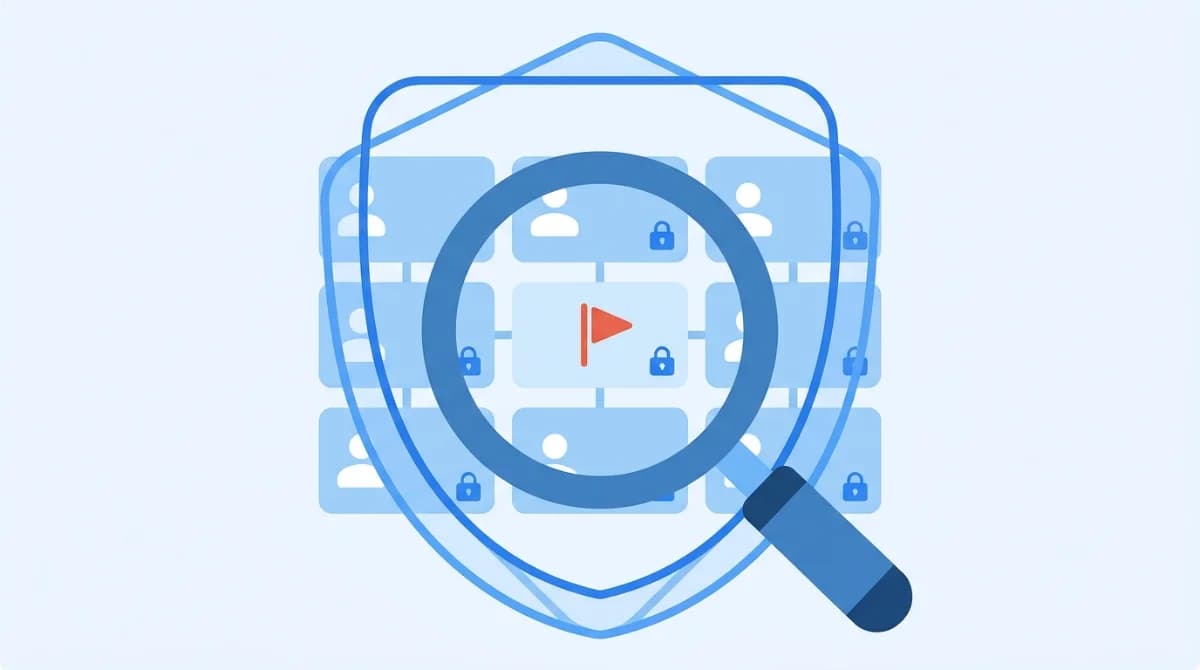
A user access review (also called an access audit) is a recurring process of checking who can access your systems and data, whether they still need that access, and removing what they don't. It prevents privilege creep, closes ex-employee backdoors, and produces the evidence auditors ask for under SOC 2, ISO 27001, GDPR, and HIPAA.
Here's the uncomfortable pattern in most growing companies: access gets granted in seconds and reviewed never. People join, switch teams, take on side projects, and leave – and every step adds permissions in Microsoft 365, Google Workspace, and a dozen SaaS tools that nobody ever takes away. Then a customer's security questionnaire or a SOC 2 auditor asks one simple question: "Show me your last access review." This guide walks you through running one that actually holds up – step by step, sized for a company without a security team.
What is a user access review (access audit)?
A user access review (UAR) – auditors may call it an access audit or access certification – is a structured check of every user's access rights: which systems and data each employee, contractor, and vendor can reach, and whether that access still matches their current role. Anything that doesn't match gets revoked or reduced.
The review answers four questions:
- Who has access to which systems and data?
- What level of access do they have (user, admin, owner)?
- Is there a valid, current business reason for it?
- What needs to change – and who signed off on it?
"Users" means more than employees. Contractors, agencies, vendors with support logins, and – the classic audit finding – former employees whose accounts were never fully closed all belong in scope.
Why do growing companies need access audits?
Because access grows faster than the company does. Every hire, tool, and "just give them admin for now" decision accumulates. Unchecked, that becomes access sprawl that builds up as companies grow – and sprawl is exactly what attackers exploit. Credential misuse was the top initial access vector in roughly 40% of breaches (Verizon DBIR, 2024), and the global average cost of a data breach reached $4.88 million (IBM Cost of a Data Breach, 2024).
The risk isn't hypothetical. In November 2021, an employee at South Georgia Medical Center used still-active credentials to download patient data onto a USB drive the day after leaving the job – a HIPAA breach affecting over 40,000 patients, documented in Drata's user access review guide. One un-reviewed account, one very expensive day.
Regular reviews catch three problems before they become incidents:
- Privilege creep – people keep permissions from old roles and projects, so their accounts get more powerful every year.
- Orphaned accounts – ex-employees and ended contracts that still have working logins.
- Excess admins – "temporary" admin rights that quietly became permanent.
There's a bonus nobody mentions: most SaaS tools bill per seat. Reviews routinely surface dormant accounts and over-tiered licenses you're still paying for. Security exercise, immediate refund.
Which compliance frameworks require user access reviews?
If you're chasing a certification or answering enterprise security questionnaires, access reviews are not optional. Here's what the frameworks SMEs actually face expect:
Framework | Where | What it expects |
|---|---|---|
SOC 2 | Trust Services Criterion CC6 | Restrict access to authorized users; review and remove credentials promptly |
ISO 27001 | Annex A.5 | Periodic access reviews; privileged accounts reviewed more often |
GDPR | Audit who can access personal data, including third parties | |
HIPAA | §164.308 Administrative Safeguards | Establish, document, review, and modify access rights |
SOX | Section 404 | Access controls as part of internal controls over financial reporting |
PCI DSS | Requirement 7.2.5 | Periodic reviews of application and system accounts |
NIST 800-53 | Periodic review of accounts and access policies |
The common thread: every framework wants the review to be recurring, documented, and provable. A one-off cleanup with no records satisfies none of them.
How do you run a user access review? (6 steps)
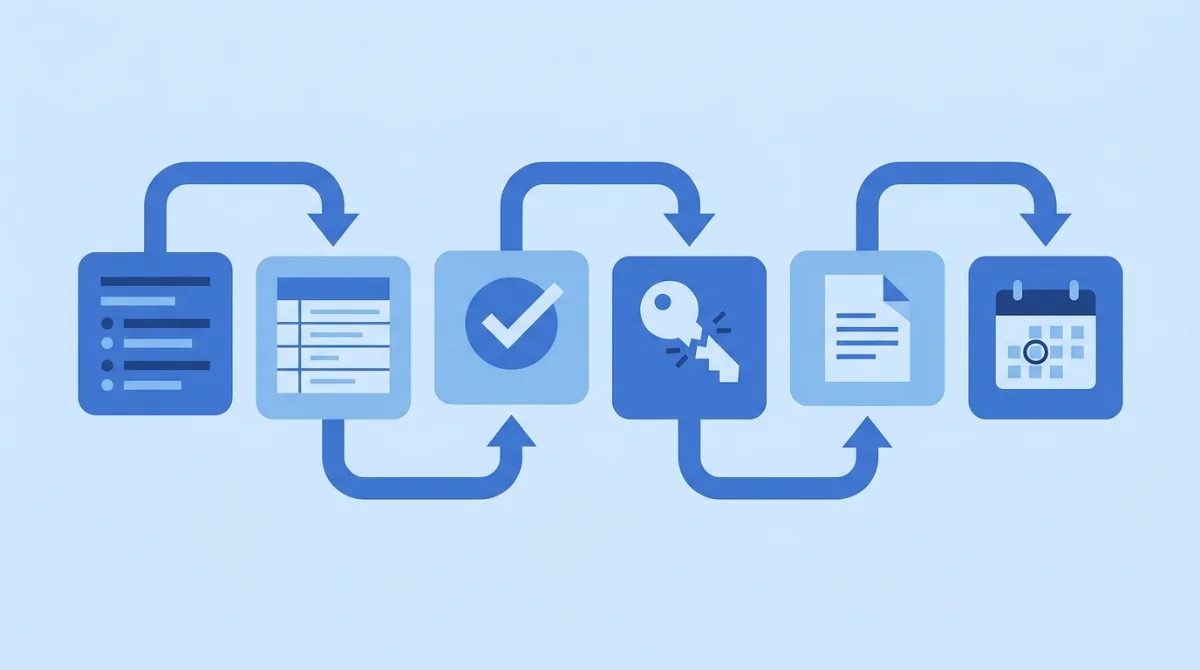
The short version: scope it, collect the data, review with managers, revoke what fails the test, write it down, and put the next one in the calendar. Here's each step in practice.
1. Define the scope
Don't try to audit everything at once. List your systems and rank them by damage potential: customer data, financials, production/cloud admin, email, then everything else. For a first review, scope to the top five to ten systems – crown jewels first, expansion later. Write the scope down; auditors ask for it.
2. Collect who-has-access-to-what
Export user lists and permission levels from each in-scope system: the Microsoft 365 or Google Workspace admin console, your cloud provider's IAM, and each SaaS tool's user management page. Pull your HR roster of joiners, movers, and leavers since the last review. A spreadsheet with system, user, role, and last-login is a perfectly acceptable starting point – the failure mode isn't using Excel, it's having no inventory at all. This is also where shadow IT surfaces: expect to find at least one tool nobody in IT knew was holding company data.
3. Review with managers
IT can see what access exists, but only managers know whether it's still needed. Send each manager their team's access list with one question per line: does this person still need this, at this level? Give a deadline and a default – no response means access gets removed. That single rule turns a three-week chase into a one-week review.
4. Revoke and right-size
Now act on the answers. Close ex-employee and ended-contractor accounts first – they're the highest risk and the easiest call. Then downgrade over-privileged accounts to match current roles, applying the principle of least privilege: the minimum access that lets each person do their job. Kill shared logins where you can. As BeyondTrust's identity-security glossary puts it, "User access reviews help ensure right-sizing of access permissions and adherence to the principle of least privilege – a key pillar of identity security and a common regulatory requirement."
If this step uncovers a backlog of departed users with live accounts, fix the process upstream – here's how to revoke access cleanly when people leave so the next review starts smaller.
5. Document everything
Record what was reviewed, by whom, on what date, what was found, and what was changed. Keep the manager sign-offs. This documentation is the deliverable: when the auditor or an enterprise customer asks for evidence of access reviews, this file is the answer.
6. Set the cadence
One review is a cleanup. A schedule is a control. Put the next review in the calendar before you close this one, and assign an owner by name – "the IT team" owns nothing.
How often should you review user access?
Quarterly for critical systems (customer data, financials, admin accounts), and at least annually for everything else. Two triggers should start an immediate, smaller review regardless of the schedule: someone leaves or changes roles, and any security incident. Highly regulated businesses often tighten to monthly for their most sensitive systems. If your current answer is "we review access before the audit," be honest about what that means: it isn't a control, it's a cleanup with a deadline.
What goes in a user access review checklist?
- Scope defined and written down (systems, users, reviewers)
- Access exports collected from every in-scope system
- Ex-employee and ended-contractor accounts closed
- Permissions from previous roles removed (privilege creep)
- Admin rights justified, time-boxed, or revoked
- Shared accounts eliminated or documented with an owner
- Manager sign-off recorded per team
- Changes executed and verified in each system
- Findings, decisions, and evidence archived
- Next review scheduled with a named owner
Nobody has ever enjoyed an access review. The trick is making it small enough, and repeatable enough, that it actually happens.
FAQ
What is the user access review process?
It's a six-step cycle: define which systems are in scope, collect who has access to what, have managers confirm whether each access is still needed, revoke or reduce what isn't, document the findings and sign-offs, and schedule the next review. The output is right-sized access plus audit-ready evidence.
What's the difference between an access audit and a user access review?
In practice they're the same exercise. "User access review" (UAR) is the term most frameworks and auditors use; "access audit" is the plain-English version. You may also hear "access certification" – that usually refers to the formal manager sign-off step inside the review.
How often should user access be reviewed?
Quarterly for critical systems and privileged accounts, at least annually for lower-risk tools, plus event-driven checks whenever someone leaves, changes roles, or after a security incident.
What are the types of user access review?
Three: periodic reviews on a fixed schedule, event-driven reviews triggered by joiners/movers/leavers or incidents, and continuous reviews where software monitors access changes in real time and flags anomalies – typically the step you automate once manual reviews become too slow.
Make the next access audit a non-event
The first access review is always the worst one – every review after it gets smaller, faster, and less surprising. The real fix is visibility between reviews: knowing who has access to what, all the time, instead of reconstructing it from exports every quarter. That's exactly what ShieldNet Access does – identity-driven access control with always-current visibility and audit-ready logs, so the next time someone asks "show me your last access review," the answer takes minutes, not weeks. See who has access to what – before the auditor asks.
Related Articles

Oct 22, 2026
Real or Fake? HR Asking You to Review Payroll
Got an email from HR asking you to review payroll? Learn how to identify fake payroll emails, verify HR requests, and protect your salary and bank details.

Oct 9, 2026
I replied to a phishing email. Am I at risk?
Replied to a phishing email? Learn what risks you face, what attackers can learn from your reply, and what to do next to protect your account and business.

Oct 8, 2026
Real or Fake? How to verify a sharepoint file invitation
Received a SharePoint file invitation? Learn how to spot fake SharePoint emails, verify shared files safely, and protect your Microsoft 365 account from phishing.

Protect your business with ShieldNet 360
Get started and learn how ShieldNet 360 can support your business.