
Jun 24, 2026
BlogWhat Is Vishing? Voice Phishing & AI Voice Scams Explained (2026)
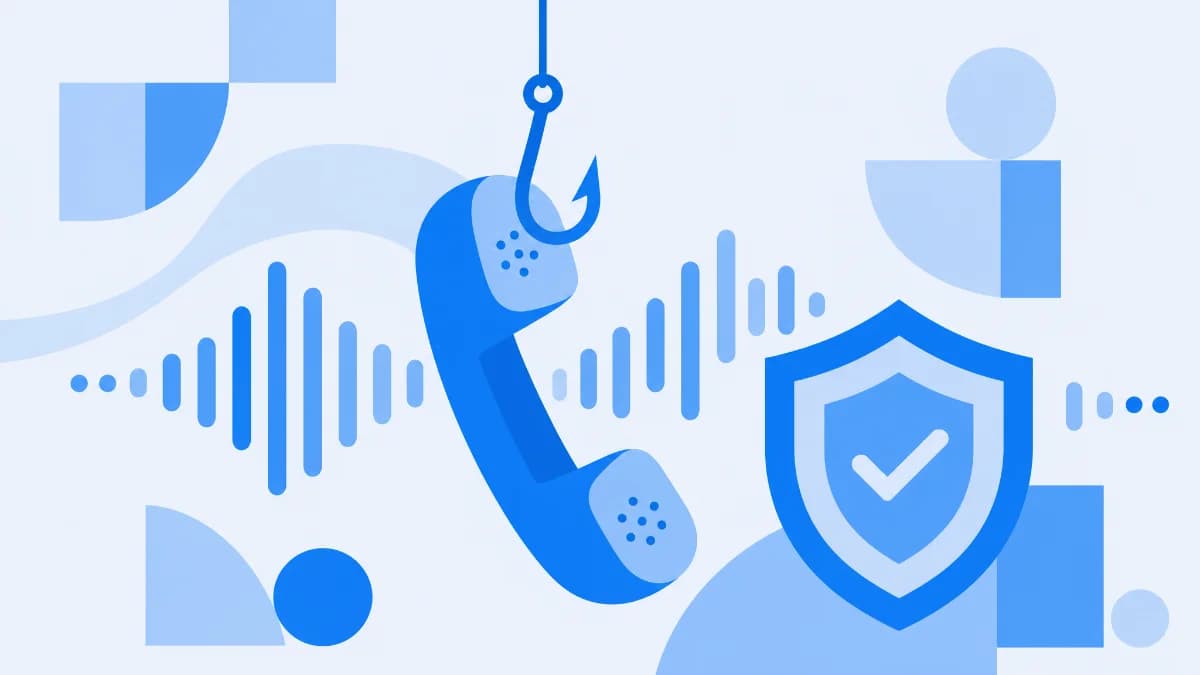
Vishing (voice phishing) is a social-engineering attack in which criminals use phone calls or voicemails – increasingly with AI-cloned voices – to impersonate a trusted bank, government agency, or boss and trick victims into handing over passwords, payment details, or money. It's phishing that arrives by phone instead of by email, and in 2026 the convincing part is no longer the script. It's the voice.
The "fraud department" calling about a charge you didn't make. The "IRS" warning of an arrest warrant. The voicemail in your CEO's exact voice asking you to push a payment through before close of business. If your phone has rung with any of these, you've met vishing. Here's the 2026 picture: what it is, how the AI-voice version works, the red flags that still hold up, what to do if you've already talked, and why so many of these calls start in your inbox.
What is vishing?
Vishing is phishing carried out over the phone – the word fuses "voice" and "phishing." Instead of a fake email or text, the bait is a live call, a robocall, or a voicemail. The attacker pretends to be someone you trust – your bank, the IRS, Microsoft support, a delivery company, or your own manager – and manufactures urgency so you act before you think. The goal is always the same: get you to reveal credentials, read out a one-time code, change payment details, or send money.
The technical plumbing is cheap and well understood. Attackers use Voice over IP (VoIP) to place calls from anywhere, caller ID spoofing to make the number look like your bank or a local line, and social engineering to keep you on the hook. What's new in 2026 is AI voice cloning: a few seconds of someone's audio – from a voicemail greeting, a webinar, a TikTok – is enough to generate a synthetic voice that sounds like them on a live call. Vishing used to rely on a convincing script. Now it can borrow a convincing person.
How does a vishing attack work?
Almost every vishing call runs the same three-act script:
- The disguise. The attacker spoofs a trusted caller ID or clones a familiar voice. The number on your screen says "Bank of America" or shows a local area code; the voice is calm, official, maybe even familiar. None of that proves who's actually calling.
- The pressure. Something is urgently wrong: a fraudulent charge, a suspended account, an overdue tax bill, a payment the boss needs done now. Urgency is the whole trick – fear and time pressure switch off the part of your brain that would otherwise check.
- The ask. You're pushed to hand something over: a password, a verification code, your card number, remote access to your computer, or a wire transfer. Once you comply, the attacker has what they came for.
A version we've watched play out: a finance clerk at a mid-market firm gets a voicemail in the CFO's voice – right accent, right phrasing – asking them to release a held vendor payment to a new account "before the bank cuts off for the day." There's no malware, no link, nothing for a filter to catch. Just a trusted-sounding voice and a deadline. That's the same money-movement logic behind business email compromise – only the channel is a phone call instead of an email thread.
Why do attackers use the phone?
Two reasons. First, a voice builds trust and urgency in a way text can't – the caller reacts to your hesitation in real time, applies pressure, and improvises. Second, phone numbers aren't policed like web links. A malicious URL gets flagged, blocklisted, and shared across security tools within hours; a spoofed phone number usually doesn't. That gap is exactly why vishing slips past defenses built for email and the web.
Vishing vs phishing vs smishing – what's the difference?
They're the same crime through three different channels. The attacker impersonates someone you trust and manufactures urgency; only the delivery method changes.
Attack | Channel | Typical bait |
|---|---|---|
Phishing | A fake login link, malicious attachment, or fraudulent invoice | |
Smishing | SMS / text | "Package held," "unpaid toll," a link to a fake site |
Vishing | Phone call / voicemail | A spoofed or AI-cloned caller pressuring you to share data or pay |
In practice the lines blur – many attacks combine them. A vishing campaign often opens with an email or a text that tells you to "call our support line," handing the victim a number the attacker controls. If you want the email side of this family, start with the wider phishing playbook; for the text-message version, see its SMS cousin, smishing.
What are the most common Vishing scams in 2026?
The pretexts are old; the production values are new. Here are the ones SMBs and their employees actually get hit with.
Bank and account-problem calls
The classic. A "fraud department" agent says there's suspicious activity on your account and they need to "verify" your details – login, card number, or the one-time code your bank just texted you. Real banks never call to ask for your password or a verification code. If they call about fraud, they ask you to confirm or deny a transaction, not to read out secrets.
Government impersonation: IRS, Social Security, Medicare
A threatening recorded message claims you owe back taxes and a warrant is out for your arrest, or that your Social Security number has been "suspended." The threat is the point – panic makes people pay. As the FTC's guidance on phone scams puts it plainly: government agencies won't call out of the blue to demand payment or confirm sensitive information, and you won't be arrested for not paying over the phone.
Tech-support scams
A caller claiming to be from Microsoft, Apple, or Google warns of a virus or "suspicious activity" and offers to fix it – if you install software or grant remote access. Hand over remote access and they can drain accounts, plant malware, or lock you out. Legitimate tech companies don't cold-call you about problems on your device.
Delivery, prize, and "refund" calls
You've won a prize but need to pay shipping; a package is stuck but a small fee will release it; you're owed a refund but must "confirm" your card to receive it. The common thread: a small, urgent payment or a card number unlocks a reward that doesn't exist.
AI voice-cloning and deepfake CEO scams
This is the 2026 escalation. Attackers clone the voice of an executive, a family member, or a vendor and call an employee directly to authorize a transfer or share a credential. Because the voice is right and the request fits the person's role, the usual "does this sound off?" instinct fails. The FBI's Internet Crime Complaint Center has long ranked impersonation-driven fraud among the costliest cybercrimes – its annual internet-crime reports tie business email compromise alone to billions in reported losses each year, and voice-clone "CEO calls" are the phone-channel version of that same playbook. The tooling writing these scripts overlaps with the criminal AI behind email lures, like the generative-AI tools criminals use to mass-produce phishing.
What are the red flags of a Vishing call?
No single sign is proof, but these patterns should put you on guard:
- Manufactured urgency. "Act now or your account is closed / you'll be arrested / the payment fails." Real institutions give you time.
- A request for secrets. Passwords, PINs, one-time codes, full card numbers. Legitimate callers never need these.
- Caller ID you're told to trust. Spoofing makes any name or number appear. A familiar number on screen proves nothing.
- "Don't hang up / don't tell anyone." Isolation is a control tactic. Honest businesses are fine with you calling back.
- Unusual payment methods. Gift cards, crypto, wire transfers, or a "new" account for an existing vendor are classic fraud rails.
The honest 2026 caveat: a cloned voice can pass every one of these gut checks. As one ShieldNet threat researcher puts it, "The tell used to be a stranger who sounded off. Now the voice can be your boss's, so the rule has to be the process, not the gut: verify the request on a channel you trust, every time."
What should you do if you've been Vished?
If you think you handed something over, move fast – speed limits the damage:
- Change the exposed password immediately, and anywhere you reused it. Turn on multi-factor authentication if it wasn't already.
- Call your bank on a number you trust (from the back of your card or the official site) if money or card details were involved, and ask them to flag or freeze the account.
- Tell your IT or security contact right away if it happened at work. Embarrassment helps the attacker; early reporting helps everyone.
- Report it. File with the FBI's Internet Crime Complaint Center (especially if a payment moved) and report the scam call to the FTC. Fast reporting sometimes recovers transfers and always helps block the next wave.
How do you prevent Vishing – for yourself and your team?
You can't stop scammers from dialing, but you can make their calls fail. For individuals and small teams alike:
- Verify on a second channel – always. If a call asks for money, credentials, or a change to payment details, hang up and call back on a number you already trust. CISA's guidance on recognizing phishing makes the same point for every channel: look up the contact yourself instead of using the number the message gave you.
- Turn on multi-factor authentication (MFA). A stolen password alone shouldn't unlock an account. Prefer phishing-resistant methods (passkeys, security keys) for admins.
- Set a family or team "code word." A shared word that a real caller can give defeats voice-clone "it's me, I need money now" calls instantly.
- Make payment changes a process, not a phone decision. Any new bank account or urgent transfer gets verified out-of-band – a call to a known number – no exceptions, including the CEO.
- Train staff on the AI-voice version. Old "spot the robocall" advice misses a cloned voice. Teach the verify-the-request rule instead.
And don't forget where vishing usually begins: the inbox. A large share of vishing campaigns open with a phishing email or text that hands the victim a number to call – which is exactly the layer behavioral, AI-aware email security is built to catch.
FAQ
What is vishing in cyber security?
Vishing is a social-engineering attack that uses phone calls or voicemails – often with spoofed caller IDs or AI-cloned voices – to impersonate a trusted party and trick the victim into revealing credentials, payment details, or money. It targets people, not software.
What's the difference between vishing and phishing?
Same crime, different channel. Phishing arrives by email; vishing arrives by phone call or voicemail. Both impersonate someone you trust and use urgency, but vishing adds a live voice – and, increasingly, an AI-cloned one – to apply pressure in real time.
What is the red flag for vishing?
The biggest red flag is urgency paired with a request for secrets or money – "act now and confirm your password / send this payment." No legitimate bank, agency, or company will call out of the blue and demand a code, PIN, or transfer. When in doubt, hang up and call back on a trusted number.
Can a scammer really fake someone's voice?
Yes. In 2026, AI voice-cloning tools can reproduce a recognizable voice from just a few seconds of audio, which is why "deepfake CEO" and "family emergency" calls have become a serious fraud vector. A familiar voice is no longer proof of identity – verify the request another way.
Is vishing illegal?
Yes. Vishing is fraud, and spoofing a caller ID to defraud someone is illegal in many jurisdictions, including the US. Report calls to the FTC and, if you lost money, to the FBI's IC3 – your report helps investigators and improves call-blocking for everyone.
The bottom line
Vishing isn't going away; it's getting better-sounding. The 2026 version can spoof a number and clone a voice, so the old "did that sound off?" instinct isn't enough. Build the habit instead: never share secrets or move money on an inbound call, verify every request on a channel you trust, turn on MFA, and put behavioral, AI-aware email security in front of the inbox where most of these calls are first set up.
Related Articles
Sep 18, 2026
What is Invoice Fraud and How can employees spot it?
Learn how invoice fraud works, how attackers fake supplier payment requests, the warning signs employees should check, and how to verify invoices safely.
Sep 17, 2026
What Is DLP for AI and Why do Businesses need t?
Learn what DLP for AI is, how it prevents employees from sharing sensitive business data with AI tools, and why businesses need AI data protection.
Sep 16, 2026
What is Payroll Phishing and How does it target HR?
Learn how payroll phishing targets HR teams, how fake salary and bank account requests work, the warning signs, and how employees can verify requests safely.

Protect your business with ShieldNet 360
Get started and learn how ShieldNet 360 can support your business.