
Sep 16, 2026
BlogWhat is Payroll Phishing and How does it target HR?
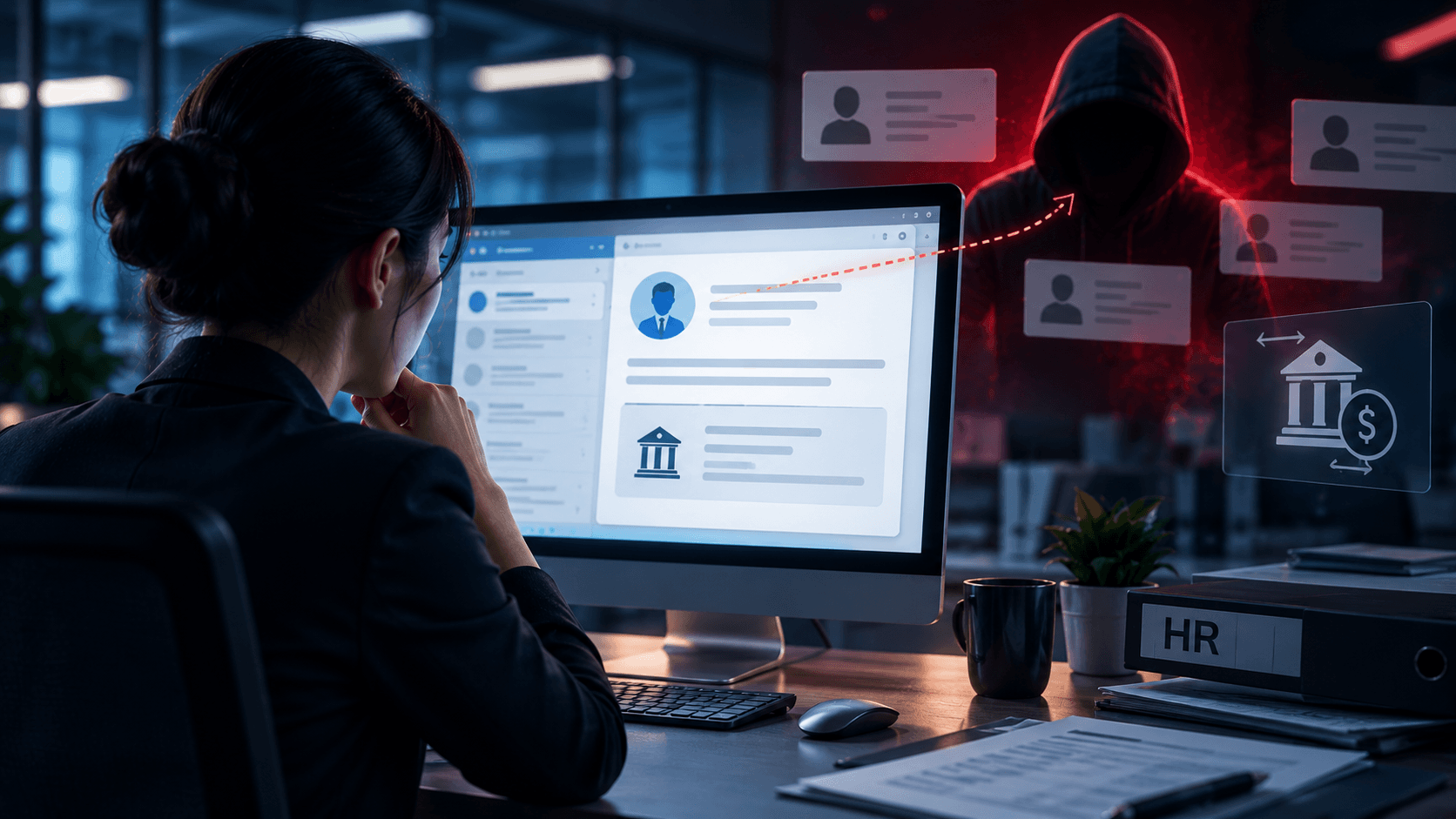
HR receives an email from an employee:
“Hi, I recently changed banks. Could you update my salary payment to the new account below before this month's payroll?”
The employee's name is correct. The email sounds normal. The request is simple.
But the employee never sent it.
This is one example of payroll phishing – an email attack designed to trick HR, payroll, or finance employees into changing salary payment information, revealing employee data, or providing access to payroll-related accounts.
Unlike obvious phishing attacks, payroll phishing may not contain a dangerous attachment or suspicious link.
Sometimes, the attacker only needs HR to believe one simple request.
Quick Answer: What is Payroll Phishing?
Payroll phishing is a type of phishing attack that targets people who manage employee salaries, payroll accounts, or sensitive HR information.
Attackers may impersonate an employee, manager, executive, or payroll provider and ask HR to:
Change an employee's bank account
Update direct deposit details
Send payroll records
Provide employee information
Open a payroll document
Log in to a fake payroll website
Reset access to a payroll account
The goal may be to steal salary payments, employee information, or account credentials.
Why Does Payroll Phishing Target HR?
HR teams handle information that is valuable to attackers.
Depending on the organization, this can include:
Employee names
Contact information
Salary information
Bank or payment details
Identification documents
Employment records
Payroll files
HR also regularly receives legitimate requests from employees.
Employees change banks. New employees submit documents. Managers request information. Payroll providers send notifications.
Attackers try to hide fraudulent requests among these normal activities.
How Does a Payroll Phishing Attack Work?
A simple payroll phishing attack can happen in a few steps.
Step 1: The Attacker Chooses an Employee to Impersonate
Attackers may use publicly available information to identify employees and HR staff.
For example, they might find names, job titles, and company information on professional networks or company websites.
They now know:
Who to impersonate → Who to contact
Step 2: The Attacker Sends HR a Fake Request
The attacker sends a message pretending to be the employee.
For example:
“Hi HR, I've changed my bank account. Can you update my salary payment details before the next payroll?”
There may be no link.
There may be no attachment.
The email itself is the attack.
Step 3: HR Changes the Payment Details
If HR accepts the request without independent verification, the attacker's bank or payment details may replace the employee's legitimate information.
The next salary payment could then be sent to the attacker.
Step 4: The Fraud Is Discovered Later
The company may only realize something is wrong when the real employee says:
“I haven't received my salary.”
By this point, the payment may already have gone to the fraudulent account.
Common Types of Payroll Phishing
Payroll phishing is not limited to changing bank details. Attackers can use several approaches.
1. Fake Bank Account Change
This is one of the simplest scenarios.
An attacker impersonates an employee and asks HR to change the account used for salary payments.
The request may deliberately arrive shortly before payroll is processed to create urgency.
2. Fake Payroll Login
HR receives a message claiming to come from a payroll platform:
“Your payroll account requires verification.”
The link leads to a fake login page.
If the employee enters their credentials, the attacker may capture them and attempt to access the real account.
3. Fake Payroll Document
The email contains what appears to be:
A payroll report
Employee update
Tax document
Salary spreadsheet
HR form
The attachment or link may be malicious.
4. Employee Data Request
An attacker impersonates a manager or executive and requests:
“Please send me the latest employee payroll list.”
If HR complies, sensitive employee information may be exposed.
5. Fake Executive Request
The attacker pretends to be the CEO, CFO, or another executive.
For example:
“I'm reviewing compensation today. Send me the salary file before my next meeting.”
The attacker uses authority and urgency to make HR less likely to question the request.
6. Compromised Employee Email Account
A more difficult scenario occurs when an employee's real mailbox has been compromised.
The attacker may send the payroll change request from the employee's actual email address.
In this case, checking the sender alone may not reveal the attack.
Why Payroll Phishing Can Be Hard to Detect
Payroll phishing often looks like ordinary business communication.
An attacker may know:
The employee's real name
Their job title
The HR contact
The company's payroll schedule
The name of the payroll provider
How the company communicates
Modern phishing messages can also be professionally written and free of obvious spelling mistakes.
This means HR should not rely only on whether an email looks legitimate.
The more important question is:
“Should this request be accepted based on email alone?”
8 Warning Signs of Payroll Phishing
Pay attention when an email includes one or more of these signals:
1. A sudden change to salary payment details
An employee unexpectedly asks HR to change their bank account.
2. Unusual urgency
The sender says the change must happen before today's payroll run.
3. A different or unfamiliar email address
The display name is correct, but the actual address is not the employee's normal address.
4. A request to bypass normal procedures
For example:
“I can't access the HR portal. Can you just update it manually?”
5. An unexpected payroll login link
The email asks HR to sign in through a link rather than through the normal payroll application.
6. Unexpected requests for employee information
A manager suddenly requests salary records or personal employee information.
7. An unusual communication style
The message sounds different from how the employee or executive normally communicates.
8. Pressure not to verify
The sender discourages HR from calling or following the normal approval process.
None of these signs alone proves an email is fraudulent.
But they are reasons to stop and verify.
How Should HR Verify a Payroll Change Request?
A simple rule can prevent many payroll phishing attacks:
Do not change salary payment details based only on an email.
Instead, use a defined verification process.
1. Do Not Reply to the Email to Verify It
If the email account itself has been compromised, the attacker can simply reply:
“Yes, that's me.”
Use another channel.
2. Contact the Employee Independently
Use contact information already held by the company.
For example:
Call the employee's known number
Contact them through the internal company platform
Speak to them directly
Require the change through the official HR system
Do not use a new phone number supplied in the suspicious email.
3. Follow the Existing HR Process
If payroll changes normally require a form, employee portal, approval, or identity check, continue using that process.
Do not bypass it because the request says “urgent.”
4. Treat Bank Changes as High-Risk Requests
Changing where someone's salary is paid has a direct financial impact.
It deserves stronger verification than an ordinary HR request.
5. Report Suspicious Messages
If the employee confirms they did not send the request, notify IT or the security contact immediately.
Someone may be impersonating the employee – or their real email account may have been compromised.
What If the Email Comes From the Employee's Real Address?
This is where payroll phishing becomes particularly dangerous.
A correct sender address does not guarantee that the request is legitimate.
If an attacker has taken over the employee's mailbox, they may be able to send and reply from the real account.
For payroll changes, the safest principle is:
Verify the change, not just the email address.
A short independent confirmation with the employee can prevent the salary from being redirected.
What If HR Already Changed the Payroll Information?
Act quickly.
HR should immediately inform the relevant Finance, IT/security, and management contacts.
The organization should determine:
Whether payroll has already been processed
Whether a payment can still be stopped
Which employee was impersonated
Whether their email account is compromised
Whether other payroll changes were requested
Whether employee data was exposed
If money has already been transferred, the relevant bank or payment provider should also be contacted as quickly as possible.
Keep the suspicious email and related records for investigation.
Payroll Security Is a Process, Not Just an HR Problem
Payroll phishing shows why cybersecurity is not limited to the IT department.
The attack may arrive by email, but the target is often a business process.
Technology can help detect suspicious emails, but organizations should also create simple rules around sensitive actions.
For example:
Email request: “Please change my salary account.”
Company rule: “Payroll account changes must be confirmed through the official HR process.”
That rule still protects the business even when the phishing email looks convincing.
Key Takeaways
Payroll phishing targets the trust and routine processes of HR and payroll teams.
Attackers may impersonate employees, executives, or payroll providers to steal salaries, credentials, or sensitive employee information.
The attack does not always contain malware.
Sometimes it is simply a believable email asking HR to make one change.
For sensitive payroll requests, remember:
Stop → Check the request → Verify independently → Follow the normal process
A few minutes of verification can prevent a much larger financial and data security problem.
Frequently Asked Questions
What is payroll phishing?
Payroll phishing is an email attack that impersonates employees, executives, or payroll providers to trick HR or payroll staff into changing payment information, revealing employee data, or providing account access.
What is direct deposit phishing?
Direct deposit phishing is a common form of payroll phishing where an attacker impersonates an employee and asks the organization to redirect salary payments to a different account.
Why is HR targeted by phishing attacks?
HR handles valuable employee information and regularly processes requests involving payroll, personal information, documents, and account changes. Attackers try to imitate these normal activities.
Can payroll phishing come from a real employee email?
Yes. If an employee's email account has been compromised, an attacker may send a fraudulent payroll request from the real address.
How should HR verify a bank account change?
Use the organization's established payroll-change process and verify the request independently with the employee using trusted contact information or an approved internal system.
What should HR do after receiving a suspicious payroll email?
Do not make the requested change. Verify the request independently and report the suspicious email to IT or the person responsible for security.
Related Articles

Oct 30, 2026
CVE-2026-98432: Critical Linux Kernel TCP Flaw Enables Unauthenticated Root RCE
A race condition leading to use-after-free in the Linux kernel's IPv4 TCP handling (CVSS 9.8) allows unauthenticated remote code execution as root on servers listening on MPTCP. See patch status, how to disable MPTCP, drop IP options, and an admin checklist.
Oct 22, 2026
Real or Fake? HR Asking You to Review Payroll
Got an email from HR asking you to review payroll? Learn how to identify fake payroll emails, verify HR requests, and protect your salary and bank details.
Oct 9, 2026
I replied to a phishing email. Am I at risk?
Replied to a phishing email? Learn what risks you face, what attackers can learn from your reply, and what to do next to protect your account and business.

Protect your business with ShieldNet 360
Get started and learn how ShieldNet 360 can support your business.