
Sep 18, 2026
BlogWhat is Invoice Fraud and How can employees spot it?
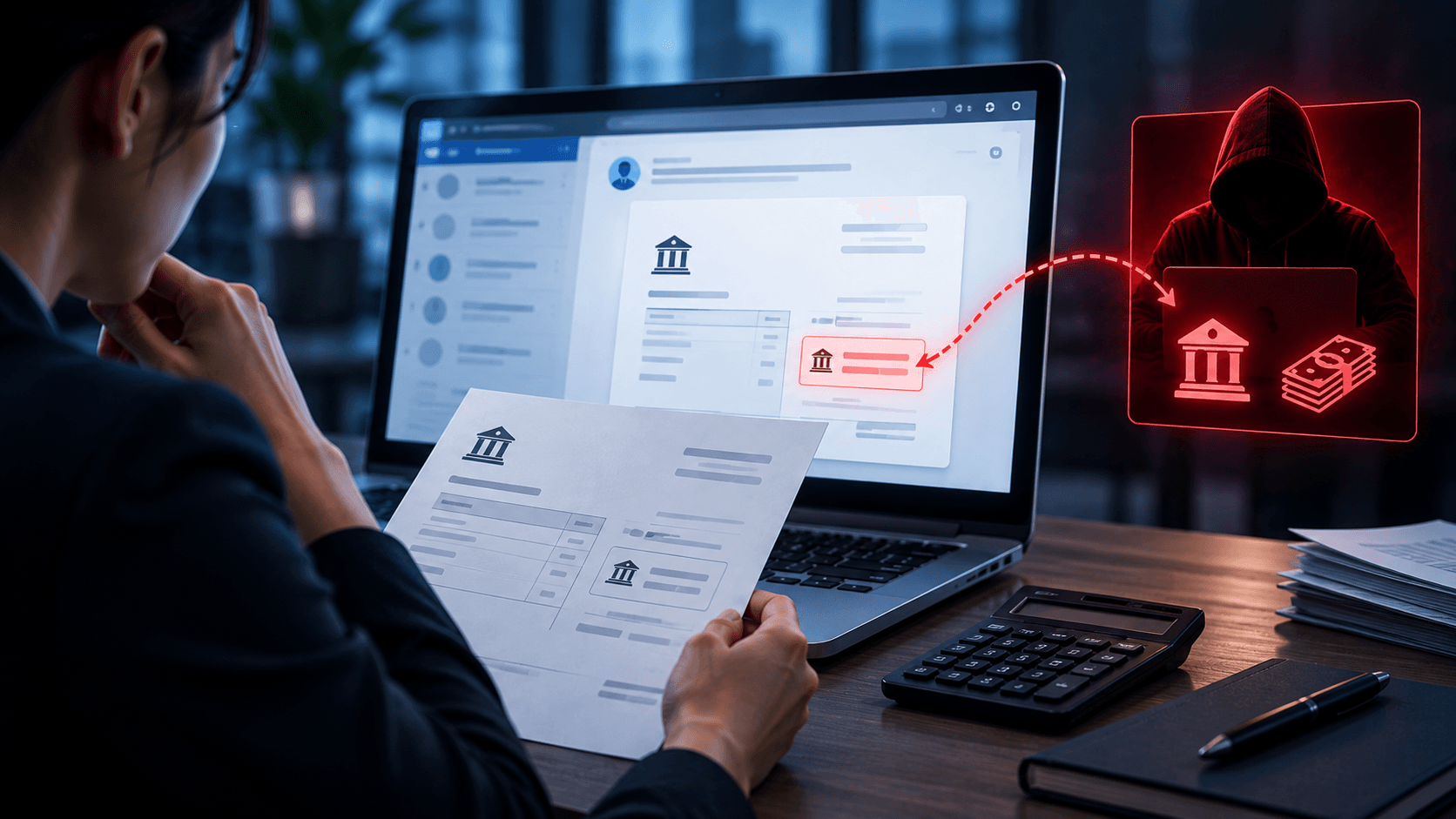
Your Finance team receives an invoice from a familiar supplier.
The company name is correct. The invoice looks almost identical to previous ones. The amount seems reasonable.
There is only one difference:
“Please note that our bank account details have recently changed.”
Finance makes the payment.
A few weeks later, the real supplier asks:
“Why haven't you paid our invoice?”
The invoice was fake – or a real invoice had been modified to redirect the payment.
This is invoice fraud, a common business scam where attackers trick employees into sending company money to an account controlled by the attacker.
The dangerous part is that the email and invoice can look completely legitimate.
Quick Answer: What Is Invoice Fraud?
Invoice fraud is a type of financial fraud where an attacker uses a fake or modified invoice to convince a business to make a payment to the wrong account.
Attackers may:
Create a completely fake invoice
Impersonate a real supplier
Change bank details on a legitimate invoice
Take over a supplier's real email account
Send the same invoice multiple times
Pretend an existing payment needs to be redirected
The goal is simple:
Make the business believe it is paying a legitimate supplier when the money is actually going somewhere else.
How Does Invoice Fraud Work?
Invoice fraud can range from a basic fake email to a carefully prepared attack involving a real supplier account.
A typical attack may happen like this.
Step 1: The Attacker Learns About the Business
The attacker may first research the company.
They want to know:
Who works in Finance or Accounts Payable?
Which suppliers does the company use?
Who can approve payments?
What projects is the company working on?
Which executives or managers can authorize payments?
Some of this information may be available publicly.
In more advanced attacks, criminals may already have access to an employee's or supplier's email account.
Step 2: A Fake or Modified Invoice Is Sent
The attacker sends an invoice that appears legitimate.
For example:
“Please find attached our invoice for August. Kindly note that our banking details have recently changed.”
The invoice may contain:
The real supplier's name
The correct company logo
A realistic invoice number
A familiar format
A believable amount
But the bank account belongs to the attacker.
Step 3: The Employee Processes the Payment
If Finance sees a familiar supplier and a normal-looking invoice, the payment may be processed without additional verification.
The company thinks it has paid its supplier.
In reality, the money has been transferred to the attacker.
Step 4: The Fraud Is Discovered
The attack may only be discovered days or weeks later when:
The supplier says payment was never received
Finance notices unusual bank information
Someone identifies a duplicate invoice
The real supplier's compromised email account is investigated
By this point, recovering the money may be difficult.
Common Types of Invoice Fraud
Invoice fraud does not always look the same.
1. Fake Invoice
The attacker creates an invoice for products or services the company never purchased.
They may impersonate a real company or invent a supplier.
The attacker hopes Finance will simply process the invoice without checking.
2. Modified Invoice
A real invoice is obtained and changed.
The attacker may keep the:
Supplier name
Invoice number
Products or services
Payment amount
but replace the bank account information.
This can make the fraudulent invoice very difficult to distinguish from the original.
3. Supplier Impersonation
The attacker pretends to be a supplier.
For example:
“Our banking information has changed. Please use the new account for all future payments.”
The email address may look very similar to the supplier's real address.
4. Compromised Supplier Email
This is a more dangerous scenario.
The attacker gains access to a supplier's real email account.
They can then read existing conversations and understand when payments are expected.
At the right moment, they send:
“Please use our new banking details for this invoice.”
The message comes from the supplier's real email address.
The previous conversation is real.
The invoice may be real.
Only the payment instructions are fraudulent.
5. Duplicate Invoice Fraud
An invoice that has already been paid is sent again.
If the organization does not check previous payments carefully, the same invoice may be paid twice.
6. Fake Urgent Payment
The attacker creates urgency:
“This invoice is overdue. Please make payment today to avoid service interruption.”
The goal is to make the employee process the payment quickly instead of checking it carefully.
Why Does Invoice Fraud Work?
Invoice fraud exploits a normal business process.
Finance teams process invoices every day.
Suppliers send payment reminders.
Bank accounts sometimes change.
Employees are often expected to process payments quickly.
Attackers try to make their fraudulent request look like just another normal transaction.
A convincing invoice may also contain no malware and no malicious link.
That means traditional warning signs such as suspicious downloads are not always present.
The dangerous information may simply be:
The wrong bank account number.
8 Warning Signs of Invoice Fraud
Employees responsible for invoices and payments should pay particular attention to these signs.
1. Bank Details Have Changed
A supplier suddenly provides a different bank account.
This does not automatically mean fraud, but it should always be independently verified.
2. The Invoice Is Unexpected
Your company receives an invoice from a supplier you do not recognize or for a purchase you cannot confirm.
3. There Is Unusual Urgency
The sender says:
“Payment must be made today.”
or:
“Please process immediately to avoid penalties.”
Urgency can be used to discourage verification.
4. The Email Address Is Slightly Different
For example:
Real: [email protected]
Fake: [email protected]
Small differences can be easy to miss.
5. The Invoice Looks Different
The logo, layout, bank details, contact information, or payment instructions are different from previous invoices.
6. The Amount Is Unexpected
The payment amount does not match the contract, purchase order, previous invoice, or expected service.
7. The Sender Asks You to Bypass the Normal Process
For example:
“Our manager is away. Please make this payment now and we'll send the paperwork later.”
8. The Sender Does Not Want You to Verify
The email discourages phone calls or insists that everything must be handled through email.
One warning sign alone does not prove fraud.
But an unusual payment request should always trigger additional verification.
How Can Employees Verify a Suspicious Invoice?
The most important rule is:
Do not verify a payment change using the same email that requested the change.
Here's a simple process employees can follow.
1. Compare the Invoice With Previous Records
Check:
Supplier name
Invoice format
Invoice number
Amount
Purchase order
Bank account
Contact details
Look for anything that has unexpectedly changed.
2. Verify Bank Account Changes Separately
If a supplier changes payment details, contact them using information that was already trusted before the request arrived.
For example:
Use the phone number already stored in your supplier records.
Do not simply call a new phone number printed on the suspicious invoice.
3. Confirm the Purchase
Ask:
Did we actually order this product or service?
Check the purchase order, contract, internal requester, or other company records.
4. Follow the Approval Process
If payments normally require approval from two people, continue requiring two approvals.
An email saying “urgent” should not remove normal financial controls.
5. Check for Duplicate Payments
Confirm that the invoice has not already been processed.
6. Report Suspicious Emails
If something does not match, report the email to the appropriate Finance, IT, or security contact before making payment.
What If the Invoice Comes From a Real Supplier Email?
This is an important point:
A real email address does not guarantee that the payment request is real.
A supplier's mailbox may have been compromised.
The attacker could then:
Read previous conversations
Find real invoices
Learn payment schedules
Identify Finance contacts
Send messages from the real account
This is why important changes – especially bank account changes – should be verified independently.
Do not only verify the sender.
Verify the payment instruction.
What Should You Do If the Invoice Has Already Been Paid?
Act quickly.
Notify the appropriate people inside the organization, including Finance, management, and IT/security.
The business should determine:
How much money was transferred
Which account received the payment
Whether the bank can stop or recall the transaction
Which email accounts were involved
Whether a supplier account was compromised
Whether other fraudulent invoices were sent
Whether sensitive information was exposed
Contact the bank or payment provider as soon as possible if a fraudulent payment has already been made.
Keep the emails, invoices, and transaction records. They may be important for the investigation.
Technology Helps, but Payment Processes Matter Too
Email security can help identify suspicious senders, malicious links, unusual messages, and other signs of email attacks.
But invoice fraud demonstrates why cybersecurity also depends on good business processes.
Imagine the attacker successfully sends a convincing email from a real supplier account.
Technology may have difficulty distinguishing it from normal communication.
But a simple company rule can still stop the fraud:
“Any change to supplier bank details must be independently verified before payment.”
That turns verification into part of the business process rather than leaving each employee to decide whether an email “looks suspicious.”
A Simple Invoice Fraud Checklist
Before paying an invoice, especially one containing changed payment instructions, ask:
Supplier: Do we know this supplier?
Purchase: Did we actually order this product or service?
Amount: Does the amount match what we expect?
Bank details: Have the payment details changed?
Email: Is the sender address what we normally see?
Process: Does the request follow our normal payment process?
Verification: Have important changes been confirmed through another trusted channel?
If something does not match:
Stop → Verify → Pay only after confirmation.
Key Takeaways
Invoice fraud does not always involve sophisticated malware.
Sometimes attackers only need to change one important piece of information:
Where the money goes.
A fake invoice can look professional.
A supplier's real email account can be compromised.
A real invoice can be modified.
That is why employees should not rely only on appearance.
For invoice payments, especially when banking information changes:
Check the invoice → Verify the change independently → Follow the normal approval process → Then pay.
A two-minute verification can prevent a much larger financial loss.
Frequently Asked Questions
What is invoice fraud?
Invoice fraud is a scam where attackers use fake or modified invoices to trick a business into sending money to an account controlled by the attacker.
How can I tell if an invoice is fake?
Check the supplier, payment details, amount, invoice number, purchase records, and email address. Pay particular attention to unexpected changes in bank details.
Can invoice fraud come from a real supplier email?
Yes. If a supplier's email account is compromised, attackers may send fraudulent payment instructions from the legitimate address.
What should I do if a supplier changes bank details?
Verify the change independently using previously trusted contact information before making the payment.
Why do attackers target invoices?
Invoices involve direct payments and are processed routinely, making them attractive targets for criminals trying to redirect business payments.
What should I do after receiving a suspicious invoice?
Do not make the payment immediately. Verify the invoice and payment details through a trusted channel and report suspicious activity according to your company's process.
Related Articles

Oct 30, 2026
CVE-2026-98432: Critical Linux Kernel TCP Flaw Enables Unauthenticated Root RCE
A race condition leading to use-after-free in the Linux kernel's IPv4 TCP handling (CVSS 9.8) allows unauthenticated remote code execution as root on servers listening on MPTCP. See patch status, how to disable MPTCP, drop IP options, and an admin checklist.
Oct 22, 2026
Real or Fake? HR Asking You to Review Payroll
Got an email from HR asking you to review payroll? Learn how to identify fake payroll emails, verify HR requests, and protect your salary and bank details.
Oct 9, 2026
I replied to a phishing email. Am I at risk?
Replied to a phishing email? Learn what risks you face, what attackers can learn from your reply, and what to do next to protect your account and business.

Protect your business with ShieldNet 360
Get started and learn how ShieldNet 360 can support your business.