
Sep 29, 2026
BlogI clicked a phishing link. What should I do now?
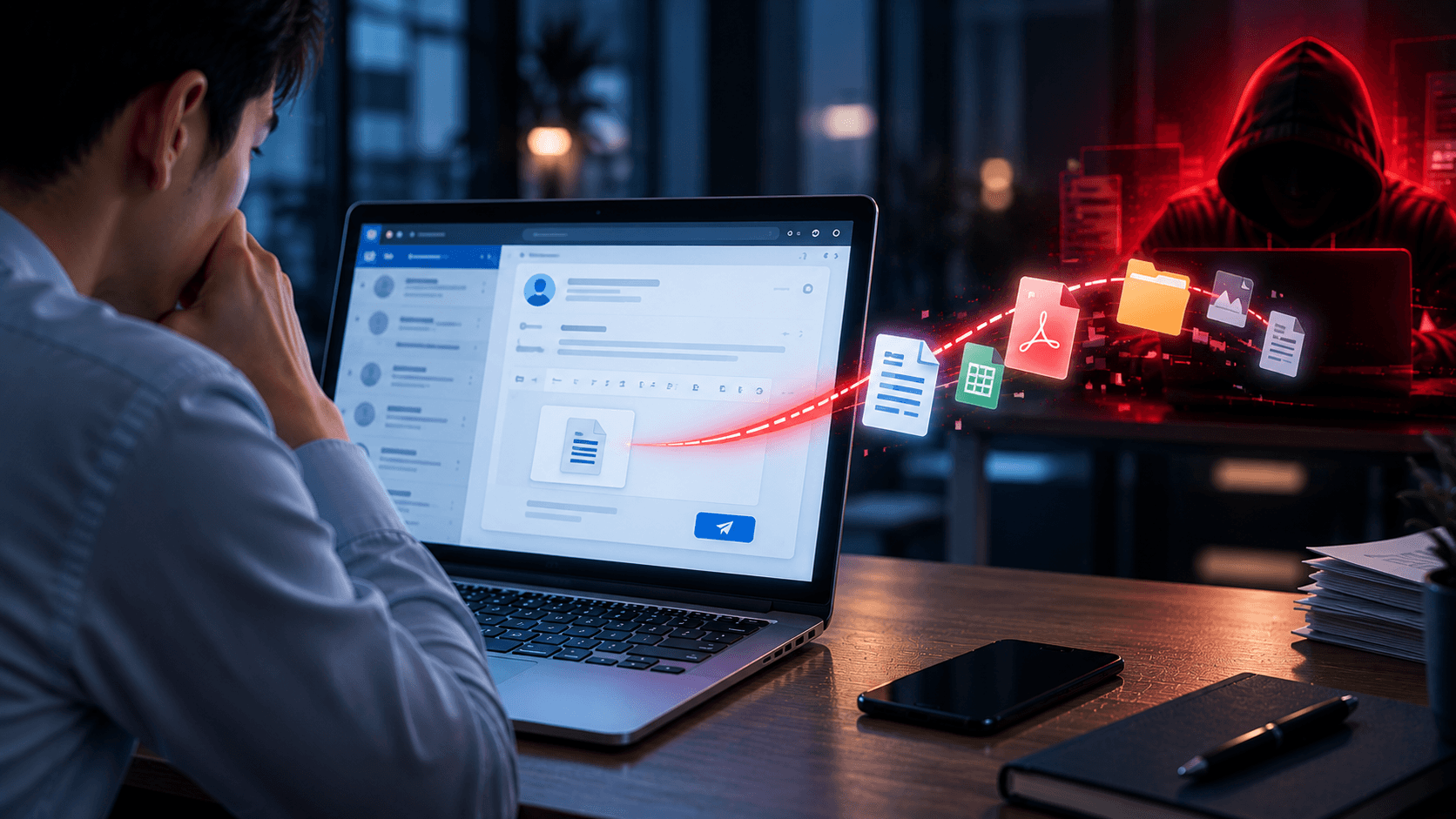
You receive an email that appears to come from your manager, customer, supplier, or another department.
The request seems reasonable:
“Can you send me the latest customer list? I need it for today's meeting.”
You reply with the file.
A few minutes later, you notice something strange about the email address.
It was not your manager.
You just sent confidential business information to a fake email.
What should you do now?
The most important thing is to act quickly.
You usually cannot take back information once it has reached an attacker. But a fast response can help your company understand what was exposed, protect affected accounts and systems, warn the right people, and reduce the chance of further damage.
The first rule is simple:
Stop → Report → Explain exactly what you sent.
Quick Answer: What should I do if I sent confidential information to a fake email?
If you accidentally sent sensitive information to a suspicious or fake email address:
Stop communicating with the recipient.
Do not send additional information, even if they reply.
Report the incident immediately to IT, security, or your manager according to company policy.
Identify exactly what information you sent.
Save the email conversation and related files for investigation.
If passwords, API keys, or other credentials were exposed, have them changed or revoked immediately.
If financial information was exposed, notify the appropriate Finance team or financial provider.
Follow your organization's incident-response and data-breach procedures.
Do not wait to see whether the attacker uses the information.
The earlier the business knows, the more options it has.
What Counts as Confidential Information?
Confidential information can mean many different things depending on the business.
It may include:
Customer Information
Names
Email addresses
Phone numbers
Addresses
Account information
Customer records
Transaction information
Employee Information
Employee records
Salaries
Identification information
Performance information
Internal HR documents
Financial Information
Bank details
Payment information
Revenue data
Budgets
Financial reports
Pricing and margins
Business Information
Contracts
Internal reports
Business plans
Customer proposals
Unreleased product information
Internal presentations
Access Information
Passwords
API keys
Access tokens
Private keys
Recovery codes
Intellectual Property
Source code
Product designs
Research
Proprietary processes
Technical documentation
The appropriate response depends heavily on what information was exposed.
Step 1: Stop the Conversation
Once you realize the recipient may be fake, stop communicating with them.
Do not reply:
“Sorry, please delete that file.”
Do not send another document.
Do not provide additional context.
Do not follow instructions telling you how to “fix” the situation.
The attacker may realize that you have discovered the scam and attempt to extract additional information quickly.
Instead, move the conversation to your internal IT, security, or management team.
Step 2: Report It Immediately
Employees sometimes hesitate because they are worried about getting into trouble.
That delay can make the incident harder to contain.
Tell the appropriate internal team as soon as possible.
A useful report might say:
“I received an email that appeared to come from our Finance Manager. I replied with a spreadsheet containing customer names, emails, and invoice amounts. I sent it approximately 10 minutes ago. I have now noticed that the sender address is not legitimate.”
This gives the response team useful information immediately.
You do not need to know whether it officially qualifies as a “data breach.”
Report what happened and let the appropriate team assess it.
Step 3: Identify Exactly What You Sent
Do not simply report:
“I sent confidential data.”
Be specific.
Ask:
Which file did I send?
What information was inside it?
How many people or customers were included?
Did it contain passwords or credentials?
Did it include financial information?
Was the information encrypted or password-protected?
Did I send a file, paste information into the email, or share a cloud link?
This helps the organization understand the potential impact.
For example:
Scenario A: You sent a public product brochure.
The risk may be low.
Scenario B: You sent a spreadsheet containing 5,000 customer records.
The potential impact is very different.
Step 4: Preserve the Evidence
Do not immediately delete the fake email.
Your IT or security team may need it to investigate.
Preserve:
The original email
Sender address
Email headers if required by your team
Attachments
Links
Your replies
Files you sent
The time of the conversation
Screenshots if appropriate
This information can help determine:
Who sent the email
Whether the sender impersonated someone
Whether a real account was compromised
Who else received the attack
What information the attacker may have obtained
Step 5: Check Whether You Shared Credentials
Some information requires particularly fast action.
If you sent:
A password
API key
Access token
Recovery code
Private key
Login credentials
treat those credentials as potentially compromised.
They may need to be changed, revoked, or replaced immediately.
Do not simply assume:
“The attacker probably hasn't used it yet.”
Credentials can sometimes be used within minutes.
Step 6: Check Whether You Shared a Cloud File
Sometimes employees do not attach the confidential document.
Instead, they send a link to:
Google Drive
OneDrive
SharePoint
Dropbox
Another cloud service
In this situation, there may be an opportunity to remove the attacker's access.
Depending on the service and permissions, the business may be able to:
Remove the recipient
Disable the shared link
Change access permissions
Review whether the file was accessed
Restrict future sharing
Do this through the legitimate cloud service or with help from IT.
However, removing access does not guarantee that the recipient did not already view or copy the information.
Step 7: Determine Whether Other Accounts Are at Risk
The information you sent may help the attacker launch another attack.
For example, suppose you accidentally sent:
Employee names
Job titles
Supplier information
Invoice history
The attacker may use this information to create more convincing phishing emails.
They could impersonate:
Your CEO
Finance
HR
A supplier
A customer
This means the incident may not end with the original email.
The organization should consider whether the exposed information could be used for follow-up phishing or fraud.
What If I Sent Customer Information?
Report exactly what customer information was exposed.
The organization may need to determine:
What categories of personal data were involved
How many customers were affected
Whether the information was sensitive
Whether the attacker accessed the data
What legal, contractual, or regulatory obligations apply
Employees should not try to make these decisions themselves.
Your responsibility is to report the incident accurately and quickly so the appropriate privacy, legal, security, and management teams can assess it.
What If I Sent Employee Information?
Employee information can also be sensitive.
For example:
Salary information
Identification information
Bank information
Employment records
Performance reviews
Report what was included and whose information was affected.
HR, security, privacy, or legal teams may need to become involved depending on the information and circumstances.
What If I Sent Financial or Banking Information?
Notify the appropriate internal Finance team immediately.
If information related to a bank account, payment method, or financial account was exposed, the organization may also need to contact its bank or payment provider.
The attacker may use the information for:
Invoice fraud
Supplier impersonation
Payment redirection
Business email compromise
Social engineering
Pay particular attention to unusual requests that appear after the incident.
What If I Sent a Password-Protected File?
A password-protected file may reduce the immediate risk – but only if the attacker does not have the password.
Ask:
Did I send the password in the same email?
Did I send it in another message to the same person?
Could the attacker easily guess it?
Was the password already known to the recipient they were impersonating?
Do not assume that adding a password automatically means the information is safe.
Tell your security team how the file was protected so they can evaluate the situation properly.
Can I Recall the Email?
Some business email systems provide message recall or similar features.
You can follow your organization's approved process if such a feature is available, but do not rely on recall as the solution.
The recipient may already have:
Opened the message
Downloaded the attachment
Copied the information
Forwarded the email
Even if a recall appears successful, still report the incident.
How Can a Fake Email Look So Convincing?
The attacker may have researched your organization before contacting you.
They may know:
Employee names
Job titles
Supplier relationships
Customer names
Company projects
Executive names
In more advanced cases, the attacker may have compromised a real email account.
For example, an email could come from the real account of a supplier that has been hacked.
This is why:
A familiar name or even a legitimate email address does not automatically make a request safe.
Sensitive information requests should be verified based on the request itself, not only the sender.
What Should Businesses Do After Confidential Data Is Sent?
The response depends on the data and circumstances, but the organization may need to:
Investigate the fake email
Identify the attacker or compromised account
Determine exactly what data was exposed
Revoke exposed credentials
Remove cloud sharing permissions
Check account activity
Search for similar phishing messages
Warn employees about follow-up attacks
Assess affected customers or employees
Review legal and compliance obligations
Document the incident
Improve controls to prevent recurrence
The goal is not simply to delete the email.
The goal is to understand:
What was exposed → Who has it → What can they do with it → What should we protect next?
How Can Businesses Prevent This From Happening Again?
Employee awareness is important, but employees should not carry the entire responsibility.
Businesses can combine several protections.
Verify Sensitive Requests
Requests for confidential information should be confirmed when something is unusual.
Limit Access
Employees should only have access to the information they need for their roles.
Less unnecessary access means less information can be accidentally exposed.
Protect Email
Email security can help identify phishing, impersonation, malicious links, and other suspicious messages.
Use Data Loss Prevention
DLP can help identify sensitive information and reduce the chance of employees sending it to unauthorized destinations.
Make Reporting Easy
Employees should know exactly how to report:
“I think I sent something confidential to the wrong person.”
The easier reporting is, the faster the business can respond.
Why Fast Reporting Matters More Than Hiding the Mistake
Imagine two employees accidentally send the same customer file to a phishing address.
Employee A reports it after five minutes.
The business quickly disables the shared file, checks access, warns affected teams, and starts investigating.
Employee B says nothing.
The attacker has more time to analyze the data and potentially use it for further phishing or fraud.
The original mistake is the same.
The response is not.
A fast report can turn a serious mistake into a manageable security incident.
Simple Checklist: I Sent Data to a Fake Email
If it just happened:
Stop – Do not communicate further.
Report – Contact IT/security immediately.
Identify – Determine exactly what you sent.
Preserve – Keep the email and evidence.
Revoke – Change exposed passwords, keys, or access where necessary.
Restrict – Remove shared-file permissions if possible.
Monitor – Watch for suspicious follow-up activity.
Follow up – Follow your company's incident-response process.
Most importantly:
Do not wait for the attacker to use the data before reporting it.
Key Takeaways
Sending confidential information to a fake email is serious, but what happens next depends heavily on how quickly the incident is identified and handled.
Do not try to quietly fix everything yourself.
Do not delete the evidence.
Do not continue communicating with the attacker.
Instead:
Stop → Report → Identify the exposed data → Protect what can still be protected
Employees do not need to investigate the entire incident themselves.
They need to make sure the people who can respond know what happened, what was shared, and when it happened.
Frequently Asked Questions
What should I do immediately after sending confidential information to a fake email?
Stop communicating with the recipient and report the incident immediately. Identify exactly what information was sent and preserve the email for investigation.
Can I recall an email sent to a scammer?
Some email systems offer recall features, but recall cannot guarantee the recipient has not already accessed or copied the information. Report the incident even if you attempt a recall.
What if I sent a password or API key?
Treat it as potentially compromised. Contact IT/security immediately so the credential can be changed, revoked, or replaced where appropriate.
What if I shared a Google Drive or OneDrive link?
Remove or restrict access through the legitimate cloud service as quickly as possible and notify IT/security. The organization should still assess whether the file was already accessed.
Should I delete the phishing email?
No. Keep the email and related messages so your security team can investigate the sender, links, attachments, and other recipients.
Is accidentally sending confidential information a data breach?
It can constitute a data breach or security incident depending on what information was disclosed, who received it, whether it was accessed, and applicable laws and policies. Report it promptly so the appropriate teams can assess the incident.
Related Articles
Sep 25, 2026
I clicked a phishing link. What should I do now?
Clicked a phishing link? Learn what to do immediately, whether you entered a password or downloaded a file, and how to reduce the risk to your account and business.
Sep 24, 2026
Real or Fake? Google Account Security Alert
Got a Google Account security alert? Learn how to tell if it is real or phishing, verify it safely, and protect your account without clicking suspicious links.
Sep 18, 2026
What is Invoice Fraud and How can employees spot it?
Learn how invoice fraud works, how attackers fake supplier payment requests, the warning signs employees should check, and how to verify invoices safely.

Protect your business with ShieldNet 360
Get started and learn how ShieldNet 360 can support your business.