
Jun 11, 2026
BlogDevice Trust and Posture Checking: Securing Access at the Endpoint
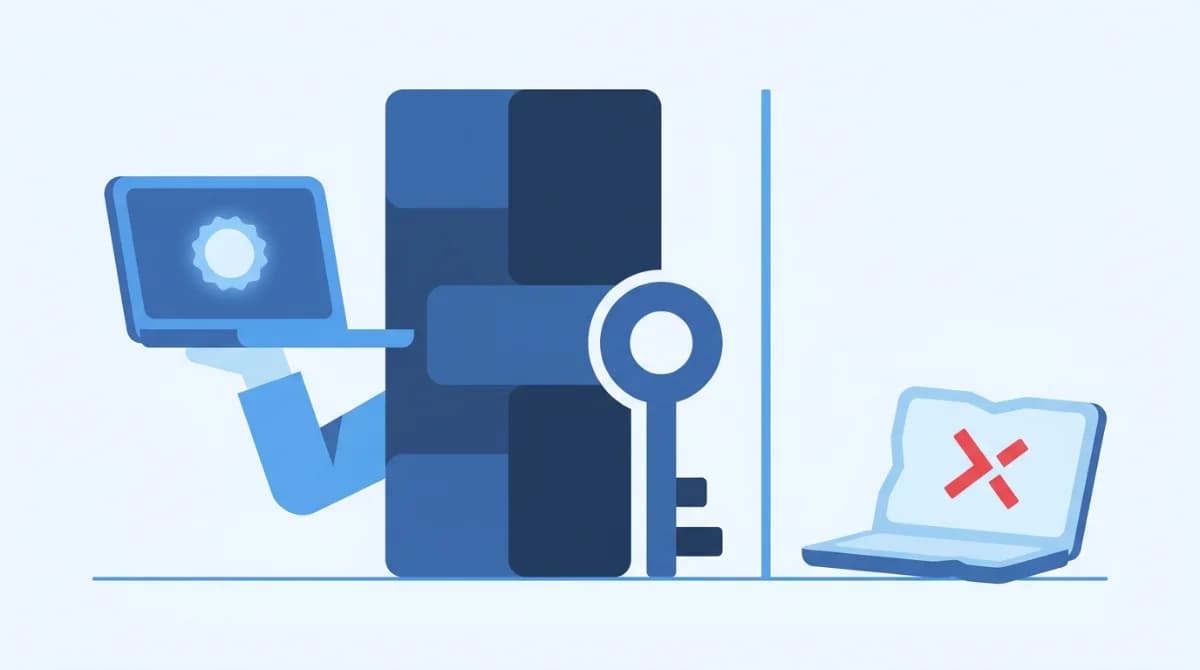
A conditional access policy is an if-then security rule: if someone requests access to a system, then they must meet conditions first – a verified identity, a healthy ("trusted") device, an expected location. Device trust and posture checks supply the device half of that decision, automatically blocking logins from unknown, infected, or out-of-date machines. Here's how it works in plain English, and how SMEs can get it without enterprise licensing.
What is a conditional access policy?
Strip away the vendor language and a conditional access policy is a sentence your firewall-of-identities enforces: "If a user wants to reach X, then they must prove Y." Microsoft popularized the term with Entra ID (its zero trust policy engine), but the concept is vendor-neutral and older than the branding: access decisions should depend on context, not just a correct password.
Examples in sentence form:
- If anyone opens the accounting system, then require multi-factor authentication (MFA).
- If a login comes from a country we don't operate in, then block it.
- If the laptop hasn't installed security updates, then allow email only – not the customer database.
- If a sign-in looks risky (new device + unusual hour + impossible travel), then require a password reset.
The password stopped being enough a long time ago: stolen or misused credentials sat behind roughly 40% of breaches (Verizon DBIR, 2024). Conditional access is how you make a stolen password useless on its own.
How does a conditional access policy work?
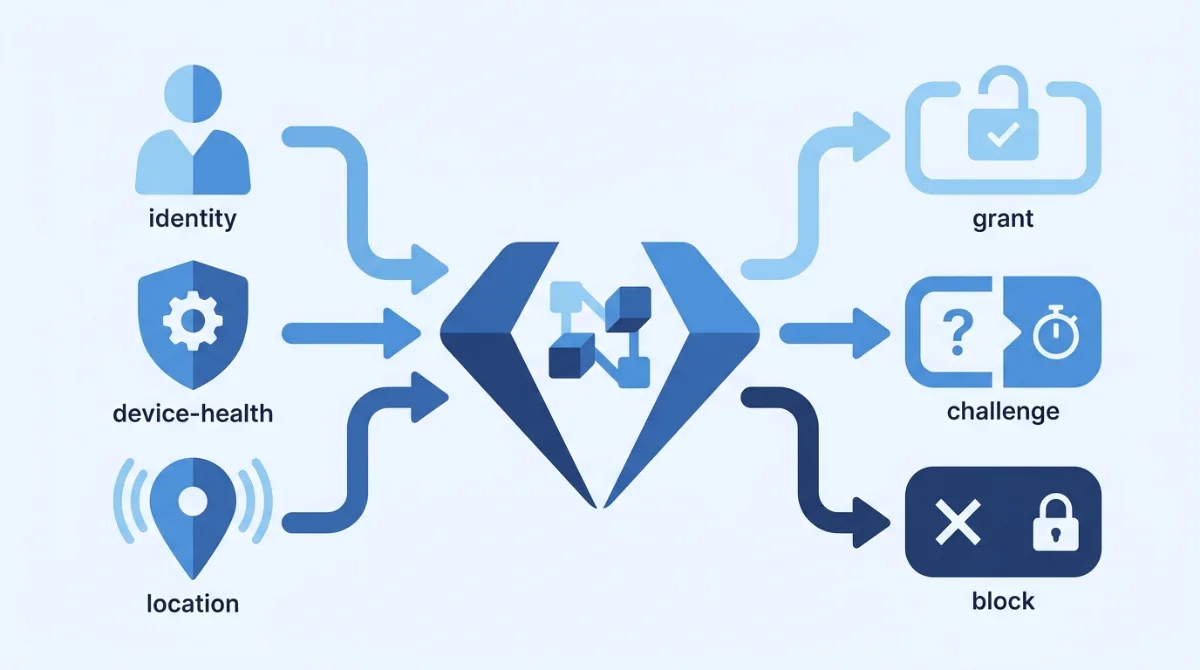
Every policy engine – Microsoft's, Google's, or an SME-friendly platform – runs the same three-step loop:
- Signals. Who is signing in (identity, role), from what (device and its health), from where (location, network), and how it looks (time of day, risk score, past behavior).
- Decision. The policy evaluates the signals against your rules: grant, block, or grant-with-conditions (require MFA, require a compliant device, limit the session).
- Enforcement. The decision is applied at sign-in – and, in better systems, re-checked continuously during the session rather than once at the front door.
The magic isn't any single rule; it's that the rules run on every sign-in, every time, without anyone having to be awake.
What is device trust – and what does "posture" mean?
Identity answers "is this really Sara?" Device trust answers the question most SMEs never ask: "is the machine Sara is using safe enough to touch our data?" A stolen password typed from an attacker's laptop and the legitimate one typed from Sara's patched work machine look identical to a password check. They look completely different to a posture check.
What a posture check looks at
- OS and patch status – is the operating system current, or six months of updates behind?
- Disk encryption – if this laptop is left in a taxi, is the data unreadable?
- Security agent present – is the endpoint protection running, or uninstalled?
- Screen lock / PIN enforced – basic physical hygiene.
- Jailbreak/root status – has the phone's security model been turned off?
- Known device – is this a machine we've ever seen before, or a brand-new unknown?
"Device trust" is the conclusion: a device that passes posture checks and is registered to a known user is trusted; everything else gets limited access or none. Posture isn't a one-time enrollment stamp – a trusted laptop that misses two months of updates quietly becomes untrusted, and access tightens automatically. The stakes justify the rigor: the average data breach now costs USD 4.88 million (IBM Cost of a Data Breach Report, 2024), and for an SME the uninsured fraction of that number is existential.
Why it matters for contractors and BYOD
SMEs run on personal laptops, contractor machines, and phones nobody in IT has ever touched. That's precisely where posture checking earns its keep: you don't have to manage every device – you just refuse full access to the ones you can't vouch for. The developer-contractor gets to the repo from a healthy machine; the same credentials from an unknown, unencrypted laptop get a read-only session or a block. No awkward "install our spyware on your personal laptop" conversation required.
Conditional access vs MFA: what's the difference?
The most-asked question, and the answer fits in a table:
MFA | Conditional access |
|---|---|
One control: prove it's you with a second factor | A policy engine: decides when to demand MFA – and everything else |
Same challenge for everyone, every time | Context-aware: trusted device at the office may sail through; unknown laptop at 3am gets challenged or blocked |
Protects the sign-in moment | Can govern the whole session, on every resource, continuously |
In other words, MFA and SSO are instruments; conditional access is the conductor. The combination – not either alone – is what implements zero trust security in practice: never trust by default, always verify, and verify more when the context looks off.
What are practical conditional access policies for an SME?
Five rules that cover most of the risk, in plain sentences:
- MFA for everyone, everywhere – the baseline. No exceptions for executives; they're the most-impersonated people in the company.
- Block legacy sign-in protocols – old protocols that can't do MFA are the side door attackers check first.
- Healthy devices only for sensitive systems – finance, customer data, and admin panels require a patched, encrypted, known device.
- Geography sanity check – block or step-up logins from places you don't do business.
- Risky sign-in = step up – unusual device + unusual location + unusual time should cost the attacker another proof, automatically.
Pair these with the principle of least privilege and you've covered both halves of access security: conditions decide how someone gets in; least privilege decides what they can touch once inside.
How can a small business get this without enterprise licensing?
Here's the part the documentation won't tell you: in the Microsoft world, conditional access requires Entra ID P1 licensing, risk-based policies require P2, and device compliance typically pulls in Intune. For an enterprise with an identity team, fine. For a 30-person company, it's a licensing maze bolted to a console designed for specialists – and one wrong policy can lock your own staff out on a Friday evening.
As one ShieldNet access engineer puts it: "Most SMEs don't need 200 policy knobs. They need five good rules, on by default, that they can read in plain English."
That's the design behind ShieldNet Access: identity-driven, device-aware access control that verifies every connection – user and machine – with continuous checks, sensible defaults, and integration with Microsoft 365 and Google Workspace. No VPN to babysit, no licensing matrix, and access logs that read like sentences, ready for your next audit or customer security questionnaire.
FAQ
What is an example of a conditional access policy?
"If anyone accesses the finance system, require MFA and a company-known, encrypted device; block sign-ins from countries we don't operate in." That single sentence is a complete conditional access policy.
Is conditional access the same as zero trust?
No – zero trust is the strategy ("never trust, always verify"); conditional access is the mechanism that enforces it at every sign-in by evaluating identity, device, and context signals.
Do I need Microsoft Entra ID P1 to use conditional access?
Only for Microsoft's implementation. The concept is vendor-neutral, and SME-focused platforms provide identity- and device-based access policies without enterprise license tiers.
What happens if an employee's device fails a posture check?
Good systems degrade gracefully: the user keeps low-risk access (like email) but loses sensitive systems until the device is updated or encrypted – with a plain-language explanation of what to fix.
The bottom line
Passwords check who's knocking. Conditional access checks who's knocking, on what machine, from where, and whether anything smells wrong – every single time. If you can't currently answer "which devices touched our customer data this week?", that's the gap. ShieldNet Access closes it without making you learn an enterprise console.
Related Articles

Oct 22, 2026
Real or Fake? HR Asking You to Review Payroll
Got an email from HR asking you to review payroll? Learn how to identify fake payroll emails, verify HR requests, and protect your salary and bank details.

Oct 9, 2026
I replied to a phishing email. Am I at risk?
Replied to a phishing email? Learn what risks you face, what attackers can learn from your reply, and what to do next to protect your account and business.
Oct 8, 2026
Real or Fake? How to verify a sharepoint file invitation
Received a SharePoint file invitation? Learn how to spot fake SharePoint emails, verify shared files safely, and protect your Microsoft 365 account from phishing.

Protect your business with ShieldNet 360
Get started and learn how ShieldNet 360 can support your business.