
Jun 16, 2026
BlogWhat Is Web Content Filtering? How Small Businesses Block Risky & Distracting Sites
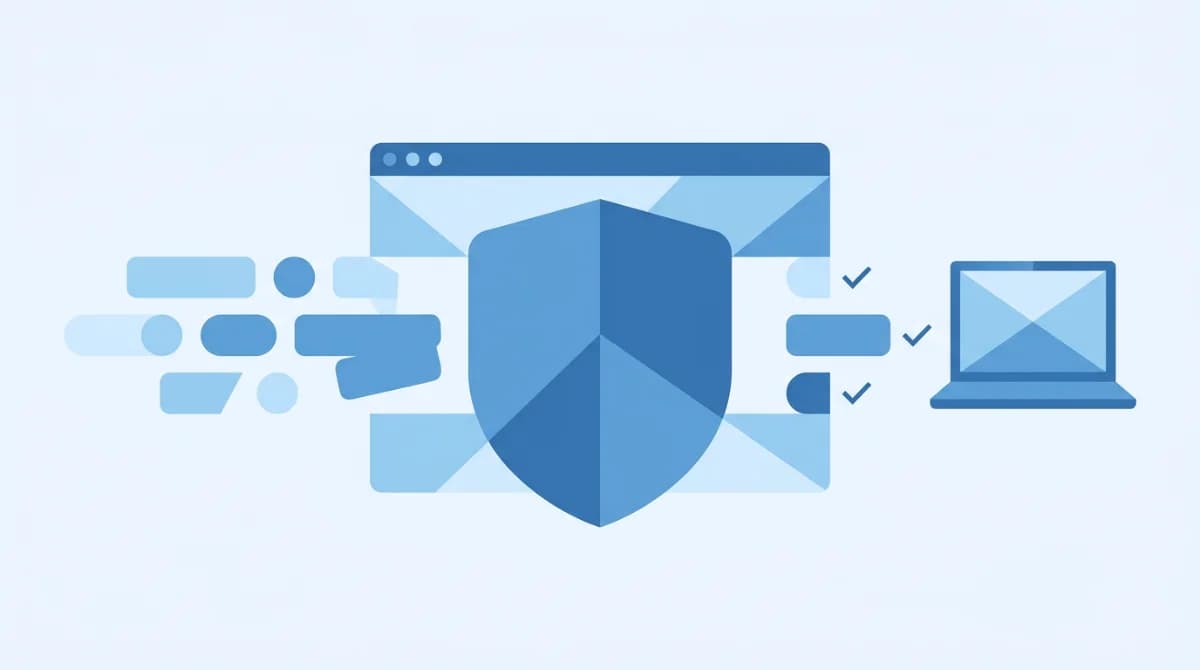
Content filtering software is a tool that screens and blocks access to websites and downloads based on rules you set – such as categories (adult, gambling, streaming), keywords, or known-malicious domains. Small businesses use it to reduce malware risk, enforce acceptable-use policies, and keep employees focused during work hours. Whether you call it web filtering, URL filtering, or internet filtering, the job is the same: stop risky and time-wasting traffic before it reaches your network.
If a suspicious link in a supplier message almost got clicked last week, content filtering is the layer that would have stopped it – blocking the known-malicious domain before any page loaded.
What Is Content Filtering Software?
Content filtering software (also called content-control software or web filtering) automatically restricts which websites, files, and online content users on your network can access. It evolved from basic parental controls in the late 1990s into a business-grade security tool that now handles everything from blocking phishing sites to enforcing acceptable-use policies across hundreds of devices.
At its core, content filtering works by comparing every web request against a set of rules – category databases, blocklists, keyword patterns, or threat-intelligence feeds – and either allowing or blocking the connection before any content loads on the user's device. If you want to understand the broader picture of what traffic inspection looks like, our guide to network traffic analysis fundamentals covers the basics.
For small businesses, the appeal is straightforward: you get a single tool that reduces your attack surface (fewer malware delivery paths), keeps productivity up (no more lost hours to non-work browsing), and helps meet basic compliance requirements – all without hiring a dedicated security team.
How Does Content Filtering Work?
Every content filter follows the same basic pattern: intercept the request, check it against your rules, then allow or block. When someone on your network tries to visit a website, the filter sits between the user's device and the internet. It checks the destination URL (or DNS query, or IP address) against its rule set – a category database, a blocklist, a keyword index, or a real-time threat feed – and makes a split-second decision.
If the destination is allowed, the connection proceeds normally. If it matches a blocked category or a known-malicious domain, the user sees a block page instead of the site. The whole process adds milliseconds, not seconds.
Most modern filters combine multiple methods: they check the URL against a category database (millions of sites pre-classified into groups like "gambling," "adult," "streaming," "malware"), scan for keywords in the request, and cross-reference threat-intelligence feeds that update in real time.
Allowlists vs. Blocklists
Blocklists block everything in a category and allow everything else. Allowlists do the opposite – block everything except approved sites. Most small businesses use category-based blocklists (block adult, gambling, torrents, known-malware) with a handful of exceptions. It is the fastest way to get 90% of the protection without micromanaging every URL.
A tutoring center, for example, might block streaming and social media by category, then allowlist a few educational YouTube channels teachers actually need. That takes minutes to configure – no networking degree required.
What Are the Main Types of Content Filtering?
There are four main approaches, and the right one depends on your network setup and how much control you need.
Type | How it works | Best for | Limitation |
|---|---|---|---|
DNS filtering | Blocks at the domain-name level – if the domain is on the blocklist, the DNS query never resolves | Fastest to deploy; works on any device that uses your DNS | Cannot filter by URL path or page content (blocks the whole domain or nothing) |
Web proxy filtering | Routes all web traffic through a proxy server that inspects and filters each request | Granular URL-level and content-level control | Adds latency; requires client configuration or transparent proxy setup |
Firewall-based filtering (including NGFW) | Content filtering built into the firewall – inspects traffic at the network edge using deep packet inspection | Unified security: one device handles firewall + IDS/IPS + web filtering | Appliance cost; some require on-site IT for management |
Cloud-based content filtering | Filtering rules managed in the cloud; traffic routed through or inspected via a cloud proxy or agent | Remote/hybrid teams; no hardware to maintain; scales with your headcount | Depends on internet connectivity to the cloud service |
DNS Filtering
DNS filtering is the quickest win for any small business. Point your router's DNS to a filtering provider, and every device on the network is covered instantly – no software to install, no per-device setup. The trade-off: it works at the domain level only. You can block all of reddit.com, but you cannot block a single subreddit while allowing the rest.
Web Proxy Filtering
A web proxy inspects the full URL and, in some cases, the page content itself. This gives you finer control – block specific pages, scan downloads for malware, or enforce safe-search on Google. The cost is added latency and more complex setup, especially with HTTPS traffic that needs TLS inspection to be visible.
Firewall-Based Filtering (Including NGFW)
Next-generation firewalls (NGFWs) bundle content filtering with intrusion detection, application control, and deep packet inspection in a single appliance. For a business that already needs a firewall – and every business does – this is the most efficient architecture. One device, one dashboard, one policy set covering threats and web access. Cloud-managed NGFWs take the complexity out of day-to-day management, letting an office manager handle what used to require a network engineer.
Cloud-Based Content Filtering
Cloud-based filtering moves the entire rule engine off-premises. Policies follow users regardless of location – office, home, coffee shop. There is no hardware to maintain, updates happen automatically, and scaling from 10 users to 250 is a slider, not a forklift upgrade. For businesses with remote or hybrid teams, cloud-based filtering is fast becoming the default.
Why Do Small Businesses Need Content Filtering?
Content filtering solves three problems at once: security, productivity, and compliance – and small businesses feel all three more acutely than enterprises do.
Security. The FBI's Internet Crime Complaint Center logged 859,532 complaints in 2024 with losses exceeding $16 billion – a 33% increase from 2023 (FBI IC3, 2024). Phishing alone accounted for 193,407 of those complaints. Content filtering blocks known phishing and malware domains before an employee can click, cutting off one of the most common delivery paths. It is one of the essential security controls every SME should have in place.
Productivity. Non-work internet browsing costs U.S. employers an estimated $85 billion a year, with the average employee spending over 2 hours daily on non-work sites (Zipdo/Teamstage, 2024). Blocking social media, shopping, and other non-work sites during work hours is not about control – it is about keeping the workday focused.
Compliance. Regulations like CIPA (for schools and libraries receiving federal funding) require content filtering. Even without a specific mandate, many industries expect businesses to demonstrate "reasonable security measures." A documented web-filtering policy helps check that box.
As CISA recommends: organizations should "block known malicious sites and use website reputation scoring to block new, potentially malicious sites" as a fundamental layer of defense (CISA, Capacity Enhancement Guide).
"We're too small to be a target" is the most expensive assumption a business can make. Attackers specifically look for networks with fewer controls – and an unfiltered network is an open invitation. Content filtering also helps block the malware delivery paths that lead to ransomware infections.
What Is a Content Filtering Profile?
A content filtering profile is a one-click preset that configures which website categories are blocked – typically named something like "Strict," "Moderate," or "Light." Instead of building rules from scratch, you pick a profile and it applies a ready-made set of category blocks for you.
- Strict: Blocks adult content, gambling, social media, gaming, torrents, and known-malware sites. Common in schools, libraries, and businesses with shared or guest devices.
- Moderate: Blocks adult, gambling, malware, and torrents but allows social media. Suits offices where some social browsing is accepted.
- Light: Blocks only malware, phishing, and adult content. Minimal productivity restrictions; security-focused only.
Most business-grade filters let you assign different profiles per user group or per device. An accounting team might get "Strict" while the marketing team – who legitimately need social media access – gets a custom profile that allows specific platforms. The key is that profiles are pre-built: one click applies the right category blocks, and you only fine-tune the exceptions instead of managing individual URLs.
How to Choose Content Filtering Software for Your Business
Not every filter fits every business. Here is what to look for when you are evaluating options for a team of 10–250 devices:
Criterion | What to check |
|---|---|
Cloud-managed vs. on-premise | Cloud-managed means no hardware to maintain and policies that follow remote workers. On-premise gives you full control but demands on-site IT. |
Ease of setup | Can you deploy it in under an hour? Look for category templates, zero-touch provisioning, and a dashboard a non-technical person can read. |
Category granularity | How many categories does the database cover? The more granular, the fewer exceptions you will need to manage. |
HTTPS / TLS inspection | Over 90% of web traffic is encrypted. Without TLS inspection, the filter is blind to most threats hiding inside HTTPS connections. |
Reporting and logs | Can you see who visited what, when, and how often – in plain language, not raw log files? |
Device coverage | Does it cover every device on the network (laptops, tablets, phones, POS terminals, guest devices) or only managed endpoints? |
Scalability | Can you go from 10 to 250 devices without a hardware swap or a new contract? |
The practical test: if the person who ends up managing it is not a network engineer – and in most small businesses, that person is the office manager – the tool needs to make sense on day one. A plain-language dashboard, pre-built category templates, and cloud management are not "nice to have." For an SMB, they are requirements.
FAQ
What is web filtering software?
Web filtering software is a tool that restricts access to websites based on categories, URLs, keywords, or threat intelligence. It is used by businesses and organizations to block malicious, inappropriate, or non-work-related sites on their networks. Web filtering and content filtering are often used interchangeably – both describe the same core function of screening and controlling web access.
How do I remove content filtering?
Content filtering is typically managed by your network administrator through a dashboard or admin panel. To remove or adjust it, log in to the filtering tool's management console and modify the policy for the relevant user group or device. That said, disabling content filtering entirely removes a key security layer – if the filter is blocking something you legitimately need, add a specific exception (allowlist) rather than turning the whole system off.
What is the difference between content filtering and a firewall?
A traditional firewall controls traffic based on IP addresses, ports, and protocols – it decides which connections are allowed in or out of your network. Content filtering specifically examines what users are trying to access (websites, categories, content types) and blocks based on your policy. Modern next-generation firewalls (NGFWs) combine both: network-level traffic control plus built-in content and web filtering, application awareness, and intrusion prevention – all in one device.
Is content filtering software legal?
Yes. Employers have broad legal authority to filter internet access on company-owned networks and devices. In fact, some regulations require it – CIPA mandates content filtering for schools and libraries receiving federal E-rate funding. The key is to have a documented acceptable-use policy that employees acknowledge. Content filtering on personal devices (BYOD) has more nuance – most businesses apply filtering at the network level so it covers any device connected to the company Wi-Fi without touching personal data.
Keep Your Business Safe with Smarter Content Filtering
Content filtering is not optional anymore – it is a baseline security measure, a productivity tool, and a compliance aid rolled into one. The question is not whether to filter, but how to do it without adding complexity your team cannot manage.
For small businesses with 10–250 devices, the modern answer is a cloud-managed solution with built-in category templates, plain-language reporting, and the ability to scale as you grow – no networking degree required.
See how ShieldNet Gateway's built-in content filtering blocks risky sites and keeps your team focused – easy to manage, no IT expertise required.
Related Articles

Sep 10, 2026
Can a phishing email come from a real email address?
Yes, phishing emails can come from real email accounts. Learn how attackers hijack trusted accounts, what warning signs to check, and how to verify emails safely.
Sep 9, 2026
How to verify a suspicious email without clicking anything
Learn how to verify a suspicious email safely without clicking links, opening attachments, scanning QR codes, or replying to the sender.

Sep 7, 2026
What is CEO fraud? How fake executive emails work
Learn how CEO fraud works, how attackers impersonate executives by email, the warning signs to watch for, and how employees can verify suspicious requests.

Protect your business with ShieldNet 360
Get started and learn how ShieldNet 360 can support your business.