
Jun 11, 2026
BlogWhat Is a Next-Gen Firewall? A Plain-English Guide for Small Businesses Without an IT Team
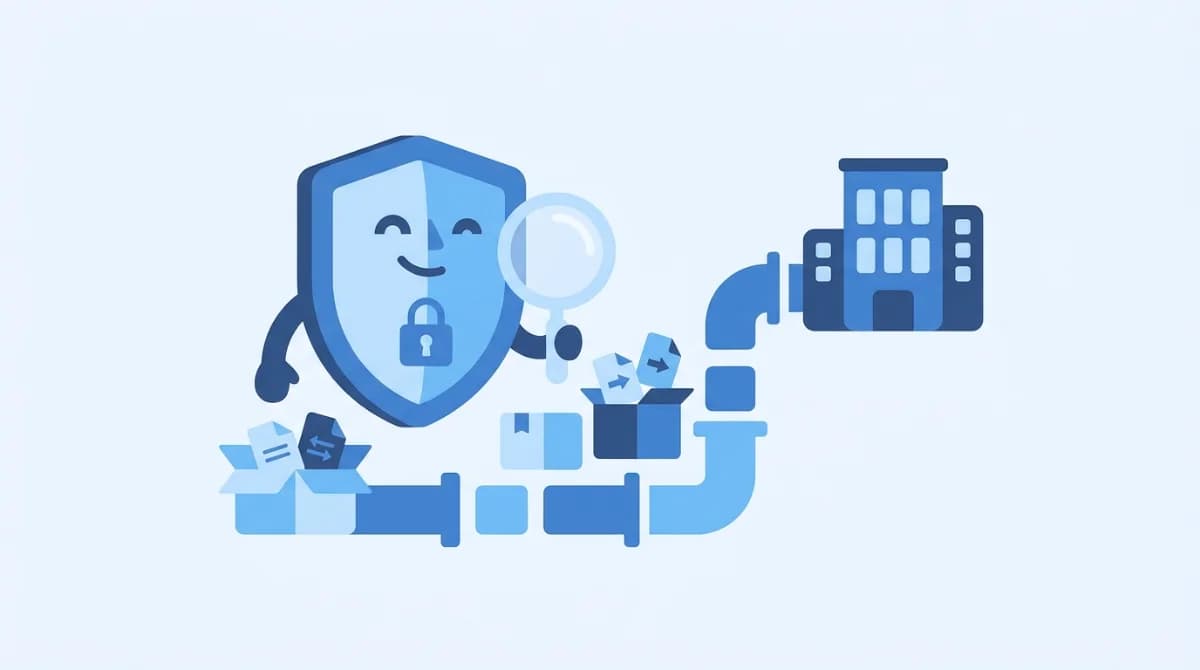
A next-generation firewall (NGFW) is a security system that inspects what's inside your network traffic – not just where it comes from. It blocks malware, risky websites, and suspicious apps that a traditional firewall would wave straight through. For small businesses, modern NGFWs like deep-packet-inspection cloud firewalls deliver enterprise-grade protection without a security team or a Cisco certification.
What is a next-generation firewall (NGFW)?
Think of your old router firewall as a bouncer who only checks the guest list: where is this traffic from, and which door (port) is it using? A next-generation firewall is a bouncer who actually reads IDs, checks bags, and notices when someone on the list is acting strange.
The term covers firewalls that go beyond the traditional port-and-address checks with three core abilities, a definition Gartner formalized after Palo Alto Networks shipped the first NGFW in 2008: deep packet inspection (DPI), an intrusion prevention system (IPS), and application awareness. Vendors like Cisco, Fortinet, and Cloudflare all describe NGFWs the same way: a firewall that understands users, applications, and content – not just addresses and ports.
The short version: a traditional firewall asks "who's knocking?" An NGFW asks "who's knocking, what are they carrying, and what do they plan to do inside?"
What's the difference between an NGFW and a traditional firewall?
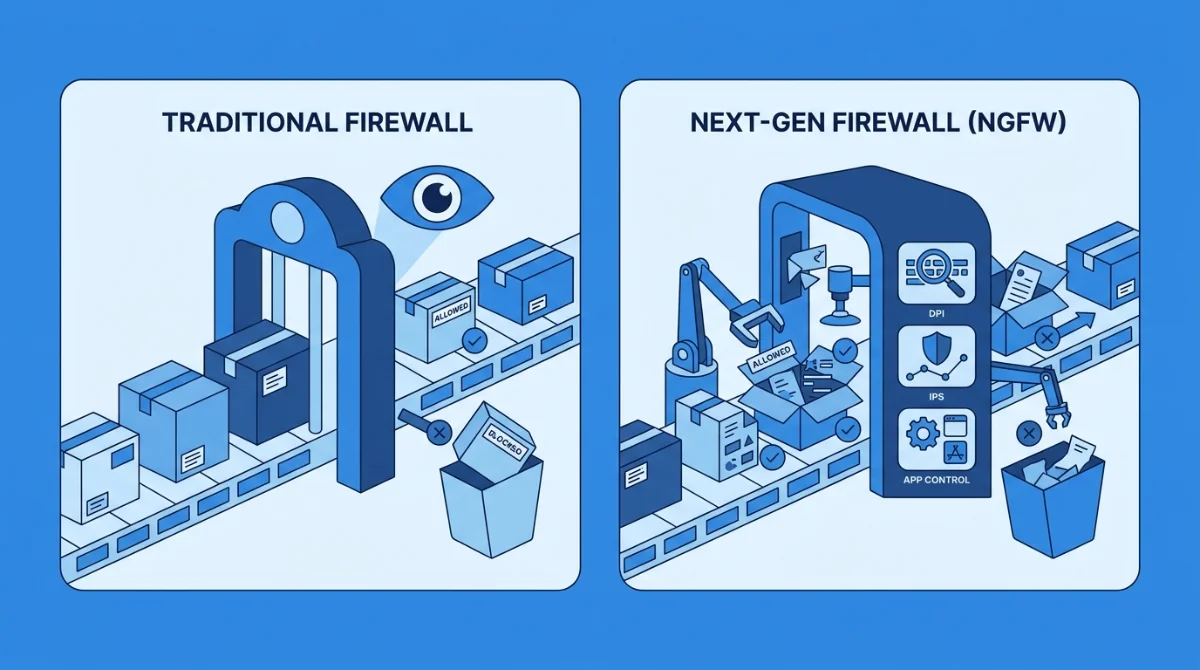
Here's the side-by-side that matters:
Capability | Traditional firewall | Next-generation firewall |
|---|---|---|
What it inspects | Addresses and ports (the envelope) | The envelope and the letter inside (DPI) |
Application visibility | None – port 443 is just port 443 | Knows the difference between Salesforce, YouTube, and BitTorrent on the same port |
Threat blocking | Blocks disallowed connections | Also blocks malware signatures, exploits, and known-bad sites in-line (IPS) |
Encrypted traffic | Blind – most threats ride inside HTTPS | Can decrypt and inspect TLS/SSL traffic |
Updates | Static rules you write | Live threat-intelligence feeds |
That encrypted-traffic line deserves emphasis. Most web traffic today is HTTPS, which means a firewall that can't look inside encrypted connections is effectively checking IDs through a frosted window.
What does an NGFW actually do?
Deep packet inspection (DPI)
All network traffic travels in small parcels called packets. A traditional firewall reads only each packet's header – source, destination, port. DPI opens the parcel and inspects the contents, comparing them against known malware and attack patterns before letting them through. It's the single feature that defines the category.
Intrusion prevention (IPS)
An intrusion prevention system watches traffic for the fingerprints of an attack – a known exploit, a suspicious behavior pattern, a protocol being abused – and blocks it in real time, not after the fact. In an NGFW this runs in-line as part of DPI, so threats are stopped before they reach a laptop or point-of-sale terminal.
Application awareness and control
Because an NGFW reads traffic at the application layer, it can tell which app generated it regardless of the port. That's what lets you write rules in plain business terms: allow the accounting software, block torrents, and throttle streaming during work hours instead of arguing with port numbers.
Web filtering and TLS inspection
Most SMB-focused NGFWs bundle web and content filtering – one-click category blocks for adult, gambling, streaming, or social sites – plus TLS inspection so threats can't simply hide inside encrypted sessions. For a small office, this often matters day-to-day more than any other feature: it keeps the network fast and the staff focused.
Threat intelligence: blocking what's new
Attack techniques change weekly, so a firewall frozen at install-day knowledge ages badly. NGFWs subscribe to live threat-intelligence feeds – continuously updated lists of malware signatures, known-bad IP addresses, and active phishing infrastructure. When a new campaign appears, your firewall learns about it from the feed, not from you reading security news at midnight. Some NGFWs add sandboxing: suspicious files are detonated in an isolated environment first, so a never-seen-before attachment gets observed before it gets delivered.
How does an NGFW work in practice?
Follow one click through the system. A staff laptop requests a website. The NGFW checks the basics first – allowed port, legitimate connection – exactly like a traditional firewall. Then the next-generation layers kick in: DNS and URL filters check the destination's reputation; TLS inspection opens the encrypted session; DPI scans the actual content against threat signatures; application control identifies what app is really talking. All of that happens in milliseconds, and the user notices nothing – unless something is wrong, in which case the connection dies at the firewall and an alert lands in the dashboard in plain English.
The practical consequence for a small office: protection stops depending on every employee making the right call on every link. The network itself becomes the first responder.
Does a small business really need an NGFW?
"We're too small to be a target" is the most expensive assumption a business can make. Attackers automate; they don't check your headcount first. The average data breach now costs USD 4.88 million (IBM Cost of a Data Breach Report, 2024), and stolen or misused credentials sat behind roughly 40% of breaches (Verizon DBIR, 2024) – the kind of attack that walks straight past a port-based firewall because it looks like normal traffic.
A picture we see constantly: a five-person firm runs for years on the router's default firewall. Then a ransomware scare – a staffer clicks a link, the office machines start acting strange – and suddenly everyone wants to know what's actually moving on the network. The honest answer with a traditional firewall is: nobody knows. An NGFW with network traffic analysis built in is how you get that visibility without hiring an analyst.
The need sharpens as devices multiply. A co-working space, a tutoring center, or a clinic can easily have a hundred connected devices – staff laptops, student tablets, guest phones, payment terminals – most of them unmanaged. Every one of them shares your network. An NGFW is the one place you can see them all, give guests a fenced-off lane, and stop one infected personal phone from becoming everyone's problem.
As one ShieldNet network engineer puts it: "The firewall most small offices rely on was designed to answer a 1990s question – which ports are open. Nobody attacks that way anymore."
There's also a quieter business case that has nothing to do with hackers: bandwidth. One tutoring center we know spent months blaming their internet provider for "slow internet" – until traffic visibility showed three staff machines streaming video during class hours. An NGFW's application control and QoS (quality-of-service) rules fixed in an afternoon what faster internet plans hadn't fixed in a year: business apps got priority, streaming got throttled, and the "slow internet" complaints stopped. Blocking distractions isn't about control – it's about keeping the tools that make money fast.
What should a small business look for in an NGFW?
The enterprise guides list eleven deployment steps and a licensing matrix. For an office without an IT team, the checklist is shorter:
- Cloud-managed. No console cables, no firmware rituals. You manage policy from a dashboard, and updates ship themselves.
- Plain-language alerts. "A device in Reception tried to reach a known malware site" beats a log line you need to Google.
- Per-device visibility. You should be able to see – and set policy for – every laptop, tablet, and POS terminal individually.
- One-click content filtering. Category templates (block gambling, throttle streaming) instead of hand-written rules.
- Transparent pricing. If you have to book a demo to learn the price, that's a red flag.
This checklist is exactly what ShieldNet Gateway was built around: a cloud-managed NGFW – DPI, intrusion prevention, web filtering, and bandwidth control in one – designed for offices with 10–250 devices and nobody whose job title says "firewall".
FAQ
What makes a firewall "next-generation"?
Three things, per Gartner's definition: deep packet inspection (reading packet contents, not just headers), an integrated intrusion prevention system, and application awareness – knowing which app generated the traffic regardless of port.
Is the firewall in my router enough for a business?
For a home, usually. For a business, rarely: router firewalls can't see inside encrypted traffic, can't identify applications, and can't block malware in-line – and most attacks today are designed to look like normal allowed traffic.
What's the difference between an NGFW and a cloud firewall (FWaaS)?
An NGFW describes the inspection capabilities; firewall-as-a-service describes where it runs. A cloud-managed NGFW gives you next-generation inspection delivered and updated from the cloud – no on-site appliance expertise needed.
Do NGFWs slow down the network?
Deep inspection costs some processing, but a right-sized NGFW more than pays it back: by blocking bandwidth hogs and throttling non-work streaming, most small offices see business apps get faster, not slower.
How much does a next-generation firewall cost for a small business?
Enterprise appliances run thousands of dollars plus per-feature licenses. Cloud-managed SMB options are typically a predictable monthly subscription covering hardware, updates, and support – and any vendor that hides the price behind a sales call is telling you something about the rest of the relationship.
The bottom line
A next-generation firewall is the difference between checking envelopes and reading letters. If your business runs on the internet – and whose doesn't – the question isn't whether you need NGFW-level protection, it's whether you can get it without becoming a firewall administrator. That's the problem ShieldNet Gateway solves: see every device, block what's risky, and keep the network fast – no security team required.
Related Articles

Oct 22, 2026
Real or Fake? HR Asking You to Review Payroll
Got an email from HR asking you to review payroll? Learn how to identify fake payroll emails, verify HR requests, and protect your salary and bank details.

Oct 9, 2026
I replied to a phishing email. Am I at risk?
Replied to a phishing email? Learn what risks you face, what attackers can learn from your reply, and what to do next to protect your account and business.

Oct 8, 2026
Real or Fake? How to verify a sharepoint file invitation
Received a SharePoint file invitation? Learn how to spot fake SharePoint emails, verify shared files safely, and protect your Microsoft 365 account from phishing.

Protect your business with ShieldNet 360
Get started and learn how ShieldNet 360 can support your business.