
Mar 10, 2026
BlogSecurity alert management: master response, reduce fatigue
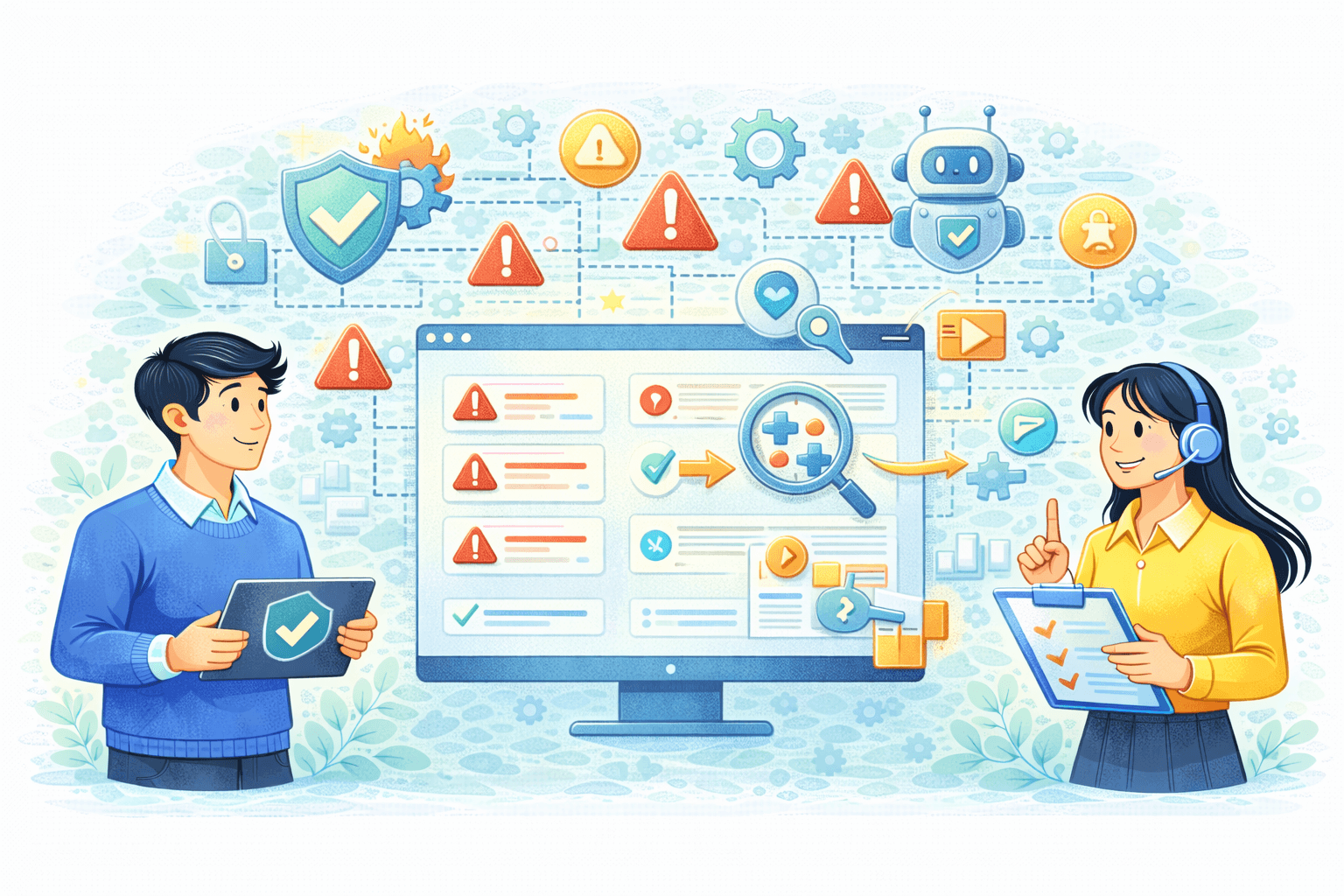
Security alert management helps lean teams reduce alert fatigue using alert prioritization, incident triage, SOC workflow discipline, and automated alert handling.
Security alert management is the discipline of turning raw security notifications into a small number of clear incidents and fast, consistent actions. For lean teams, the goal is not “more alerts,” but fewer surprises: less alert fatigue, better alert prioritization, and faster containment when something happens outside business hours. Most SMEs already have tools producing alerts, yet they still respond late because signals are scattered, context is missing, and ownership is unclear. This guide defines security alert management in plain language, explains how to group alerts into incidents, and shows how automated alert handling speeds incident triage and response without breaking normal operations.
Why this topic matters
Security alert management matters because attention is the real bottleneck in incident response for small teams. When alerts arrive nonstop and nobody trusts their quality, people begin to ignore them, which is exactly how alert fatigue becomes a business risk. Attackers benefit because they rarely trigger one loud alarm; instead they create multiple small signals across identity, email, endpoints, and cloud activity that look harmless on their own. A lean SOC workflow needs a reliable way to compress scattered signals into decisions, or the business learns about incidents from customers, finance losses, or downtime.
Picture a 100-person company where IT handles operations and security, and alerts are checked between meetings. At 1:00 a.m., a suspicious sign-in occurs, a mailbox forwarding rule is created, and a sensitive folder is accessed from a new device, generating separate alerts from separate systems. Without security alert management, each alert looks “medium” and no one connects them until morning, which expands the attacker’s time window. With alert prioritization and grouping, those signals become one incident, routed to an owner, and contained using safe first steps. That is the difference between “we saw alerts” and “we managed an incident.”
Key factors and features to consider
Clear definitions: alert, incident, and accountable ownership
An alert is a signal that something might be wrong, while an incident is a confirmed or strongly suspected security event that requires action. Security alert management fails when teams treat every alert as an incident or never promote alerts into incidents, because both patterns destroy trust and speed. Lean teams need one accountable owner per incident and one backup, especially for after-hours events. When ownership is explicit, incident triage becomes predictable instead of being blocked by availability and internal debate.
Alert prioritization tied to business impact
Alert prioritization should be driven by business impact, not only by vendor severity labels or technical scores. A practical model for SMEs is three tiers that map to action: monitor, act during business hours, and act within 30 minutes for high-impact situations. High-impact signals often include privileged account changes, finance mailbox anomalies, unusual data downloads, and repeated login failures followed by success. When alert prioritization is consistent and simple, responders trust it, alert fatigue drops, and response becomes measurable.
Grouping alerts into incidents through correlation
The highest-leverage move in security alert management is correlation that groups related alerts into one incident narrative. A suspicious sign-in plus mailbox rule creation plus unusual downloads is not three separate problems; it is one likely attack path that deserves a single case, a single severity, and a single owner. Grouping reduces alert fatigue because responders see one incident instead of a flood of notifications. It also improves incident triage because context and evidence are assembled in one place rather than scattered across tools.
SOC workflow that fits lean teams
A SOC workflow for SMEs should be lightweight, time-boxed, and built around repeatable steps: detect, triage, contain, recover, and improve. The workflow should specify what evidence you must capture and what actions are safe to take immediately, so responders do not improvise under stress. For identity incidents, early steps often include revoking suspicious sessions and forcing re-authentication, while endpoint incidents may require isolation when confidence is high. When your SOC workflow is written as short playbooks, non-specialists can execute consistently and faster.
Automated alert handling with safe guardrails
Automated alert handling is the controlled use of automation to enrich alerts, route incidents, and execute safe containment steps without waiting for manual effort. For SMEs, automation should start with reversible actions such as revoking suspicious sessions, forcing re-authentication, quarantining high-confidence malicious email, and opening a ticket with evidence attached. Disruptive actions, like disabling executive accounts or blocking critical services, should require approval until false positives are understood. This phased approach improves security alert management by speeding incident triage while protecting business continuity.
Detailed comparisons or explanations
Why alert fatigue happens and why more tools can worsen it
Alert fatigue happens when alerts are frequent, unclear, and disconnected from action, which causes responders to stop trusting the system. Adding more tools often increases raw alert volume, but does not improve decision quality unless alert prioritization, incident triage, and grouping are redesigned. Many SMEs buy another product after an incident, then discover they now receive more notifications but still lack correlation, ownership, and a usable SOC workflow. Security alert management fixes the underlying issue by suppressing duplicates, grouping related alerts into incidents, and ensuring each incident has a next step and an owner.
A practical diagnostic is whether your team “batch checks” alerts once per day because the stream is too noisy to handle in real time. That behavior creates an after-hours exposure window that attackers exploit, especially for account takeover and email compromise. By grouping alerts into incidents and enforcing clear alert prioritization, you reduce cognitive load and speed decisions. The goal is not fewer detections, but fewer distractions, so true incidents rise to the top. That is why security alert management is an operational discipline, not a tool feature.
Mini case study: reducing noise while improving response speed
A realistic improvement path is moving from dozens of daily alerts to a small number of incident cases with clear severity and owners. Teams get there by suppressing duplicates, enriching alerts with context such as user role and asset criticality and escalating only when multiple risk signals align. Many SMEs can plausibly reduce the number of alerts humans must read by 30 - 70% over time, depending on baseline noise, by tuning correlation rules and removing low-value detections. The key assumption is weekly tuning and clear playbooks, because static rules drift as environments changes.
Response speed improves because fewer cases mean faster decisions and less context reconstruction. If a high-impact incident is identified within minutes rather than discovered the next morning, damage scope often shrinks, especially for identity- and email-driven attacks. The combination that makes this work is incident triage that is time-boxed, alert prioritization that reflects business impact, and automated alert handling that performs the first reversible containment steps. When these parts align, security alert management becomes a multiplier for a lean SOC workflow.
Automation versus manual triage: where to draw the line
Manual triage is necessary when business impact is high and confidence is uncertain, because humans must weigh disruption risk and approvals. Automated alert handling is most valuable when enrichment and containment steps are reversible and confidence is high enough to justify speed, especially after hours. A practical boundary is to automate enrichment and routing broadly, automate reversible containment selectively, and require approval for disruptive actions. This boundary protects operations while still shrinking attacker time windows, which is the core purpose of security alert management in small teams.
Best practices and recommendations
- Define three severity tiers and map them to action time targets
- Assign an incident owner and backup, including after-hours escalation rules
- Group alerts into incidents, suppress duplicates, and enrich with business context
- Create short playbooks for your top incident types and first-hour actions
- Implement automated alert handling for enrichment, ticket creation, and reversible containment
- Review weekly metrics and tune rules to reduce noise without losing coverage
To apply these steps, start with your two noisiest or most risky alert categories, often suspicious sign-ins and email compromise indicators. Define what “high impact” means for your business, then write one-page playbooks that specify the first 15–30 minutes of incident triage actions. Next, implement grouping so related alerts become a single incident story with one owner, and add automation for evidence enrichment and safe containment. Finally, review outcomes weekly so alert prioritization stays aligned with business reality as systems and users change.
A practical incident triage flow for lean teams
- Validate the signal by confirming account, asset, time window, and pattern match
- Assess impact by checking privileged access, finance workflows, customer data, and key systems
- Contain safely using reversible actions before deep investigation when appropriate
- Capture evidence with key logs, screenshots, and a record of actions taken
- Close and improve by fixing root causes and updating playbooks and thresholds
Use this flow as a short script that any on-call responder can run without improvisation. The purpose is to prevent analysis paralysis in the first hour and keep your SOC workflow consistent across responders. Evidence capture is included because it reduces later confusion and supports customer or regulatory communication if needed. Over time, this triage flow reduces alert fatigue because responders trust the process, and automated alert handling becomes safer because its boundaries are clear.
FAQ
What is security alert management in simple terms?
Security alert management is the process of turning many noisy alerts into a small number of clear incidents your team can act on quickly. It includes alert prioritization, grouping alerts into incidents, assigning ownership, and using playbooks so incident triage is consistent. For SMEs, it prevents alerts from becoming background noise and ensures real incidents trigger containment steps. When done well, it reduces alert fatigue and improves response speed without requiring a 24/7 staffing model.
How do we reduce alert fatigue without missing important threats?
To reduce alert fatigue safely, suppress duplicates, group related alerts into incidents, and escalate only when multiple risk signals align. Keep low-confidence alerts in a monitoring tier and promote them only if they repeat or combine with higher-impact evidence. Use automated alert handling to enrich incidents with context so humans see fewer cases but with clearer decision information. This approach reduces noise while preserving coverage, because high-risk patterns become easier to spot and act on fast.
What should alert prioritization look like for a lean team?
A lean team usually performs best with three tiers that map directly to action: monitor, act during business hours, and act within 30 minutes for high impact. Define high impact in business terms such as privileged access changes, finance mailbox activity, unusual data downloads, and repeated risky sign-ins. Keep alert prioritization rules simple so different responders make the same decision under stress. Consistency matters more than sophistication because consistent decisions reduce delay and reduce alert fatigue over time.
When should we use automated alert handling?
Use automated alert handling for enrichment, deduplication, correlation, routing, and reversible containment actions that are unlikely to disrupt the business. Start with actions like session revocation, forced re-authentication, and quarantining high-confidence malicious email because they are time-sensitive and generally reversible. Require approval for disruptive actions until you measure false positives and understand operational impact. This phased model keeps your SOC workflow fast while protecting the business from accidental outages.
How do we know our incident triage is improving?
Track time-to-triage and time-to-contain for high-impact incidents, along with trends in false positives and duplicated alerts. Measure whether after-hours incidents are being contained before morning, because that is a major risk window for SMEs. If responders spend less time reconstructing context and more time executing playbooks, your grouping and alert prioritization are improving. Weekly reviews help keep security alert management aligned with your environment as it changes.
Conclusion
Security alert management is the foundation of effective incident response for lean teams because it reduces alert fatigue, improves alert prioritization, and makes incident triage faster through a practical SOC workflow. The highest-leverage moves are grouping alerts into incidents, assigning clear ownership, and using automated alert handling for enrichment and reversible containment. Done well, you get fewer distractions, faster containment, and reduced after-hours exposure without building a full 24/7 security team. If you want a next step, pick your top two noisy alert types, write one-page playbooks, and implement grouping plus safe automation so your team sees fewer incidents and resolves them faster.
Related Articles
Oct 22, 2026
Real or Fake? HR Asking You to Review Payroll
Got an email from HR asking you to review payroll? Learn how to identify fake payroll emails, verify HR requests, and protect your salary and bank details.
Oct 9, 2026
I replied to a phishing email. Am I at risk?
Replied to a phishing email? Learn what risks you face, what attackers can learn from your reply, and what to do next to protect your account and business.
Oct 8, 2026
Real or Fake? How to verify a sharepoint file invitation
Received a SharePoint file invitation? Learn how to spot fake SharePoint emails, verify shared files safely, and protect your Microsoft 365 account from phishing.

Protect your business with ShieldNet 360
Get started and learn how ShieldNet 360 can support your business.