
Nov 13, 2026
BlogN-able N-central security incident and lessons for protecting remote management
N-able temporarily took Hosted N-central offline on 9 November 2026 following Able2Shell, a researcher's disclosure of 33 reported vulnerabilities. The incident concerns a remote monitoring and management platform used by IT service providers and businesses to manage devices. N-able's incident notice, Huntress's analysis
The situation has continued to develop. N-able released HF2, brought hosted services back online and introduced additional feature restrictions. At 03:50:42 UTC on 13 November, the company reported additional indicators of compromise and said it was working with specific customers to assess risks. N-able's official update
For organizations using remote management tools, the practical lesson is to protect the management server, observe endpoint activity and establish response authority together. A command originating from approved IT software still needs to be assessed against its content, operator and intended scope.
Updated 13 November 2026. N-able's dashboard was checked at approximately 08:46 UTC. Status and guidance may continue to change.
Key developments in the N-central incident
Date | Development | Operational meaning |
9 November | Hosted N-central went offline; N-able advised on-premises customers to stop servers while remediation was developed | A precaution during the initial response |
10 November | N-central 2026.4 HF2, build 2026.4.1.26, was released | Servers, Agents and Probes require attention according to deployment scope |
11 November | N-able reported all hosted servers upgraded and confirmed hosted services were back online | Continue monitoring the server and related components |
12 November | Further disclosures led to feature and integration restrictions, including Legacy API guidance | Remediation depends on configuration and the issue involved |
13 November | N-able reported additional IOCs and engagement with specific customers | Investigation continues beyond the initial announcement |
Sources: N-able on the initial remediation, HF2 release notes, N-able's 11 November blog, the latest incident update.
Hosted availability can coexist with restrictions on individual functions. Check the relevant service, region and feature on N-able's status dashboard when planning operations.
Why remote management needs close protection
Remote Monitoring and Management, or RMM, concentrates operational privileges: managing devices, deploying software, running tasks and providing remote support. Those capabilities let IT teams work at scale. If abused, the same management reach can increase the number of systems requiring investigation.
Teams need to establish who launched a task, which devices it targeted, whether it matched an approved change and what it actually did. Compare management server records with processes, files and connections on target devices. That context helps distinguish authorized administration from abuse.
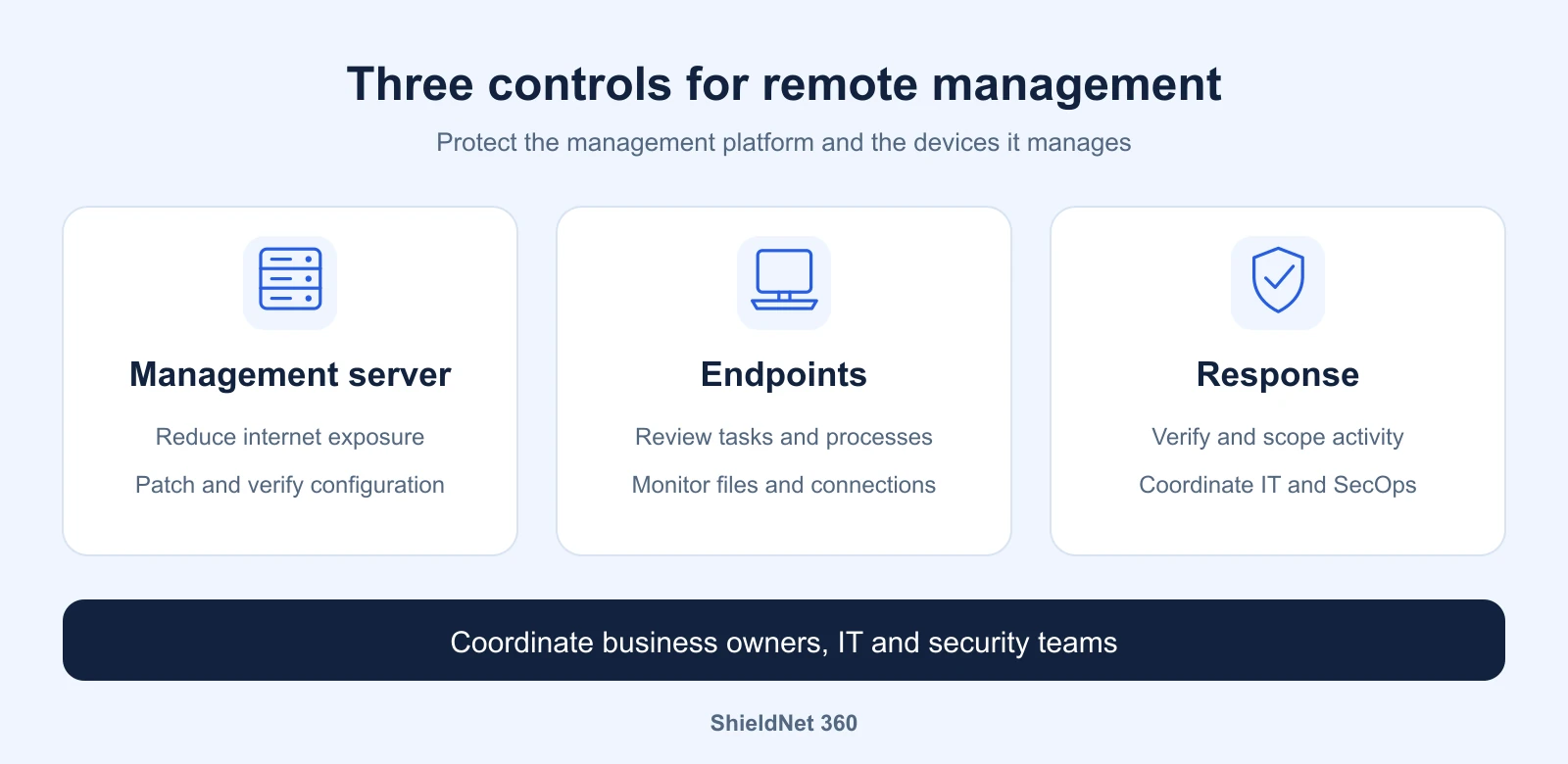
Three control areas for remote management covering the management server, endpoints and coordinated response. Graphic by ShieldNet 360.
Understand the scope of HF2 and Legacy API mitigation
HF2 is an important security release listing seven fixed CVEs. N-able's 11 November response also described further updates to follow. Installing 2026.4.1.26 should therefore be accompanied by checks of current guidance and the configuration in use. N-able's response
For 4EverAble2Shell, Huntress's updated analysis identifies Legacy API being enabled and internet accessible as a condition. The Agent2Shell issues require separate assessment; disabling Legacy API does not establish that every Agent and Probe risk has been addressed. Huntress's 12 November update
On 12 November, Huntback reported exploitation and cryptocurrency miners on production N-central servers. Its research identified 21 associated servers, including 19 reporting the HF2 build. This is Huntback's observation, rather than a complete count of affected N-able customers. Huntback research
Scanning, public proof of concept code, exploitation observed in particular systems and a vendor's investigation findings have different scopes. An organization's own environment still needs evidence based assessment.
Priorities for organizations using N-central
Verify deployment and configuration
Inventory servers, versions, Agents, Probes and managed device groups. On premises, verify that Legacy API is disabled, even though this is the default. N-able's new notice describes protections applied to hosted environments and temporary Intune integration restrictions. Check how those restrictions affect your workflows. Current vendor guidance
Record configuration changes and the period during which a server was internet accessible. These details help define the investigation window and support discussions with the vendor.
Complete Agent and Probe upgrades
Hosted customers must still upgrade Agents and Probes. On-premises customers own both server and component upgrades. The release notes instruct customers to upgrade Agents before Probes to preserve compatibility; review Patch Management Engine requirements and the supported upgrade path as well. Official release notes
After upgrading, verify connectivity, scheduled tasks and the functions your operations depend on. Record completed components and remaining work.
Preserve evidence and expand investigation where needed
Review unexpected administrative account changes, tasks, scripts and remote sessions. On endpoints, examine command content, child processes, new files and network connections. PowerShell launched through a management tool can be legitimate; the command and its context determine what needs investigation.
If activity is suspicious, preserve logs and investigation data, and coordinate with incident responders and N-able Support. Scope may include the management server, devices that received tasks and associated credentials. Recovery should follow investigation findings and establish a trusted system state.
How ShieldNet 360 supports risk control
ShieldNet Defense supports detection, analysis and response within the monitored environment. For RMM users, the goal is to make actual endpoint activity visible to responders, including actions launched through approved management software. Explore ShieldNet Defense
Around the clock monitoring and investigation with Ultimate. SecOps supports alert triage, scoping and incident investigation. Data from endpoints and integrated sources helps responders compare activity with operational context and provide clear next steps for IT.
Response through deployed integrations. Depending on the environment and agreed permissions, integrations can support device isolation, malicious process termination, file quarantine or malicious connection blocking. The response procedure needs an owner and a coordination route if the primary management tool is restricted.
Remediation matched to the environment. Customer IT or the service provider remains responsible for N-central upgrades, Legacy API changes, integration configuration and server recovery. Monitoring N-central's own logs requires a scoped and validated integration. Endpoint data provides an additional view for investigation.
A safe exercise can start with an administrative account running an unscheduled task across several devices. Check who receives the alert, who verifies it and who decides how to limit impact. Use the exercise to improve procedures and identify missing data sources.
Talk to ShieldNet 360 about endpoint monitoring, log integrations and response options suited to your IT environment or MSP operating model.
Sources
Related Articles
Nov 13, 2026
The MUJI security incident and lessons for protecting customer data
What MUJI's potential exposure of 1.09 million card records teaches retailers about login security, legacy data and monitoring with ShieldNet 360.

Nov 13, 2026
ShieldNet 360 at Dubai AI Festival 2026: Connecting AI, Cybersecurity and Business Growth
ShieldNet 360 joined Dubai AI Festival 2026 to showcase simpler cybersecurity for SMEs, connect with businesses, and explore secure AI-driven growth.
Nov 12, 2026
What is Attachment Phishing and How can you spot it?
Learn how attachment phishing works, which email attachments can be dangerous, how to spot suspicious files, and what to do if you open one.

Protect your business with ShieldNet 360
Get started and learn how ShieldNet 360 can support your business.