
Oct 9, 2026
BlogI replied to a phishing email. Am I at risk?
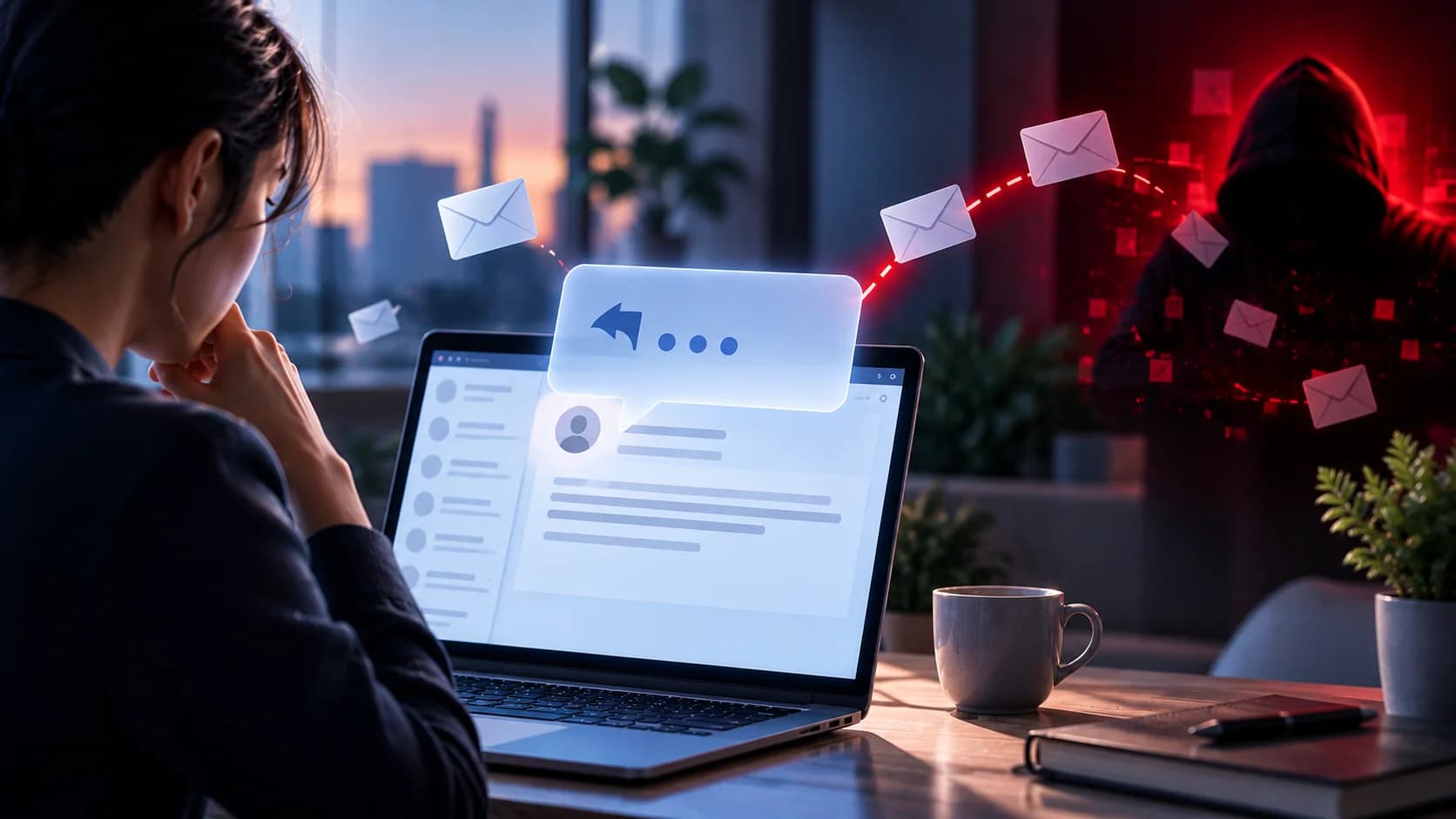
You receive an email that looks like it came from a colleague, supplier, or customer.
The message says: "Hi, can you confirm you're available? I need your help with something urgent."
You reply: "Yes, what's up?"
A few minutes later, you notice something strange about the sender's email address.
It wasn't your colleague.
You just replied to a phishing email.
Does that mean your email account has been hacked?
Not necessarily.
Simply replying to a phishing email does not normally give an attacker access to your password, inbox, or computer.
However, your response can tell the attacker that your email address is active and that you're willing to engage.
Depending on what you shared, the attacker may also gain information they can use in future scams.
The most important question is: What did you include in your reply?
Quick Answer: What Happens If You Reply to a Phishing Email?
If you replied to a suspicious email:
Stop communicating with the sender.
Do not click any links or open attachments they send afterward.
Check whether your reply included personal, financial, or business information.
Report the email to your IT or security team if it involves a business account.
Preserve the conversation for investigation.
If you shared passwords or verification codes, secure the affected accounts immediately.
Be alert for additional phishing emails or impersonation attempts.
If you only replied with a simple message and shared no sensitive information, the immediate risk is usually relatively low.
But that doesn't mean you should continue the conversation.
Can Replying to a Phishing Email Get You Hacked?
Usually, not by itself.
Sending a normal text reply does not automatically:
Give the attacker your password
Allow them to read your inbox
Install malware on your computer
Give them access to your Microsoft 365 or Google account
Let them control your device
This is an important distinction.
There is a difference between:
Replying to an email and Providing information or taking an action that helps the attacker.
For example, replying "Thanks" is very different from sending your login credentials or a confidential company document.
However, a reply may expose information through your message, email signature, or certain technical email details. It can also encourage the attacker to continue targeting you.
What Can Hackers Learn From Your Reply?
Even a short reply can provide useful information to an attacker.
1. Your Email Address Is Active
By replying, you confirm that someone is reading and responding to messages sent to that address.
Attackers may use this information to prioritize future phishing attempts.
For example, an attacker sending hundreds of phishing emails may focus more attention on recipients who respond.
2. You're Willing to Engage
A reply suggests that you may be willing to continue the conversation.
The attacker may then send a more convincing request.
For example:
First email: "Are you available for a quick request?"
Your reply: "Yes."
Second email: "I'm in a meeting. Please help me purchase some gift cards for a client."
The first message may appear harmless because its purpose is simply to start a conversation.
3. Your Email Signature May Reveal Information
Your automatic email signature may contain:
Full name
Job title
Company name
Phone number
Department
Office location
This information can help attackers impersonate employees or create more convincing phishing messages.
For example, knowing that you work in Finance may encourage an attacker to send fake payment requests.
4. Your Reply May Reveal Business Relationships
Sometimes employees unintentionally share information such as:
"Our Finance Manager handles all payments." Or: "Please contact Sarah from HR instead."
These details can help attackers identify additional targets.
5. You May Receive More Targeted Attacks
Once an attacker knows that you respond, they may follow up with emails designed specifically for your role or organization.
For example:
Fake supplier invoices
Fraudulent payment requests
Fake Microsoft 365 security alerts
SharePoint file invitations
Requests for employee information
Executive impersonation
The original reply may be only the first step.
5 Common Scenarios: How Risky Is Your Reply?
Not every phishing reply creates the same level of risk.
What you did | Potential risk | What to do |
Replied "Yes" or "Thanks" | Usually low immediate risk | Stop replying and report |
Replied with your name or phone number | Additional personal information exposed | Report and watch for follow-up scams |
Shared business or customer information | Potential data exposure | Report immediately and identify what was shared |
Sent a password or verification code | High risk of account compromise | Secure the account and contact IT/security immediately |
Replied and then clicked a link or opened a file | Risk depends on subsequent actions | Stop and report exactly what happened |
The key point:
The content of your reply matters more than the fact that you replied.
Scenario 1: I Only Replied "Yes" or "Hello"
Suppose you receive:
"Hi, are you available?"
You reply:
"Yes, how can I help?"
Then you realize the sender is suspicious.
In most cases, this does not mean your account has been compromised.
The attacker now knows your address is active and may attempt to continue the conversation.
What should you do?
Stop replying.
Do not click links or open attachments in follow-up messages.
Report the conversation if it involves your business account.
Be cautious of additional requests from the sender.
You generally do not need to change your password solely because you sent a simple reply, unless there are other signs of compromise.
Scenario 2: I Replied With Personal Information
Perhaps the attacker asked:
"Can you confirm your phone number so I can reach you?"
You provided your number.
Or you shared your name, job title, or department.
This information may not be enough to access your account directly, but it can help attackers create more convincing scams.
For example, they may use your phone number to send phishing text messages or impersonate a colleague.
What should you do?
Stop communicating and report what you shared.
Be cautious of unexpected calls, messages, or emails that reference the information you provided.
Do not automatically trust someone simply because they know your name, phone number, or job title.
Scenario 3: I Replied With Confidential Business Information
This is more serious.
For example, the attacker impersonates a manager and asks:
"Please send me the latest customer list."
You reply with a spreadsheet containing customer names, email addresses, and phone numbers.
The attacker may now have access to sensitive business information.
What should you do?
Stop communicating with the sender.
Report the incident immediately.
Identify exactly what information you shared.
Preserve the email and attachments.
Follow your company's data incident-response process.
Your security team may need to assess whether customers, employees, or business systems are affected.
Do not delete the conversation or try to resolve the situation privately.
Scenario 4: I Replied With a Password or Verification Code
If you sent a password, one-time code, recovery code, or other authentication information, treat it as potentially compromised.
The attacker may attempt to use that information to access your account.
What should you do?
Stop communicating immediately.
Access the legitimate service directly.
Change any exposed password.
Notify IT/security.
Review recent account activity.
Follow instructions for revoking suspicious sessions or securing authentication methods.
If you shared a one-time verification code, report it immediately even if the code has already expired.
The attacker may have used it while it was valid.
Scenario 5: I Replied and Then Clicked a Link
Sometimes the first email is only the beginning.
After you reply, the attacker sends: "Thanks. Please open this document to continue."
You click the link.
Now the risk depends on what happened next.
Only opened the website? The risk may be lower, but report it.
Entered your password? Treat the password as exposed.
Approved an unexpected MFA request? Report immediately.
Downloaded or opened a suspicious file? Contact IT/security for further assessment.
Shared confidential data? Report exactly what information was provided.
A reply alone is different from the actions that follow.
Why Do Some Phishing Emails Start With a Simple Question?
Not every phishing email immediately asks for a password or payment.
Some attackers begin with a harmless-looking message.
For example:
"Are you in the office today?"
"Can I ask you something quickly?"
"Please confirm you received this email."
"Are you available to help with a confidential task?"
These are sometimes called conversation-based phishing attacks.
The attacker wants to establish communication before making the real request.
Once you reply, they may gradually introduce urgency, authority, or secrecy.
For example:
EXAMPLE: HOW A PHISHING CONVERSATION DEVELOPS
Attacker, pretending to be the CEO
Are you available for a quick task?
Employee
Yes, how can I help?
Attacker
I'm in a meeting. I need you to handle something urgently and keep it confidential.
Attacker, follow-up
Please arrange a payment to this account. I'll explain later.
The first email did not contain a malicious link.
It did not ask for a password.
But it was still the beginning of a phishing attack.
What Should I Do Immediately After Replying to a Phishing Email?
Step 1: Stop the Conversation
Do not respond to additional messages.
Even if the attacker claims the situation is urgent, do not continue.
Step 2: Review What You Shared
Check your reply carefully.
Did you send:
Only a short message?
Your phone number or job title?
Internal company information?
A confidential file?
Login credentials?
Financial information?
This helps determine the appropriate response.
Step 3: Report the Email
If you used a business account, report the conversation through your organization's approved process.
Include the original email, your reply, and any follow-up messages.
Step 4: Preserve the Evidence
Do not delete the conversation before reporting.
The security team may need to check whether other employees received similar messages.
Step 5: Secure Affected Accounts if Necessary
If you exposed credentials or performed additional suspicious actions, follow your organization's account security and incident-response procedures.
Step 6: Watch for Follow-Up Scams
Attackers may use the information you shared to contact you again.
Be especially cautious of unexpected payment requests, login prompts, and messages claiming to come from your colleagues.
Should I Block the Sender?
Blocking a suspicious sender can help prevent further messages from that address.
However, if this happened at work, report the email before deleting or blocking it, following your company's procedures.
Also remember that attackers can create new addresses or use compromised accounts.
Blocking one address does not eliminate every possible future attack.
Should I Change My Password After Replying?
Not necessarily.
If you only sent a normal text reply and did not share credentials, click suspicious links, or approve an authentication request, changing your password may not be required.
However, if you:
Sent your password
Entered credentials on a suspicious website
Approved an unexpected login
Notice unfamiliar account activity
you should secure the affected account immediately.
The important distinction is:
Replying to phishing ≠ Automatically losing account access.
Can Hackers Track Me After I Reply?
A reply can confirm that your email address is active.
Depending on your email configuration and the information included in your message, the sender may also learn details such as your email signature or certain email routing information.
However, replying to an email does not normally give the attacker your precise location, control of your device, or direct access to your inbox.
The more realistic concern is that the attacker may use your response to plan further social engineering attempts.
Why Businesses Should Encourage Employees to Report Phishing Replies
Employees may feel embarrassed after replying to a suspicious email.
But a quick report can help the organization identify a broader phishing campaign.
For example, the same attacker may have contacted:
Finance employees
HR staff
Executive assistants
Procurement teams
Other employees
If one person reports the conversation, IT/security may be able to warn others before they respond to the attacker's next request.
The objective should be to stop the attack, not punish the employee for replying.
How Can Businesses Reduce Conversation-Based Phishing?
1. Teach Employees to Recognize Suspicious Requests
Phishing does not always begin with a link or attachment.
Employees should be cautious of unexpected requests involving payments, confidential information, or urgent tasks.
2. Verify Unusual Requests Independently
If someone claiming to be a manager or supplier asks for sensitive information, confirm the request through an existing trusted channel.
3. Protect Business Email Accounts
Use appropriate authentication, email security, and monitoring to reduce the risk of account compromise and impersonation.
4. Establish Clear Approval Processes
Payment requests, changes to supplier bank details, and transfers of confidential data should follow defined verification and approval procedures.
5. Make Reporting Simple
Employees should know how to report:
"I replied to a suspicious email. What should I do?"
A quick report can help security teams investigate before the attacker escalates the conversation.
A 30-Second Checklist After Replying to Phishing
Only replied with a short message? Stop communicating and report.
Shared your phone number or job title? Watch for targeted follow-up scams.
Sent confidential information? Report immediately and identify what was shared.
Sent a password or verification code? Secure the affected account immediately.
Clicked a link afterward? Report exactly what happened.
Downloaded a file? Contact IT/security.
Received another suspicious request? Do not continue the conversation.
Key Takeaways
Replying to a phishing email does not automatically mean your account has been hacked.
But your reply may confirm that your email address is active and encourage the attacker to continue targeting you.
The level of risk depends on what information you shared and what actions you took afterward.
The safest response is:
Stop replying → Check what you shared → Report the conversation → Secure affected information
Remember:
A phishing attack does not always begin with a malicious link. Sometimes, it begins with a simple conversation.
Frequently Asked Questions
What happens if I accidentally reply to a phishing email?
Your reply may confirm that your email address is active and encourage further phishing attempts. However, simply replying does not normally compromise your account.
Can someone hack my email just because I replied?
Usually not. A normal text reply does not automatically give the sender access to your inbox or password. The risk increases if you share credentials, open malicious files, or take other unsafe actions.
What if I only replied "Yes" to a phishing email?
The immediate risk is generally low if you did not share sensitive information or take additional actions. Stop communicating and report the email if it involves your workplace.
Should I change my password after replying to a scam email?
Not necessarily. If you only replied and did not expose your credentials, a password change may not be needed. If you shared or entered your password on a suspicious website, secure the account immediately.
Can replying to a phishing email lead to more spam?
Yes. Attackers may treat a response as evidence that an email address is active, which could lead to additional phishing or scam messages.
What if I replied to a phishing email from my work account?
Report the conversation to IT/security, explain what information you shared, and follow your company's instructions. Do not delete the evidence before reporting.
Related Articles
Oct 8, 2026
Real or Fake? How to verify a sharepoint file invitation
Received a SharePoint file invitation? Learn how to spot fake SharePoint emails, verify shared files safely, and protect your Microsoft 365 account from phishing.
Oct 1, 2026
I paid a fake invoice. What should my business do?
Paid a fake invoice? Learn what your business should do immediately to contact the bank, preserve evidence, secure accounts, investigate the fraud, and reduce further losses.
Sep 29, 2026
Sent Confidential Information to a Fake Email? What Now?
Sent confidential information to a fake email? Learn what to do immediately, how to report the incident, assess exposed data, and reduce further risk.

Protect your business with ShieldNet 360
Get started and learn how ShieldNet 360 can support your business.