
Aug 31, 2026
BlogHow security monitoring helps compliance
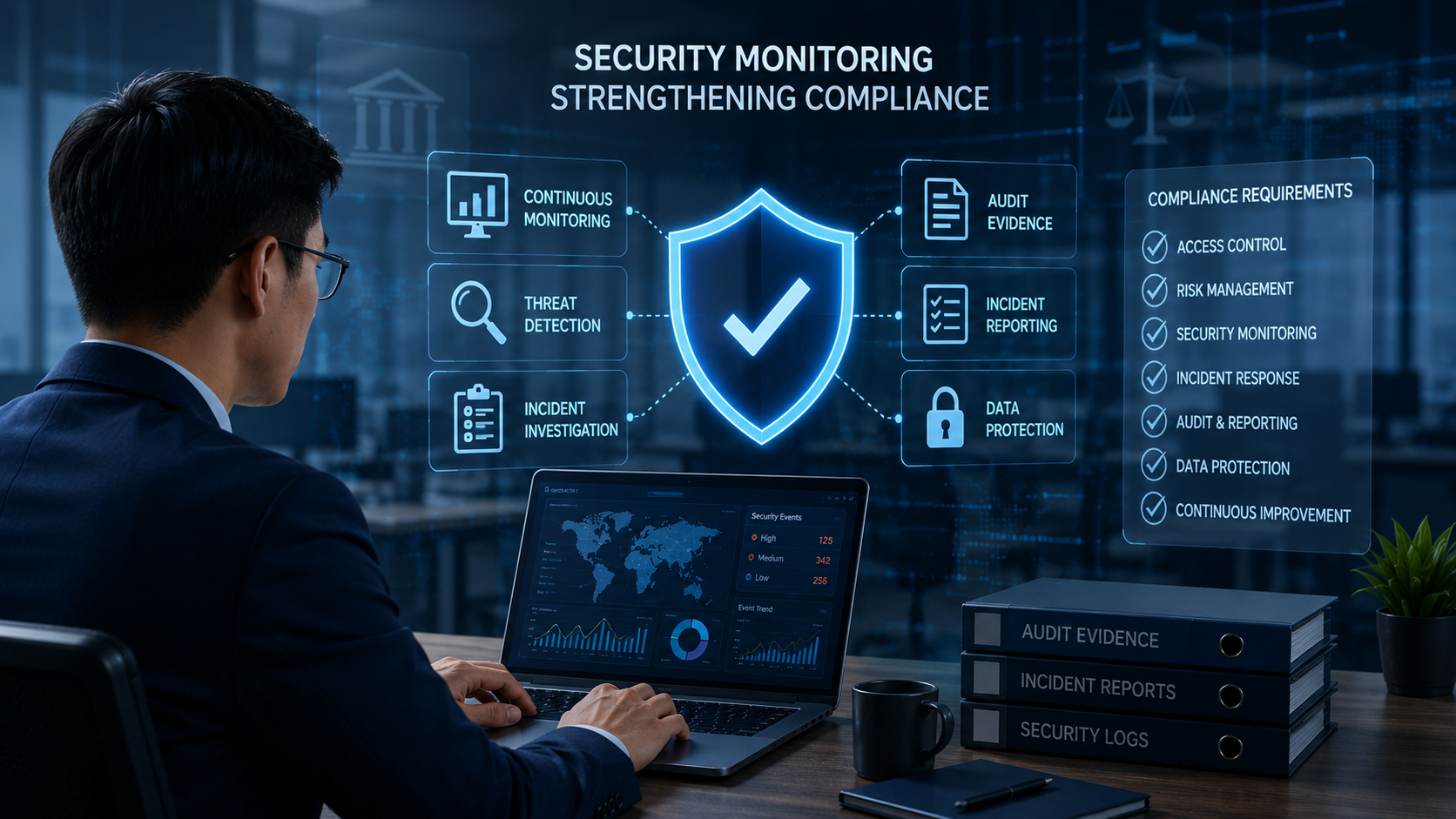
Compliance is not only about having policies and documents.
Businesses also need to show that they are actively protecting their systems and data – and that they can identify and respond when something goes wrong.
This is where security monitoring becomes important.
Continuous security monitoring helps businesses understand what is happening across their systems, detect suspicious activity, keep records of important events, and collect evidence that may be needed for audits or incident investigations.
For SMEs, this can make compliance much easier to manage without creating a large amount of additional work.
Quick Answer: How Does Security Monitoring Help Compliance?
Security monitoring supports compliance by continuously tracking important activity across business systems and creating records of security events.
It can help businesses answer important questions such as:
Who accessed a system?
When did suspicious activity begin?
Which systems or accounts were affected?
What actions were taken?
Is there evidence of the investigation and response?
This information can support audits, security assessments, incident reporting, and data protection requirements.
However, security monitoring alone does not make an organization compliant. It is one part of a broader compliance program.
Why Does Compliance Require Security Monitoring?
Many cybersecurity and data protection requirements expect organizations to take reasonable measures to protect their systems and information.
Having a written security policy is important.
But businesses may also need evidence that those policies are actually being followed.
For example, a company might have a policy requiring important systems to be monitored for suspicious activity.
During an audit or security assessment, the company may then be asked:
“Can you show that this monitoring is actually taking place?”
Security logs, alerts, incident records, and response histories can help provide that evidence.
1. Security Monitoring Creates Evidence
One of the biggest benefits of continuous monitoring is that it creates a history of what happened.
Depending on the systems being monitored, businesses may have records of:
User logins
Account activity
Device activity
Cloud access
Security alerts
Important configuration changes
Suspicious behavior
Incident response actions
These records can be useful during audits, customer security reviews, internal investigations, and regulatory assessments.
Instead of relying on memory or manually created reports, the business has evidence from its actual systems.
2. It Helps Businesses Detect Security Incidents Earlier
A business cannot properly respond to an incident if it does not know the incident is happening.
Continuous monitoring helps identify suspicious activity such as:
An account logging in from an unusual location
A large amount of data being downloaded unexpectedly
A laptop showing ransomware-like behavior
An administrator account behaving unusually
Unexpected changes to important systems
Early detection gives the business more time to investigate what happened and limit the potential impact.
This can also make subsequent compliance and reporting activities easier because the organization has more information about the incident from the beginning.
3. It Helps Build an Incident Timeline
After a security incident, one of the first questions is usually:
“What exactly happened?”
Businesses may need to determine:
When the suspicious activity began
When it was detected
Which account was involved
Which systems were accessed
Whether sensitive data was affected
What actions were taken
When the incident was contained
Without monitoring records, reconstructing this timeline can be difficult.
With good security monitoring, much of the necessary information may already be available.
This is particularly useful when a business needs to prepare an internal incident report or provide information to auditors, customers, insurers, or authorities.
4. Security Monitoring Supports Incident Reporting
Some security and privacy regulations require organizations to report certain incidents within specific periods or under particular conditions.
Before a business can report accurately, it needs to understand what happened.
Monitoring helps answer questions such as:
What was affected?
When did it happen?
What information may have been accessed?
Has the threat been contained?
What has the business done in response?
The faster these questions can be answered, the easier it becomes to make informed decisions about reporting obligations.
5. It Makes Audit Preparation Easier
Preparing for an audit can become difficult when evidence is spread across emails, spreadsheets, screenshots, and multiple systems.
Continuous monitoring helps create evidence during normal business operations rather than waiting until an audit begins.
Auditors or customers may request examples of:
Security alerts
Access records
Incident histories
Investigation records
Response actions
Monitoring coverage
When this information is already recorded, teams spend less time trying to recreate evidence later.
6. It Helps Demonstrate That Security Controls Are Working
There is an important difference between installing a security control and knowing that it is working.
For example, a company may have security software installed on employee laptops.
But is every important laptop actually protected?
Are alerts being generated?
Are serious alerts investigated?
Are response actions being taken?
Monitoring helps businesses move from:
“We have security tools.”
to:
“We can show that our security controls are operating.”
That distinction can be important for compliance.
7. Security Monitoring Supports Data Protection
Security monitoring can also help businesses protect personal and sensitive information.
For example, unusual behavior might include:
Unexpected access to customer records
Large downloads of sensitive files
Unauthorized access to cloud storage
Compromised employee accounts
Suspicious administrator activity
Detecting these activities early can help businesses investigate whether sensitive information has been exposed.
This is important because many privacy and data protection requirements focus not only on preventing breaches but also on understanding and responding when they occur.
8. Monitoring Helps Businesses Improve Over Time
Compliance should not be treated as a once-a-year exercise.
Security monitoring can reveal recurring weaknesses.
For example, a business might discover that:
Certain accounts regularly generate risky login alerts.
Some devices repeatedly become infected.
Employees continue accessing unsafe websites.
Old administrator accounts are still active.
Important systems are not being monitored.
These findings can help the organization improve its security controls instead of simply preparing evidence for the next audit.
What Should Businesses Monitor for Compliance?
The exact requirements depend on the organization's industry, location, systems, and applicable regulations.
However, businesses commonly benefit from monitoring:
User identities and logins
Employee laptops and desktops
Servers
Cloud environments
Email accounts
Business applications
Administrator activity
Access to sensitive data
Important security events
The goal is not to collect every possible piece of information.
The goal is to maintain enough visibility to identify security problems, investigate incidents, and demonstrate that important systems are being protected.
How Can SMEs Make Security Monitoring Easier?
SMEs often do not have large cybersecurity or compliance teams.
Monitoring therefore needs to be practical.
Businesses should look for ways to:
Collect important security information automatically
Keep records in one place where possible
Prioritize important alerts instead of reviewing everything manually
Maintain clear incident histories
Record investigation and response actions
Generate reports that can support audits
Review security activity regularly
Automation can be especially valuable because it reduces the amount of manual evidence collection required from small IT teams.
Security Monitoring Is Not the Same as Compliance
This distinction is important.
Deploying security monitoring does not automatically make a business compliant.
Compliance may also require:
Policies and procedures
Risk assessments
Employee training
Access controls
Data protection processes
Incident response plans
Vendor management
Documentation
Legal and regulatory reporting
Security monitoring supports these activities by providing visibility and evidence.
Think of it as one of the foundations that helps a business demonstrate that its cybersecurity processes are actually operating.
Key Takeaways
Security monitoring helps businesses do more than detect cyberattacks.
It can also support compliance by providing:
Continuous visibility
Security records
Audit evidence
Incident timelines
Investigation information
Response records
Data protection visibility
For SMEs, automated monitoring can also reduce the amount of manual work required to prepare for audits or investigate incidents.
The goal is simple: know what is happening, keep evidence, and be ready to respond when something goes wrong.
Frequently Asked Questions
Does security monitoring make a business compliant?
No. Security monitoring is only one part of compliance. Businesses may also need policies, risk assessments, employee training, access controls, incident response procedures, and other measures.
What evidence can security monitoring provide?
Depending on the system, monitoring may provide login records, security alerts, incident timelines, device activity, investigation details, and records of response actions.
Why is continuous monitoring useful for audits?
Because evidence is created throughout normal business operations rather than being manually recreated shortly before an audit.
Can security monitoring help with incident reporting?
Yes. Monitoring can help determine when an incident occurred, which systems or accounts were affected, what activity took place, and how the organization responded.
Do SMEs need continuous security monitoring?
For many SMEs, continuous monitoring can provide valuable visibility without requiring employees to manually check systems throughout the day. The appropriate level of monitoring depends on the company's risks and compliance requirements.
Related Articles
Oct 9, 2026
I replied to a phishing email. Am I at risk?
Replied to a phishing email? Learn what risks you face, what attackers can learn from your reply, and what to do next to protect your account and business.
Oct 8, 2026
Real or Fake? How to verify a sharepoint file invitation
Received a SharePoint file invitation? Learn how to spot fake SharePoint emails, verify shared files safely, and protect your Microsoft 365 account from phishing.
Oct 1, 2026
I paid a fake invoice. What should my business do?
Paid a fake invoice? Learn what your business should do immediately to contact the bank, preserve evidence, secure accounts, investigate the fraud, and reduce further losses.

Protect your business with ShieldNet 360
Get started and learn how ShieldNet 360 can support your business.