
Mar 4, 2026
BlogReal-time security monitoring: 7 best practices for 2026
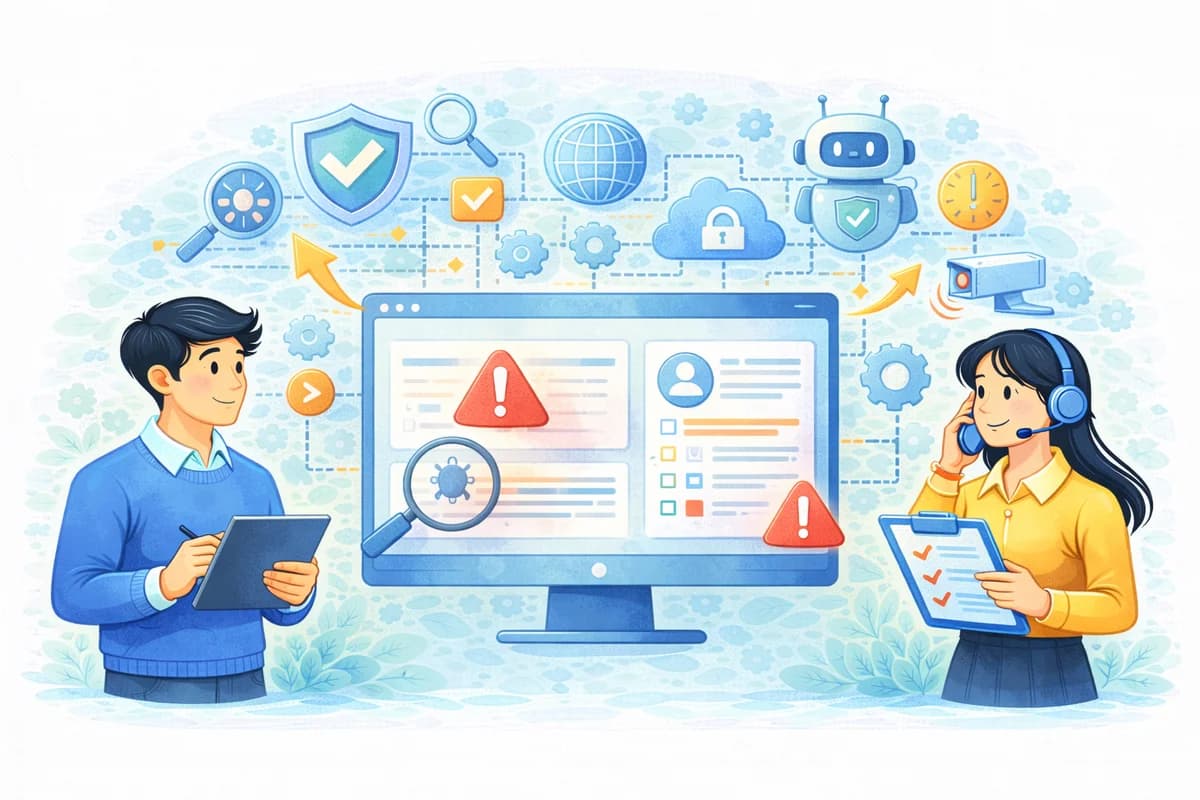
Real-time security monitoring for lean teams: continuous monitoring, always-on security, real-time alerts, incident response workflow, and monitoring best practices.
Real-time security monitoring means your team learns about meaningful threats as they happen, not the next morning after users complain or data is already gone. For lean teams, the goal is simple: fewer surprises, clearer decisions, and faster containment without hiring a 24/7 night shift. That is why real-time security monitoring must combine continuous monitoring with real-time alerts that are understandable, correlated, and tied to an incident response workflow. The article will define what “real-time” should mean in practice and share monitoring best practices that reduce after-hours risk through escalation rules and safe automation.
Why this topic matters
Real-time security monitoring matters because modern attacks often move faster than office hours. A single stolen password can lead to mailbox takeover, data downloads, and privilege changes within minutes, especially in cloud-heavy environments. If your team only checks alerts once per day, you unintentionally give attackers an “overnight window” to expand access and create persistence. For SMEs, the most damaging part is not always the initial intrusion, but the delay in noticing and containing it.
Imagine a 120-person company using Microsoft 365, shared cloud drives, and a small IT team that also handles onboarding and device support. At 10:30 p.m., there is a risky sign-in from a new location, new mailbox forwarding rules appear, and a finance folder sees unusual downloads. Without continuous monitoring and real-time alerts, these signals may look like separate low-priority notifications that nobody connects until morning. With real-time security monitoring done well, the system correlates the events into one incident story, escalates to the right owner, and triggers safe automation like revoking sessions and forcing re-authentication. That is how monitoring best practices translate into fewer breaches and fewer disruptive “fire drills.”
Key factors and features to consider
Clear definition of “real-time” for lean teams
For SMEs, “real-time” does not mean reacting to every event instantly; it means reacting quickly to events that carry real business risk. A practical target is minutes for high-severity incidents and hours for medium severity, with low severity tracked for trends. This keeps always-on security meaningful without turning your team into a constant interrupt machine. Real-time security monitoring is about timely decisions, not nonstop noise.
Continuous monitoring coverage that matches your environment
Continuous monitoring should focus on where most incidents begin: identity, email, endpoints, and a small set of core SaaS systems. Many breaches start with account compromise, so monitoring sign-ins, privilege changes, and mailbox behavior often delivers the fastest value. For example, monitoring for new forwarding rules and unusual file access can catch common business email compromise patterns early. Lean teams should expand coverage only when new data sources improve correlation and response clarity.
Real-time alerts that explain “why it matters”
Real-time alerts must be understandable within minutes, especially after hours when you cannot afford long investigations. A useful alert answers who is affected, what happened, what systems are involved, why it matters, and what to do next. If alerts are written like raw logs, a small team will delay or ignore them, which defeats the purpose of real-time security monitoring. Clear language is one of the most important monitoring best practices because it turns awareness into action.
Correlation that converts noise into incident stories
Correlation is the feature that turns continuous monitoring into a usable workflow. Instead of sending ten alerts for one chain of attacker behavior, correlation groups related events into one incident narrative with a single severity level. For example, a risky sign-in plus mailbox rule creation plus unusual downloads should become one high-severity incident. Correlation reduces alert fatigue and improves decision speed, which is essential for lean incident response workflow execution.
Escalation rules that reflect business impact
Escalation rules define when the system should notify an owner immediately, when it should create a ticket, and when it should wait for business hours. For lean teams, simple rules work best, such as “finance mailbox activity after-hours escalates faster” or “privileged account changes are always high severity.” Escalation rules prevent decision paralysis because they remove guesswork about what counts as urgent. In practice, these rules are a core part of always-on security because they make response predictable.
Safe automation that contains risk without breaking operations
Safe automation is the fastest way to reduce after-hours risk without staffing a night shift. Start with reversible steps like revoking suspicious sessions, forcing re-authentication, quarantining high-confidence malicious emails, and isolating a single endpoint when confidence is high. Avoid automating disruptive actions like shutting down a critical server until you have validated alert accuracy and rehearsed the incident response workflow. This phased approach is a monitoring best practice because it improves speed while protecting business continuity.
Evidence trails and reporting for accountability
Real-time security monitoring is stronger when it produces evidence that can be reused for leadership and partner conversations. Evidence trails should show what was detected, why it was escalated, what actions were taken, and who approved disruptive steps. Reporting should translate activity into outcomes like time to detect and time to contain, plus recurring misconfigurations to fix. For SMEs, evidence is not bureaucracy; it is how you prove that monitoring is working and how you reduce repeat incidents.
Detailed comparisons or explanations
Real-time security monitoring versus daily log review
Daily log review is reactive and usually happens after impact is visible, while real-time security monitoring is proactive and prioritizes early containment. With daily review, teams often spend hours reconstructing what happened, because the story is spread across systems and time. With real-time alerts and correlation, the system does much of that reconstruction immediately and presents a clear incident response workflow. The business impact is meaningful because small delays can allow account compromise to turn into data exposure.
A practical way to compare is the “after-hours window.” If suspicious behavior starts at 10 p.m. and is investigated at 9 a.m., the attacker gains roughly 8–12 hours to expand access and exfiltrate data. Real-time security monitoring aims to shrink that window to minutes or a small number of hours for high-risk scenarios. This is why always-on security is often a higher-leverage improvement than adding another standalone tool that does not speed up containment.
Mini case study: stopping business email compromise through correlation
In many SMEs, business email compromise begins with credential theft and then escalates through mailbox rules and payment redirection. Continuous monitoring can detect a risky sign-in, real-time alerts can notify the owner, and correlation can tie it to new forwarding rules and unusual sent-mail behavior. The incident response workflow can then execute safe automation: revoke sessions, force re-authentication, and quarantine suspicious outbound messages. This sequence does not guarantee prevention, but it significantly reduces the chance that a fraudulent payment request goes unnoticed overnight.
To keep claims realistic, the impact depends on your baseline and how quickly your team can act on alerts. In many environments, moving from “next day response” to “same hour containment” can materially reduce the scope of exposure, even if the initial compromise still happens. The key assumption is that escalation rules route the incident to the right person and that safe automation handles the first containment steps. That is why monitoring best practices focus on workflow design, not just detection.
How monitoring best practices fit into a lean incident response workflow
Monitoring best practices are most effective when they are tied to a simple incident response workflow that a generalist can follow. The workflow should start with verification, then move to containment, then to recovery and root-cause fixes. For example, identity incidents should trigger session revocation and password reset steps, while endpoint incidents might trigger isolation and remediation steps. When monitoring is disconnected from workflow, alerts become informational rather than actionable, and real-time security monitoring loses its value.
Best practices and recommendations
- Define what “real-time” means by severity: minutes for high severity, hours for medium, trend review for low
- Focus continuous monitoring on identity, email, endpoints, and one or two critical SaaS systems
- Standardize real-time alerts into a consistent format: who, what, where, why, and next steps
- Implement correlation so related events become one incident story with a single severity level
- Create simple escalation rules tied to business risk, especially for finance and privileged accounts
- Enable safe automation for reversible containment actions, then expand cautiously
- Review monitoring best practices monthly using time-to-detect, time-to-contain, and false positive trends
To apply this list, start with one high-impact scenario like risky sign-ins affecting finance mailboxes and define what actions must happen within the first 15–30 minutes. Next, ensure correlation groups related events so your team sees one case, not a flood of alerts, and confirm escalation rules route it to the right owner. Then, enable safe automation that executes the first containment steps so after-hours risk shrinks even when humans are slower to respond. Over time, tune the workflow by reviewing false positives and refining thresholds, which keeps always-on security effective rather than exhausting.
A realistic “minimum viable” setup for SMEs
A minimum viable setup includes identity monitoring, mailbox rule monitoring, endpoint signals, and basic cloud file access monitoring, plus one escalation path and one playbook per incident type. This is enough to catch common account takeover patterns and reduce the largest after-hours risks without heavy engineering. SMEs should aim for clarity and consistency first, then expand coverage once they can show measurable improvement in response time. When the basics work, adding more integrations becomes safer and more valuable.
Common mistakes that weaken real-time monitoring
A common mistake is treating every alert as urgent, which breaks escalation rules and causes teams to ignore notifications. Another mistake is failing to correlate events, so people receive multiple alerts that are actually one incident, which increases fatigue. SMEs also often skip evidence trails, making it difficult to learn from incidents and to prove monitoring value to leadership. If you avoid these mistakes and follow monitoring best practices, real-time security monitoring becomes a practical operational advantage.
FAQ
What is real-time security monitoring for a small business?
Real-time security monitoring is the practice of continuously watching key security signals and surfacing high-risk incidents quickly enough to contain them before they spread. It relies on continuous monitoring, real-time alerts, and correlation so small teams are not overwhelmed by noise. For SMEs, the best approach is to focus on high-impact signals and tie alerts directly to a clear incident response workflow.
How is continuous monitoring different from always-on security?
Continuous monitoring refers to the ongoing collection and analysis of signals across systems, while always-on security is the operational posture that ensures meaningful incidents are acted on even after hours. You can collect signals continuously but still lack always-on security if alerts are unclear, not correlated, or not routed to an owner. Always-on security requires escalation rules and safe automation so response happens when timing matters most.
What should real-time alerts include to be actionable?
Real-time alerts should include who is affected, what happened, where it happened, why it matters, and what to do next. They should also include evidence pointers like the account involved, the time window, and the systems touched, presented in plain language. This format reduces confusion and supports faster incident response workflow execution, especially when the responder is not a specialist.
When should we enable safe automation in monitoring?
Enable safe automation after you have basic alert quality and correlation working, because automation should act on reliable signals. Start with reversible actions like session revocation, forced re-authentication, and quarantining high-confidence malicious email. Then expand to more disruptive actions only after you measure false positives and confirm your escalation rules and approvals are working.
How do monitoring best practices reduce breach risk in 2025?
Monitoring best practices reduce breach risk by shrinking the time window attackers have to expand access, especially outside office hours. Clear real-time alerts and correlation make it easier to recognize true incidents, while escalation rules and safe automation speed containment. The goal is not to eliminate every intrusion, but to prevent small intrusions from becoming large, costly breaches.
Conclusion
Real-time security monitoring is most valuable when it combines continuous monitoring with clear real-time alerts, strong correlation, and escalation rules that reflect business impact. For lean teams, monitoring best practices should prioritize predictability: a simple incident response workflow, safe automation for reversible containment, and evidence trails for accountability. When implemented in phases, always-on security becomes practical and reduces after-hours risk without requiring a 24/7 SOC. If you want a next step, define your first high-impact scenario, write one playbook, and tune alerts and correlation until your team can contain that scenario within a clear time target.
Related Articles

Oct 1, 2026
I paid a fake invoice. What should my business do?
Paid a fake invoice? Learn what your business should do immediately to contact the bank, preserve evidence, secure accounts, investigate the fraud, and reduce further losses.
Sep 29, 2026
I clicked a phishing link. What should I do now?
Sent confidential information to a fake email? Learn what to do immediately, how to report the incident, assess exposed data, and reduce further risk.

Sep 25, 2026
I clicked a phishing link. What should I do now?
Clicked a phishing link? Learn what to do immediately, whether you entered a password or downloaded a file, and how to reduce the risk to your account and business.

Protect your business with ShieldNet 360
Get started and learn how ShieldNet 360 can support your business.