
Apr 14, 2026
BlogChecklist: Automated security monitoring for lean teams
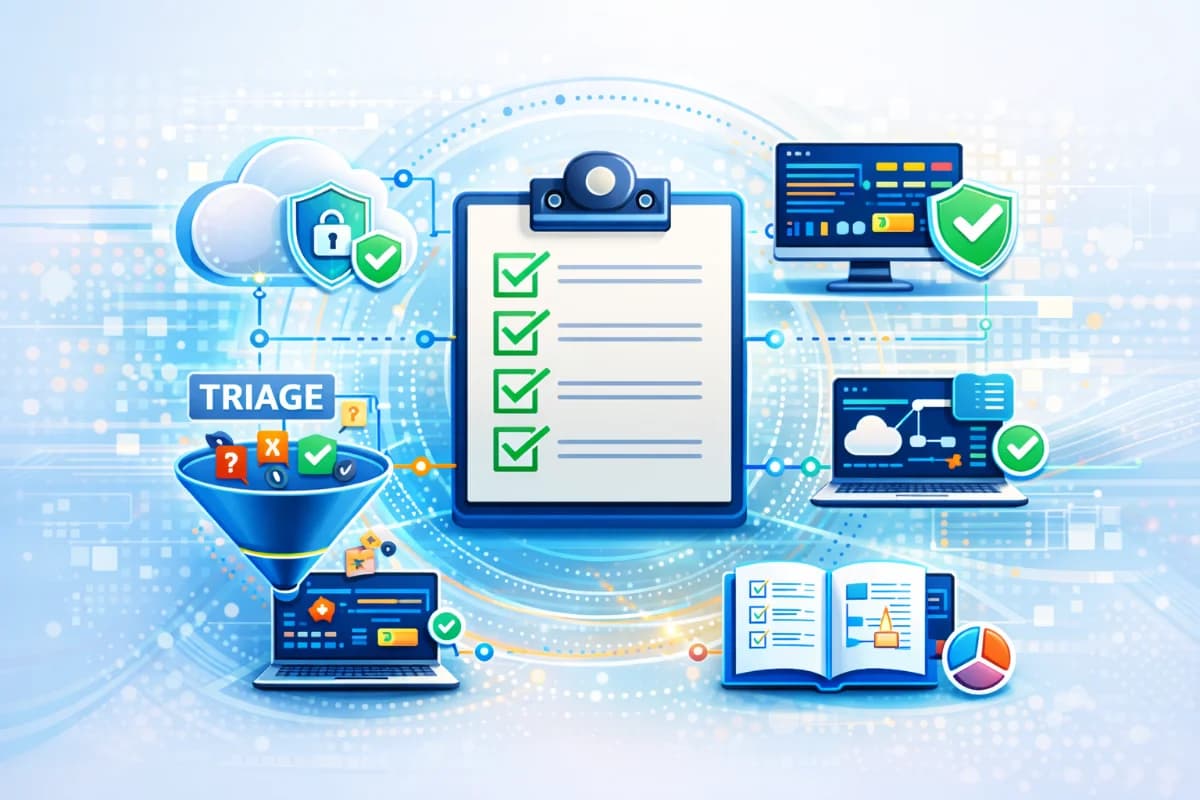
Checklist automated security monitoring for lean teams with always-on security, security monitoring service options, alert triage automation, and playbooks and runbooks.
This checklist automated security monitoring guide is designed for lean teams who need always-on security without building a 24/7 SOC. The goal is practical: make sure critical signals are collected, alerts are triaged into clear incidents, after-hours escalation is predictable, and safe automations contain risk before it spreads. You can use this as an internal operating checklist or as a vendor evaluation checklist for a security monitoring service.
Why this topic matters
After-hours incidents are where lean teams lose the most. A single compromised account can create forwarding rules, download sensitive files, and trigger payment fraud while nobody is watching. A ransomware-like infection can spread across shared drives before the first person checks email. Always-on security is not a promise; it is a set of integrations, rules, and playbooks that make the first response loop happen reliably at night and on weekends.
A practical example is a finance email takeover. If your systems are not integrated, you may see one alert in email, another in identity, and a third in endpoint logs, but you will not see the combined incident story. With alert triage automation, those signals become one high-severity incident, the incident owner is paged, and safe actions like session revocation can be triggered immediately. The checklist below is built to make that outcome repeatable.
Key factors and features to consider
Minimum integrations: collect the signals that matter
Always-on monitoring fails when the team has blind spots. The minimum integrations for most SMEs are identity sign-ins, email audit activity, endpoint telemetry, and critical cloud or SaaS audit logs. These sources cover the most common attack chains: credential misuse, mailbox rule abuse, malware on endpoints, and permission changes in cloud apps. Without these integrations, automated monitoring becomes guesswork and false positives increase.
A practical standard is that any high-severity incident should have evidence from at least two sources, such as identity plus email, or endpoint plus cloud. That reduces noise and improves confidence. If you use a platform like ShieldNet Defense, ensure it can ingest these sources and correlate them into plain-language incidents. Data coverage is the foundation of a security monitoring service that actually works.
Escalation rules: decide who gets woken up and when
Escalation is the difference between monitoring and action. Lean teams need simple severity levels and clear ownership. Define what constitutes a critical incident, who is the incident owner, and what the response time target is after hours. Also define fallback contacts and what happens if the primary owner does not respond. This prevents incidents from stalling in inboxes.
A good escalation rule set should include time windows, such as a 15-minute acknowledgment target for critical incidents and a 60-minute target for warnings. It should also specify what information must be included in the page: what happened, likely impact, and the first safe action already taken. This makes response faster and calmer. Without escalation rules, alert triage automation has nowhere to route the incident.
Alert triage automation: convert alerts into incidents
Alert triage automation should group related alerts into one incident and attach the minimum evidence package. The output must be readable by a non-specialist, especially after hours. It should include a timeline, affected accounts and assets, evidence highlights, and recommended next steps. The goal is to reduce time-to-first containment, not to generate more tickets.
Lean teams should also define triage thresholds. Single low-confidence signals should not page people. Incidents should be paged only when multiple signals align or when the affected asset is critical. This is the core of false positive reduction. A system like ShieldNet Defense can support this by producing plain-language incident summaries and enabling correlation-based escalation. The human still decides, but the workflow starts with clarity.
Safe automations: contain risk without breaking operations
Safe automations are actions that are reversible, scoped, and low-disruption. Examples include revoking suspicious sessions, forcing re-authentication, quarantining a specific email, isolating a single endpoint, and opening a ticket with evidence. These actions reduce attacker dwell time and limit scope while humans investigate. For lean teams, safe automations are how always-on security becomes real at 2 a.m.
Disruptive actions should be behind approvals, such as disabling critical accounts, blocking broad domains, isolating servers, or revoking wide vendor access. The safest approach is phased automation: automate evidence capture and routing first, then automate safe containment for high-confidence incidents, then expand with approvals. This prevents self-inflicted downtime and maintains trust in automation.
Playbooks and runbooks: make response repeatable
Playbooks define what to do for a specific incident type and what triggers the workflow. Runbooks define how to do it step by step, including who approves, how to roll back actions, and what evidence must be captured. Lean teams need short, clear playbooks for the most common incidents: account takeover, invoice fraud attempts, ransomware suspicion, data exposure through sharing, and vendor access anomalies.
Runbooks should include stop conditions, such as do not isolate billing systems without approval, and do not block entire domains without verifying impact. They should also include a communication template for leadership, because executive decisions often affect response speed. When playbooks and runbooks are standardized, after-hours response becomes predictable. That predictability is what reduces burnout and improves KPIs.
Detailed comparisons or explanations
Always-on security: service versus internal workflow
Always-on security can be delivered by an internal workflow, a security monitoring service, or a hybrid. The difference is not just staffing but clarity of responsibility. If you outsource monitoring but still do all triage and response yourself, you may not reduce after-hours risk. A good service provides incident narratives, evidence packages, and clear response recommendations. A good internal workflow provides consistent escalation and safe automation.
Many SMEs choose a hybrid model: AI-first triage and evidence capture, plus human escalation for complex cases. In this model, ShieldNet Defense can be positioned as the AI-first layer that correlates signals, reduces noise, and triggers safe containment actions with evidence. The buyer should evaluate the hybrid on measurable outcomes: time to detect, time to first containment, and false positives. Always-on security is proven by metrics, not by labels.
The minimum evidence package that makes an incident actionable
An incident is actionable when it includes a minimum evidence package. That package should contain what happened, affected identities and assets, when it started, what changed recently, and what actions have been taken. It should also include confidence and a recommended next step. This package reduces back-and-forth questions that slow response. It also supports post-incident review and customer reporting.
In practice, the evidence package should be standardized across incident types. That allows lean teams to process incidents quickly and consistently. It also makes KPI tracking possible, because you can measure detection time and containment time from the same fields. Without a standardized package, incidents become chat threads that are hard to audit and hard to improve.
Best practices and recommendations
- Start with a narrow scope: identity and email plus endpoints for first-round always-on monitoring
- Use correlation rules to page only high-confidence incidents and reduce alert fatigue
- Implement phased automation with approvals to avoid disruption
- Standardize a minimum incident package and a one-page runbook per incident type
- Measure monthly KPIs and tune one thing each month based on outcomes
- Use an AI-first workflow like ShieldNet Defense to produce plain-language incidents and safe actions if your team is lean
To apply this checklist, run a 30-day operational trial. Connect minimum integrations, define escalation rules, enable triage automation, and automate one or two safe actions. Track how many after-hours pages occur and how many are true incidents. If false positives are high, tune correlation and baselines before adding more automation. The result should be fewer pages, faster containment, and clearer incident narratives.
- Checklist: automated security monitoring for lean teams
- Integrations and coverage
- Identity sign-in logs connected and retained
- Email audit logs connected, including mailbox rule changes
- Endpoint telemetry connected for laptops and servers
- Critical cloud and SaaS audit logs connected for admin and data access changes
- High-risk assets tagged, such as finance accounts and critical servers
- Alert correlation across at least two sources for critical paging
- A lean team can treat this section as a minimum bar. If identity and email are missing, account takeover will be detected late. If endpoints are missing, ransomware-like behavior may spread before containment. Tagging critical assets is what makes severity meaningful. Correlation across sources reduces noise and improves false positive reduction.
- Escalation and ownership
- Severity levels defined: Info, Warning, Critical, Decision needed
- On-call incident owner assigned with a backup contact
- After-hours acknowledgment target defined for Critical incidents
- Escalation path defined if the owner does not respond
- Page content standardized: what happened, likely impact, action taken, next step
- Executive notification rule defined for finance or customer-impact incidents
- This section prevents the most common failure: incidents that are seen but not acted on. Clear severity prevents panic and prevents complacency. A defined on-call owner ensures accountability. Standardized page content reduces time lost asking basic questions. Executive rules prevent delayed decisions during high-impact incidents.
- Triage automation
- Alerts grouped into incidents with a timeline and evidence highlights
- Incident confidence defined: low, medium, high
- Paging rules require multiple signals or critical asset involvement
- Single low-confidence alerts do not page after hours
- Evidence package attached automatically: affected accounts, assets, and actions
- Incident owner receives a plain-language summary and recommended actions
- This section is the core of alert triage automation. Grouping and confidence prevent alert overload. Requiring multiple signals reduces false positives and improves trust. Automatic evidence makes decisions faster. Plain-language summaries make the workflow usable at night by non-specialists.
- Safe automations
- Auto-create incident ticket with evidence and timestamps
- Auto-revoke suspicious sessions for high-confidence identity incidents
- Auto-force re-authentication for compromised accounts when safe
- Auto-quarantine clearly malicious emails and attachments
- Auto-isolate a single endpoint showing ransomware-like behavior
- Approval gates for disruptive actions: account disablement, broad blocks, server isolation
- These safe automations are designed to reduce attacker dwell time without causing widespread disruption. They are reversible and scoped. The approval gates protect business continuity while you tune. Over time, as confidence improves, you can expand automation to cover more patterns. ShieldNet Defense can fit here by triggering these safe actions and recording evidence consistently.
- Playbooks and runbooks
- One-page playbook for account takeover with first 15-minute actions
- One-page playbook for invoice fraud attempt with payment hold guidance
- One-page playbook for ransomware suspicion with isolation and recovery steps
- One-page playbook for data exposure via sharing with access rollback steps
- Runbook includes approvals, rollback steps, and stop conditions
- Communication template for leaders: what happened, impact, what we did, what you do
- Playbooks and runbooks make automated monitoring usable. They reduce decision time because actions are pre-approved and steps are clear. Stop conditions prevent automation from harming critical services. Communication templates speed executive decisions, which often determine incident response speed. This section is essential for always-on security to work in real life.
- KPIs and review cadence
- Track MTTD and time to first containment for critical incidents
- Track MTTR for top incident types monthly
- Track false positive rate for after-hours pages
- Track after-hours coverage rate: incidents detected and contained outside business hours
- Monthly review meeting and one tuning decision per month
- Quarterly tabletop drill for two top incident types
- This section makes the program improve over time. KPIs show whether you are actually reducing risk and not just collecting alerts. Monthly tuning prevents drift. Quarterly drills validate that playbooks work under pressure. Lean teams can run this cadence without a full SOC, and it will still produce measurable improvement.
Conclusion
Always-on security for lean teams is achievable when you combine minimum integrations, clear escalation, alert triage automation, safe automations, and simple playbooks and runbooks. The checklist above is designed to make after-hours response predictable and measurable. Start with a narrow scope, implement phased automation with approvals, and track KPIs monthly to improve continuously.
Related Articles

Oct 9, 2026
I replied to a phishing email. Am I at risk?
Replied to a phishing email? Learn what risks you face, what attackers can learn from your reply, and what to do next to protect your account and business.
Oct 8, 2026
Real or Fake? How to verify a sharepoint file invitation
Received a SharePoint file invitation? Learn how to spot fake SharePoint emails, verify shared files safely, and protect your Microsoft 365 account from phishing.

Oct 1, 2026
I paid a fake invoice. What should my business do?
Paid a fake invoice? Learn what your business should do immediately to contact the bank, preserve evidence, secure accounts, investigate the fraud, and reduce further losses.

Protect your business with ShieldNet 360
Get started and learn how ShieldNet 360 can support your business.