
Apr 7, 2026
BlogWhat Is Privileged Access Management (PAM) and Do SMEs Need It?
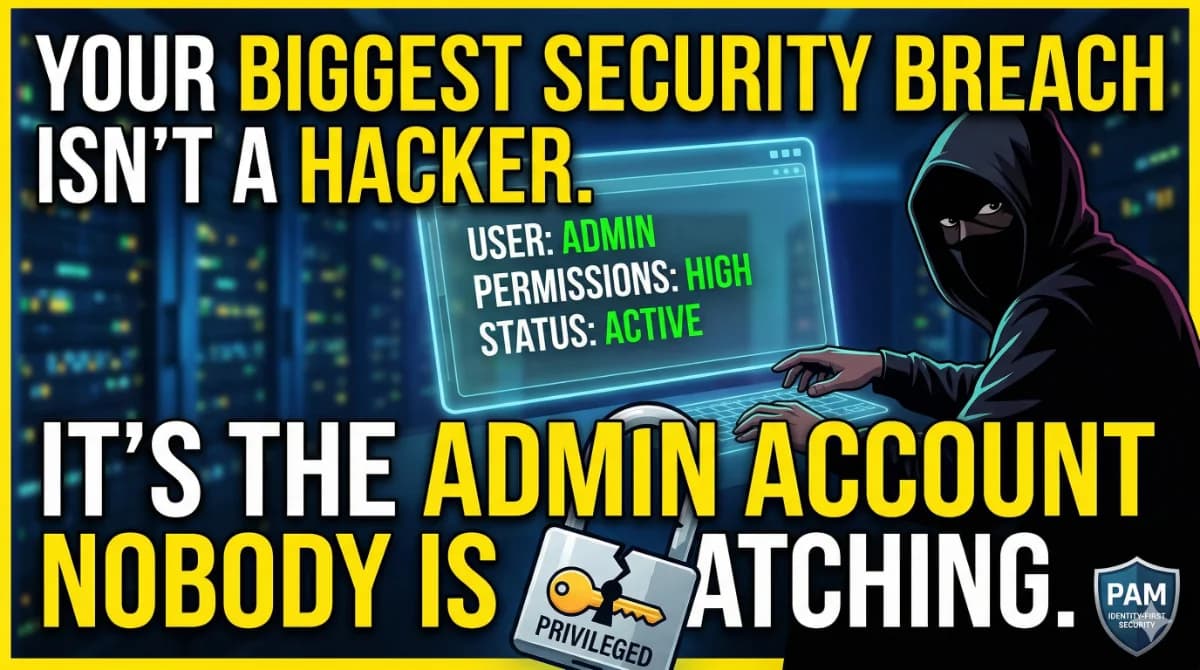
Your biggest security breach may not start with a hacker – it starts with an admin account nobody is watching.
Privileged Access Management (PAM) is a cybersecurity strategy that controls, monitors, and secures accounts with elevated system permissions – such as admin, root, or IT accounts. It enforces least-privilege access, vaults credentials, logs every session, and prevents both insider misuse and external attackers from abusing high-level access to your business systems.
For small and medium-sized businesses managing growing teams, cloud tools, and compliance requirements, understanding PAM – and knowing whether a full enterprise PAM suite is right for you – is increasingly urgent.
What Is Privileged Access Management (PAM)?
PAM is a subset of Identity and Access Management (IAM) focused specifically on accounts that carry elevated permissions. While a standard employee account lets someone read documents, a privileged account can install software, modify system configurations, access all company data, or disable security controls entirely.
These high-risk accounts are the primary target for attackers. According to the Verizon 2024 Data Breach Investigations Report, credential misuse is the number-one initial access vector in breaches, accounting for close to 40% of incidents – more than double phishing and vulnerability exploits combined.
PAM solutions address this by enforcing the principle of least privilege – a requirement embedded in NIST SP 800-53, which mandates that organizations limit access rights for users, accounts, and computing processes to only what is necessary to perform their jobs.
Core capabilities of a PAM system include:
- Credential vaulting – Stores privileged passwords in an encrypted vault and rotates them automatically, so no individual permanently holds admin credentials
- Session monitoring and recording – Every privileged session is logged in real-time, creating an audit trail that compliance auditors demand
- Just-in-Time (JIT) access – Elevated permissions are granted temporarily for a specific task, then automatically revoked
- Multi-Factor Authentication (MFA) – Applied not just at login, but at the point of privilege elevation
- Role-Based Access Control (RBAC) – Restricts system access by job function, preventing over-permissioned accounts
Why Is PAM Important for Small Businesses?
Most PAM content is written for enterprises managing thousands of privileged accounts. SMEs often assume PAM doesn't apply to them – that's a dangerous assumption.
Consider a typical growing SME: a fintech company with 40 employees, three IT admins, a few external developers, and integrations across Microsoft 365, AWS, and a payment gateway. Each of those admin accounts, contractor logins, and API connections represents a potential entry point.
Breaches involving third parties doubled year-over-year in the 2025 Verizon DBIR, now accounting for 30% of all incidents – driven in part by credential exposures from partners and misconfigured SaaS environments. For SMEs relying on contractors or cloud platforms, this is a direct threat.
The business consequences are severe:
- Ransomware deployment – Attackers use a single compromised admin account to move laterally and encrypt your entire infrastructure
- Compliance failure – ISO 27001, PCI DSS, and GDPR all require documented access controls and audit logs; without them, audits fail
- IP theft – A compromised developer account exposes source code, roadmaps, and customer data
- Operational downtime – One leaked admin credential can halt your entire service
The problem for SMEs is that traditional enterprise PAM tools – products like CyberArk, BeyondTrust, or Delinea Secret Server – are built for large IT departments. They require dedicated PAM administrators, complex on-premises deployments, and budgets that start at tens of thousands of dollars annually. Most SMEs don't have that.
What Are the Key Features of PAM Solutions?
Understanding which features actually matter for your team size helps you avoid paying for capabilities you'll never use.
Feature | What It Does | Why It Matters for SMEs |
|---|---|---|
Credential Vaulting | Encrypts and rotates admin passwords automatically | Eliminates shared passwords and removes standing access from leavers |
Session Recording | Logs and records all privileged activity | Required evidence for ISO 27001, PCI DSS, and GDPR audits |
Just-in-Time Access | Grants elevated rights only for specific, time-limited tasks | Removes permanent admin rights that attackers exploit |
MFA at Privilege Elevation | Adds a second verification step when accessing sensitive systems | Blocks stolen credential abuse even after a phishing attack |
Identity-Based Access Control | Ties access to verified user identity and device health | Stops unverified contractors or ex-employees from accessing systems |
Access Log & Audit Trail | Maintains a searchable record of who accessed what and when | Enables fast response to incidents and satisfies auditor requests |
PAM vs. IAM vs. ZTNA: What's the Difference?
These terms are often confused, especially when SMEs are evaluating access security tools.
- IAM (Identity and Access Management) is the broad category covering all user identity verification and access permissions across your organization. Think of it as who can log in and where.
- PAM (Privileged Access Management) is a specialized subset of IAM focused only on high-privilege accounts – admin logins, root access, service accounts, and API keys.
- ZTNA (Zero Trust Network Access) takes the broader approach of "never trust, always verify" – every access request from any user or device is continuously verified, regardless of whether they're inside or outside your network perimeter.
For SMEs, NIST guidelines recommend implementing least privilege access everywhere – on-premises, cloud, and hybrid environments – combined with MFA for all privileged accounts and continuous monitoring. In practice, a growing SME benefits most from a solution that combines identity-based access control with session visibility, rather than deploying a full enterprise PAM stack.
Do Small Businesses Actually Need a Traditional PAM Solution?
The short answer: SMEs need PAM capabilities – not necessarily a traditional enterprise PAM product.
Classic PAM tools like CyberArk or BeyondTrust are designed around complex server infrastructure, on-premises deployments, and dedicated IT security staff. Most SMEs don't match that profile.
What SMEs actually need is access visibility and identity-driven control without the enterprise overhead:
- Know who has access to which systems at all times
- Be able to revoke access instantly when an employee or contractor leaves
- Maintain an audit-ready log of privileged sessions for compliance purposes
- Prevent unauthorized connections from unverified devices or stolen credentials
- Onboard and offboard contractors without creating long-term standing access
This is exactly the gap that modern cloud-native access management platforms are designed to fill – delivering PAM-equivalent controls through an identity-first architecture that SMEs can deploy without an enterprise IT department.
ShieldNet Access was built for this use case. It controls who gets access to your business systems by continuously verifying identity – checking every employee, contractor, and partner on every connection, every time. It integrates natively with Microsoft 365 and Google Workspace, requires no on-premises installation, and gives compliance officers a centralized view of who accessed what and when.
Where a traditional PAM tool vaults passwords and records server sessions, ShieldNet Access takes the next step: it prevents unauthorized connections from ever being established in the first place, by ensuring every access request is verified against a confirmed identity on a trusted device.
👉 See how ShieldNet Access delivers PAM-equivalent controls for your SME
Traditional PAM vs. Identity-First Access Control for SMEs
Capability | Traditional PAM (e.g., CyberArk, Delinea) | ShieldNet Access |
|---|---|---|
Deployment | On-premises, complex infrastructure setup | Cloud-based, no installation required |
Target user | Enterprise with dedicated PAM admins | SMEs with lean IT teams |
Identity verification | Credential-based with session recording | Continuous, identity-driven verification per connection |
M365 / Google Workspace integration | Requires additional configuration | Native seamless integration |
Audit logs for compliance | Full session recording, often requires configuration | Access logs available for audits and partners |
Access revocation | Manual credential rotation or vault update | Instant removal of access for any user |
Cost | High – enterprise licensing, implementation fees | SME-appropriate pricing |
Frequently Asked Questions About PAM
What is the difference between PAM and IAM?
IAM manages all user identities and access across an organization. PAM is a subset of IAM that focuses specifically on privileged accounts – admin logins, root access, and service accounts – that carry elevated permissions and represent the highest security risk. PAM adds credential vaulting, session recording, and just-in-time access on top of standard IAM controls.
Is privileged access management required for compliance?
PAM controls are explicitly referenced in major compliance frameworks. NIST SP 800-53 requires organizations to apply the principle of least privilege, limiting access rights to only what users need for their roles. PCI DSS requires unique identifiers for every administrator and restricts network access to cardholder data. ISO 27001 Annex A.9 requires access control policies that restrict privileged access. For SMEs in finance, SaaS, or any regulated sector, access controls and audit logs are non-negotiable audit requirements.
What types of accounts does PAM protect?
PAM covers any account with elevated system permissions: IT admin accounts, root or superuser accounts on servers, service accounts used by automated processes, API keys, developer accounts with production environment access, and emergency "break-glass" accounts. For SMEs, the most critical accounts to protect are admin logins to cloud platforms (AWS, GCP, Azure), Microsoft 365 or Google Workspace admin roles, and any developer accounts with access to production databases or source code repositories.
Can a small business implement PAM without a dedicated IT team?
Yes – if the right solution is chosen. Traditional enterprise PAM tools require specialized PAM administrators to manage vaults, configure policies, and maintain infrastructure. Cloud-native, identity-first platforms like ShieldNet Access are designed for lean teams: they deploy without infrastructure changes, integrate with tools you already use, and surface access visibility through a centralized dashboard without requiring in-depth security expertise.
Authoritative Citations:
- Verizon 2025 Data Breach Investigations Report - https://www.verizon.com/business/resources/reports/dbir/
- NIST SP 800-53 Rev. 5: Security and Privacy Controls – AC-6 Least Privilege - https://csrc.nist.gov/CSRC/media/Projects/risk-management/800-53%20Downloads/800-53r5/SP_800-53_v5_1-derived-OSCAL.pdf
- NIST Identity and Access Management Program - https://www.nist.gov/identity-access-management
Related Articles

Oct 1, 2026
I paid a fake invoice. What should my business do?
Paid a fake invoice? Learn what your business should do immediately to contact the bank, preserve evidence, secure accounts, investigate the fraud, and reduce further losses.

Sep 29, 2026
I clicked a phishing link. What should I do now?
Sent confidential information to a fake email? Learn what to do immediately, how to report the incident, assess exposed data, and reduce further risk.

Sep 25, 2026
I clicked a phishing link. What should I do now?
Clicked a phishing link? Learn what to do immediately, whether you entered a password or downloaded a file, and how to reduce the risk to your account and business.

Protect your business with ShieldNet 360
Get started and learn how ShieldNet 360 can support your business.