
Apr 7, 2026
BlogThe 3 Small Access Gaps That Cause Big Security Problems for SMEs
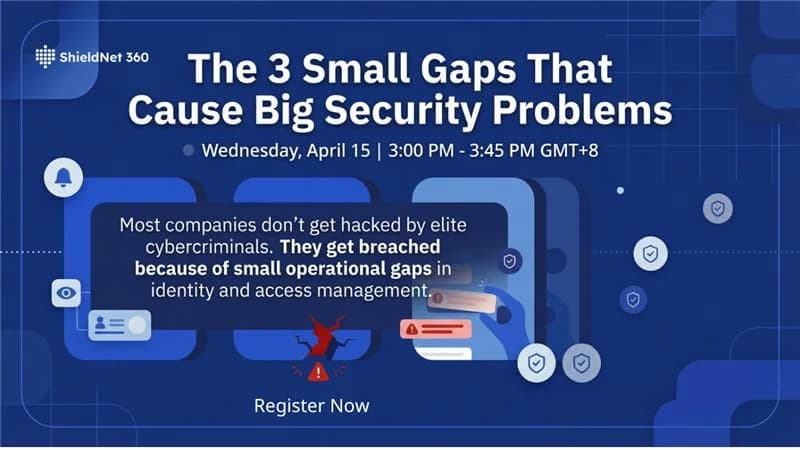
Most breaches don't begin with sophisticated attacks. They begin quietly – inside your own systems, through gaps you already know exist but haven't had time to fix.
The three most common access security failures inside growing organizations are: stolen or reused credentials, forgotten access that was never removed, and manual processes that break under scale. Together, these three gaps are responsible for the majority of real security incidents – and all three are preventable with the right visibility.
This article explains what these gaps are, why they grow so quickly in SMEs, and what you can do to close them before they become incidents.
Why Access Gaps Are the Real Security Risk for Growing Companies
Here's the problem with growth: it creates access faster than most teams can manage it.
Employees change roles. Contractors finish projects. Systems multiply. Cloud tools expand. And over time, it becomes genuinely difficult to answer one critical question: who currently has access to what?
According to the Verizon DBIR 2024, 86% of web application attacks were traced back to stolen credentials. And the picture in 2025 is even sharper: by 2025, Verizon reports that 22% of all breaches started with compromised credentials – up from 16% the year before.
Yet despite these numbers, the controls that would prevent most of these incidents remain inconsistently applied. Nearly 65% of SMBs do not use multi-factor authentication for their users, and 58% of SMB owners are not even aware of MFA's benefits.
This is the gap between awareness and action – and it's exactly where attackers operate.
What Are the 3 Access Gaps That Lead to Incidents?
Gap 1: Trusted the Wrong Thing (Stolen or Reused Credentials)
The most common entry point for attackers isn't a vulnerability in your software. It's a password.
A 2024 CyberArk study found that 49% of employees reuse the same credentials across multiple work applications, and 36% use the same credentials for both personal and work accounts. When one of those accounts is compromised – through phishing, a data breach at another service, or an infostealer – every system that shares that password becomes exposed.
Four of the largest breaches in 2024, including the Ticketmaster and AT&T incidents, were initiated using stolen passwords on accounts with no MFA enabled, exposing a combined 1.24 billion records.
What this looks like in an SME:
- A former contractor's login credentials still work six months after they left
- An employee uses the same password for your CRM and their personal email
- An admin account has never had MFA enabled because "it was set up quickly"
The fix isn't complicated. It requires visibility into which accounts exist, what they can access, and whether authentication is strong enough to stop automated attacks.
Gap 2: Access That Outlived Its Purpose (Forgotten Permissions)
As companies grow, access permissions accumulate. Every onboarding, every project, every tool integration adds another layer of permissions – and very few organizations have a reliable process for removing them.
This creates what's often called access sprawl: a growing number of accounts and permissions that exist in your systems but serve no current business purpose.
The risk isn't theoretical. The average time to detect a cloud breach is 219 days, with containment taking an additional 80 days. That's nearly a full year during which an attacker – using a forgotten account or an expired session – may have been inside your systems.
Common examples:
- A developer who left the company three months ago still has read access to your cloud environment
- A project manager's admin rights were never downgraded after a role change
- A third-party integration has broader permissions than it actually needs
The principle of least privilege – giving users only the access they need to do their job – is one of the most effective controls available. But applying it consistently, across hybrid teams and multiple tools, requires a system. Manual spreadsheet reviews don't scale.
Gap 3: Manual Processes That Break Under Scale
The third gap isn't a single event. It's a slow accumulation of small failures that happen when security is managed manually in a fast-moving organization.
Cyber incidents for SMBs rose by 16% in the past year, while the average breach now costs $140,000 – a 13% increase year over year. For many SMEs, that figure alone is a business continuity threat.
Manual access management breaks in predictable ways:
- Offboarding is delayed because IT is managing too many other priorities
- Access approvals happen informally via Slack or email, with no audit trail
- No one has a clear view of who has admin rights across all cloud tools
- Compliance evidence is assembled under pressure before audits, not maintained continuously
Each of these is a gap. Each of them creates real exposure. And none of them require a sophisticated attacker to exploit.
Who Is Most at Risk Inside Your Organization?
These three gaps affect every role differently – but the risk is shared.
CEOs and business owners carry the reputational and financial consequences of an incident. Studies find that nearly 60% of attacked small businesses go out of business within six months without recovery funding. Access-related incidents are among the most preventable causes of that outcome.
IT managers and CTOs managing hybrid teams – remote employees, external contractors, distributed cloud tools – face the highest operational complexity. The challenge isn't technical capability; it's visibility across systems that were never designed to be managed together.
Compliance and risk officers face a specific pressure: access logs are increasingly required as audit evidence for ISO 27001, PCI DSS, and similar frameworks. An inability to demonstrate who accessed what, and when, is no longer just a security risk – it's a compliance failure.
If your organization relies on Microsoft 365, Google Workspace, or cloud platforms with remote access workflows, these gaps are almost certainly present. The question is whether they're visible to you before an incident makes them visible to everyone else.
Traditional Access Management vs. ShieldNet Access
Most SMEs rely on one of two approaches to access management: fully manual (spreadsheets, informal approvals, ad-hoc reviews) or partial automation through a single tool like Microsoft Entra ID or Google Admin. Both have significant limitations.
Manual / Ad-Hoc | Single-Tool Approach | ShieldNet Access | |
|---|---|---|---|
Access visibility | No centralized view | Limited to one platform | Continuous visibility across users, devices, and sessions |
Offboarding speed | Days to weeks | Manual per-platform | Immediate, identity-driven removal |
MFA & device enforcement | Inconsistent | Platform-dependent | Enforced per connection, every time |
Audit-ready logs | Not available | Partial, not consolidated | Always-on, exportable for compliance |
Microsoft 365 / Google Workspace integration | N/A | Native only | Seamless integration across both |
Deployment complexity | N/A | Medium | Cloud-based, no installation required |
ShieldNet Access is built specifically for growing SMEs. It verifies every connection based on identity – not just a remembered password – and gives IT managers and compliance officers a single, clear view of who has access to what, and whether that access is still appropriate.
How to Identify Your Access Gaps Before They Become Incidents
You don't need to invest in a full security audit to start closing these gaps. A structured access review – focused on the three areas above – can surface the highest-risk exposures quickly.
The questions to answer:
- Credentials: Which accounts in your environment have no MFA? Which users have reused or shared passwords?
- Forgotten access: Which accounts belong to people who have left the organization? Which integrations or service accounts have permissions that exceed their actual function?
- Process gaps: Can you produce a timestamped access log for any system on demand? Does your offboarding process include a step to revoke all access before a person's last day?
If the answer to any of these is "I'm not sure," that's where the risk lives.
Join Our Workshop: The 3 Small Gaps That Cause Big Security Problems
We're hosting a practical 45-minute online session designed to help UAE SMEs answer exactly these questions.
During the workshop, we'll cover:
- Why most breaches start with stolen credentials or phishing
- How forgotten or unexpired access creates hidden exposure
- Real examples of organizations breached through simple access failures
- Why manual security processes break as companies grow
This session is most relevant for CEOs responsible for business continuity, IT managers overseeing hybrid or distributed teams, and compliance officers preparing for audits.
After the session, participating companies can request a complimentary 45-minute Access Risk Review with ShieldNet 360's cybersecurity specialists. You'll receive:
- A map of who currently has access to your key systems
- Identification of where access doesn't expire properly
- A review of your audit evidence readiness
- A 1-page findings summary with clear next steps
No obligation. No sales pitch. It's a practical visibility exercise.
📍 Online (Zoom) · 30-minute briefing + 15-minute Q&A Hosted by Digital Trust Circle, facilitated by cybersecurity professionals from ShieldNet 360
FAQ
What are the most common access security gaps in small businesses?
The three most common are credential reuse (employees using the same password across multiple systems), forgotten access (accounts that remain active after employees or contractors leave), and manual offboarding processes that don't revoke permissions reliably. Each of these creates real exposure that attackers actively exploit.
How do I know if my organization has access sprawl?
If you cannot quickly answer "who currently has access to which systems" or "when was the last time permissions were reviewed," access sprawl is likely present. Signs include former employee accounts still active in cloud tools, admin rights that were never downgraded after role changes, and no centralized view across Microsoft 365 and Google Workspace.
What is the difference between a VPN and identity-based access control?
A traditional VPN grants network access based on a device connection – once you're in, you're trusted. Identity-based access control, like ShieldNet Access, verifies the user's identity and device posture on every connection, applying access only to what that specific user needs. This significantly reduces the blast radius of a compromised account.
Is the Access Risk Review truly free and non-obligatory?
Yes. The complimentary Access Risk Review offered after the workshop is a 45-minute session with ShieldNet 360 specialists focused on mapping your current access posture and identifying gaps. There is no obligation to purchase, and no sales presentation is included.
Related Articles

Oct 1, 2026
I paid a fake invoice. What should my business do?
Paid a fake invoice? Learn what your business should do immediately to contact the bank, preserve evidence, secure accounts, investigate the fraud, and reduce further losses.

Sep 29, 2026
I clicked a phishing link. What should I do now?
Sent confidential information to a fake email? Learn what to do immediately, how to report the incident, assess exposed data, and reduce further risk.

Sep 25, 2026
I clicked a phishing link. What should I do now?
Clicked a phishing link? Learn what to do immediately, whether you entered a password or downloaded a file, and how to reduce the risk to your account and business.

Protect your business with ShieldNet 360
Get started and learn how ShieldNet 360 can support your business.