
Jun 22, 2026
BlogManaging SaaS App Access: Visibility Across Your Tool Stack
Shadow IT discovery is the process of identifying every SaaS app, cloud tool, and device your employees use without IT's knowledge or approval. It matters because you can't secure – or audit – what you can't see. Discovering shadow IT is the first step to regaining visibility, closing access gaps, and preventing data loss across your organisation.
What is shadow IT – and why does it happen in growing companies?
Shadow IT refers to any software, app, or cloud service used by employees without IT's awareness or sign-off. It's not usually malicious. Someone needs a quick file-sharing tool before a client call, finds a free SaaS option online, and signs up with their work email. Done in two minutes. Completely invisible to IT. That's how it starts.
The scale surprises most IT managers. According to Zylo's 2026 SaaS Management Index – the largest benchmark of its kind, drawing on $75B+ in SaaS spend – the average organisation manages 305 applications, yet most IT teams can account for only a fraction of them. Microsoft's Defender for Cloud Apps documentation notes the platform catalogues over 31,000 cloud apps used in enterprise environments – the vast majority of which were never formally approved by IT. That's not a rogue few – that's your entire organisation.
Hybrid work made it worse. When staff were in the office, network monitoring could catch unsanctioned tools. Now, employees work from home, coffee shops, and client sites – all outside your corporate network. The old perimeter-based approach to discovery simply doesn't reach.
The result is SaaS sprawl: dozens (sometimes hundreds) of apps connecting to your Microsoft 365 or Google Workspace environment via OAuth, storing company data, and running without MFA, SSO, or any offboarding hook. You can't govern what you don't know exists.
What are the risks of undetected shadow IT?
The risks are bigger than most IT teams realise – and they compound quickly.
Security risk is the sharpest edge. Shadow apps typically lack the security controls IT would require: no single sign-on, no mandatory MFA, no encryption validation, no data residency checks. Zylo's 2026 SaaS Management Index found that 61% of IT leaders cut projects due to unplanned SaaS cost increases – and that's before accounting for breach costs when an ungoverned app is compromised. The apps you don't know about are the ones you definitely can't secure.
Access risk is the one that keeps coming back. When an employee or contractor leaves, IT can revoke their Google Workspace and Microsoft 365 accounts. But their shadow apps? Those accounts stay live. A freelancer who worked with your team for three months may still have active access to a project management tool containing client data – because nobody knew it existed to turn it off. This is the offboarding security gap that organisations consistently underestimate.
Compliance risk surfaces at the worst moment. GDPR, ISO 27001, and SOC 2 all require you to know where personal data is stored and who can access it. Shadow apps process and store that data without IT's knowledge. When an auditor or regulator asks, "show us your data inventory," shadow IT is the gap in that answer.
And the problem is growing, not shrinking. The same Zylo research found that despite portfolio sizes stabilising at around 305 apps on average, SaaS spend jumped 8% year-over-year as AI tiers and consumption pricing inflate costs inside existing tools. New applications keep entering the stack – most without going through procurement.
How do you discover shadow IT in your organisation?
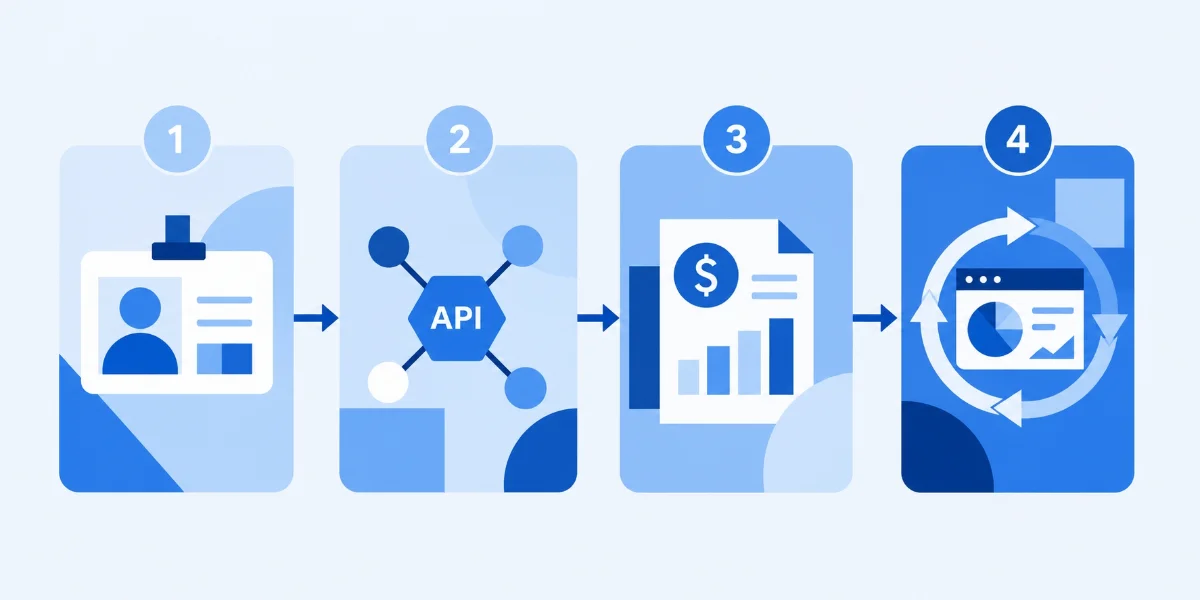
There's no single method that catches everything – but combining a few approaches gives you 90%+ visibility quickly. Here's how most IT managers at growing companies get started.
1. Connect your identity provider (Microsoft 365 or Google Workspace)
This is the fastest route to visibility for SMEs. Both Microsoft 365 and Google Workspace log every OAuth grant – meaning every time an employee clicks "Sign in with Google" or "Sign in with Microsoft" on an external app, that connection is recorded. Connecting your identity provider to a discovery tool surfaces every app your staff have authorised, who authorised it, and what permissions they granted. You'll typically find 3–5× more apps than you expected on day one.
2. Analyse OAuth grants and third-party app connections
OAuth connections are particularly revealing. An app with "read and write access to all your Google Drive files" that 40 employees have connected is a significant exposure – and it's invisible until you look at the OAuth log. Review these grants quarterly at minimum; monthly if you're in a regulated sector.
3. Review expense reports and financial data
Many shadow apps are purchased on personal credit cards and expensed. Zylo's research found that up to 51% of software expenses appear under unrelated categories like "Office Supplies." Integrating your expense system with your SaaS inventory flags these purchases automatically. It won't catch free-tier apps, but it finds the paid ones your network logs will miss.
4. Network traffic analysis and CASB logs
Cloud Access Security Brokers (CASBs) sit between your users and cloud services, logging every cloud destination accessed. For office-based traffic, they're comprehensive. The limitation: remote workers operating outside your network are invisible to network-based discovery. This is why identity-layer discovery (step 1) is the more reliable foundation for distributed teams.
What should you do once you've found shadow apps?
Discovery is step one. What you do next determines whether visibility turns into actual control.
Step 1: Assess risk. Not every shadow app is dangerous. Classify discovered apps by the data they handle and their security score. A note-taking app connected to a work email is different from a file-sharing tool with access to your Google Drive. Focus remediation effort on high-sensitivity, low-security-score apps first.
Step 2: Govern with a light touch. The goal isn't to block everything – it's to channel adoption through a process that lets IT assess risk before it's out the door. A simple "app request" form and a short approval turnaround (48 hours) is enough to redirect most shadow procurement without frustrating the business. Build a sanctioned app catalog so employees know what's already available.
Step 3: Clean up access. For each discovered app, check who has active accounts – especially former employees and contractors. This is where shadow IT and access management overlap. The access sprawl problem in most SMEs is driven partly by shadow apps that were never connected to the SSO offboarding flow. Bring sanctioned apps under SSO; unsanction or block the rest.
Step 4: Monitor continuously. Shadow IT doesn't stop. With six new apps entering the average environment every month, a quarterly scan isn't enough. Set up automated alerts for new OAuth connections and new expense-category apps. Make shadow IT discovery a continuous hygiene practice, not a one-time audit.
How does shadow IT affect your access management strategy?
Shadow IT and access management are two sides of the same problem: you can't enforce least privilege for apps you don't know about.
The zero trust access model is built on "never trust, always verify" – but that principle only works for systems IT can see. When an employee connects a shadow app directly to Microsoft 365 via OAuth, they've effectively opened a door that bypasses your zero trust controls entirely. The app gets access; IT doesn't know it happened.
Contractors and freelancers make this worse. They often work across several tools simultaneously, some of which were set up specifically for a project and never formally decommissioned. After engagement ends, their access to shadow apps stays live indefinitely – there's no offboarding hook because IT never knew the tool existed.
The fix is visibility first. Once you can see every app connected to your identity layer, you can apply consistent access controls: require SSO for any app handling company data, enforce MFA at the identity provider level (which cascades to connected apps automatically), and close the offboarding gap by including shadow app access in your departure checklist.
According to Microsoft's Defender for Cloud Apps guidance, the most practical starting point is connecting your existing Microsoft 365 environment to a cloud discovery tool – it surfaces app usage data you already have, without requiring new infrastructure.
And according to NIST SP 800-207 (Zero Trust Architecture), the foundational requirement of any zero trust implementation is comprehensive visibility into what assets and services exist – you can't apply policy to what you can't enumerate. Shadow IT is the gap between your security policy and reality.
Frequently asked questions
What is the difference between shadow IT and shadow AI?
Shadow IT is any unsanctioned technology – apps, devices, or services – used without IT approval. Shadow AI is a subset: specifically, AI tools (ChatGPT, Copilot plugins, AI writing assistants) adopted by employees without IT sign-off. Both carry the same risks – uncontrolled data access, no security vetting, broken offboarding – but shadow AI adds the risk of company data being processed by third-party AI models without a data processing agreement in place.
How can a small IT team discover shadow IT without enterprise tools?
Start with what you already have. Both Microsoft 365 and Google Workspace provide OAuth app logs in their admin consoles – reviewing these costs nothing and takes an afternoon. Combine that with a one-page "what apps are you using?" survey sent to team leads, and you'll surface 80% of your shadow stack without buying anything. Enterprise discovery tools add automation and continuous monitoring, but the manual audit is a valid first step.
Does shadow IT discovery violate employee privacy?
No – provided you're reviewing company data (OAuth logs, expense reports, corporate network traffic) rather than personal devices or private accounts. IT has a legitimate interest in knowing which apps are connected to company systems. Make the policy clear to employees upfront: personal apps are personal; apps that connect to company accounts, data, or networks are subject to IT review.
How often should you run a shadow IT audit?
Quarterly at minimum; monthly if you're in a regulated industry or growing fast. The real answer is continuous: set up automated alerts for new OAuth grants and new expense-category software purchases so you're notified in real time rather than discovering it months later. Treat shadow IT discovery as an ongoing practice, not an annual event.
What's the fastest way to start shadow IT discovery in Microsoft 365?
Open your Microsoft 365 admin centre, navigate to Settings → Integrated apps, and review every app that has been granted OAuth access to your tenant. You'll immediately see which apps your employees have connected, what permissions they hold, and whether any have been granted admin consent. For deeper discovery, Microsoft Defender for Cloud Apps (included in some Microsoft 365 Business Premium plans) provides continuous monitoring and risk scoring against a catalog of 31,000+ apps.
Start with visibility – the rest follows
You can't control what you can't see. That's the core of the shadow IT problem – and the core of the solution. Most IT teams at growing companies already have the data they need to start: Microsoft 365 OAuth logs, expense reports, and a quick conversation with team leads. The work is assembling it into a clear picture.
Once you have that visibility, the access management steps follow naturally: apply least privilege, connect discovered apps to SSO where possible, close the off-boarding gap, and set up monitoring so the picture stays current.
ShieldNet Access is built for IT teams who need that visibility without a dedicated security team. It connects to your identity layer on day one and surfaces every app your employees have authorised – giving you the foundation to govern access the way you actually intended. See how ShieldNet Access works →
Related Articles

Sep 18, 2026
What is Invoice Fraud and How can employees spot it?
Learn how invoice fraud works, how attackers fake supplier payment requests, the warning signs employees should check, and how to verify invoices safely.

Sep 17, 2026
What Is DLP for AI and Why do Businesses need t?
Learn what DLP for AI is, how it prevents employees from sharing sensitive business data with AI tools, and why businesses need AI data protection.

Sep 16, 2026
What is Payroll Phishing and How does it target HR?
Learn how payroll phishing targets HR teams, how fake salary and bank account requests work, the warning signs, and how employees can verify requests safely.

Protect your business with ShieldNet 360
Get started and learn how ShieldNet 360 can support your business.