
Apr 20, 2026
BlogMalware Incident Response Checklist: Isolate, Investigate, Recover
Malware doesn't announce itself – and by the time your team notices something is wrong, the damage may already be spreading across your network.
A malware incident response checklist is a step-by-step action plan for isolating infected systems, investigating the scope of the attack, and restoring operations safely. For SMEs without a dedicated security team, having this checklist ready before an incident occurs is the difference between a contained breach and a business-threatening crisis.
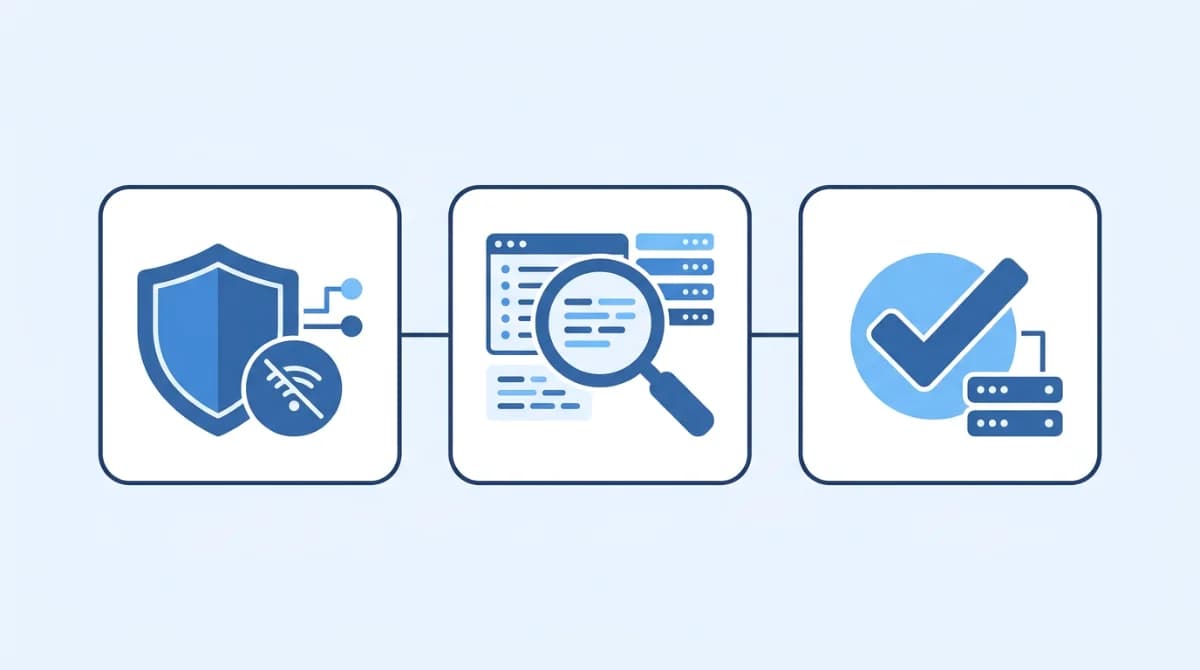
This guide gives you a printable, phase-by-phase malware response checklist built around three core stages: Isolate, Investigate, and Recover – plus a guide to where automated detection fits in so your team isn't flying blind.
What Is a Malware Incident Response Checklist?
A malware incident response checklist is a documented sequence of actions your team follows the moment a malware infection is suspected or confirmed. It removes guesswork under pressure and ensures nothing critical gets skipped in the chaos of a live incident.
The framework originates from NIST Special Publication 800-83, which defines four phases: preparation, detection and analysis, containment/eradication/recovery, and post-incident activity. This article translates that framework into a practical, SME-friendly checklist your IT manager can action immediately – no cybersecurity certification required.
Why SMEs Need a Structured Malware Response Plan
Most small businesses assume they're too small to be targeted. That assumption is exactly what attackers rely on.
According to Veeam's 2025 Ransomware Trends Report, 69% of organizations experienced at least one cyberattack in the preceding 12 months – and of those that paid ransom, only 49% actually regained access to their data. The organizations that recovered fastest shared one thing in common: a documented response plan with reliable, verified backups.
The risk for SMEs is compounded by two factors:
- Credential exposure: Breachsense research found that 90% of breached organizations had employee credentials available on dark web marketplaces before anyone detected the infection
- BYOD exposure: 46% of infostealer infections in 2024 occurred on personal, unmanaged devices that also held business credentials
- No dedicated SOC: Unlike enterprises, SMEs rarely have a 24/7 security team watching for alerts
This is why a pre-prepared checklist matters – and why continuous monitoring that detects threats before your team does is equally critical.
Phase 1 – Isolate: Stop the Spread Immediately
The first 30 minutes after detecting suspicious activity are the most critical. Every minute of delay allows malware to move laterally across your network, encrypt additional files, or exfiltrate data.
Immediate isolation checklist:
- [ ] Disconnect the infected device from the network – unplug the ethernet cable, disable Wi-Fi, or use your EDR tool to logically isolate the host. Huntress recommends keeping the device powered on (not shut down) to preserve volatile memory that may contain forensic evidence
- [ ] Do NOT reboot or power off the infected machine – this destroys evidence and may trigger encrypted file deletion in some ransomware strains
- [ ] Disable compromised user accounts in Active Directory or your identity provider (e.g., Azure AD, Google Workspace) – do not delete them, as this may break forensic investigation dependencies
- [ ] Revoke active sessions for any affected users in your identity provider immediately
- [ ] Identify adjacent systems – review which file shares, cloud drives, and networked devices the infected machine had access to. SpyCloud guidance notes that many malware strains attempt lateral movement within minutes of initial compromise
- [ ] Alert your incident response lead and activate your internal escalation chain (IT manager → CTO/owner → legal/compliance if data was involved)
- [ ] Document your isolation timestamp – regulators and cyber insurers may require proof of when containment began
Phase 2 – Investigate: Understand What Happened
Once the threat is contained, the investigation phase determines the scope of the infection, which systems are affected, and what data may have been exposed.
Investigation checklist:
- [ ] Create a forensic disk image of the isolated system before performing any cleanup. This image becomes your evidence for insurance claims, regulatory reporting, or legal proceedings
- [ ] Review endpoint and server logs for the 72-hour window prior to detection – look for unusual login times, privilege escalations, unexpected process executions, or abnormal outbound connections
- [ ] Identify the malware family – use your EDR tool or submit the malware hash to a community source like VirusTotal to understand its behavior (does it encrypt? exfiltrate? establish persistence?)
- [ ] Collect Indicators of Compromise (IoCs) – file hashes, registry keys, C2 domains, unusual processes – and add these to your endpoint protection blocklist
- [ ] Scan all adjacent systems using those IoCs to check for lateral spread before declaring the incident contained
- [ ] Check for credential exposure – if the malware was an infostealer variant, assume all credentials and browser-saved passwords on the infected device have been harvested. Breachsense notes that infostealer malware accounted for 24% of all security incidents in 2024, with credentials often appearing for sale on dark web markets within hours
- [ ] Determine the initial entry point – phishing email attachment, malicious download, compromised RDP, vulnerable software? This informs your hardening steps
- [ ] Notify relevant parties if personal data was involved – this may trigger regulatory notification requirements under GDPR, PDPA, or PCI DSS depending on your jurisdiction and data types
Phase 3 – Recover: Restore and Harden
Recovery is not simply restoring from backup and moving on. Skipping hardening steps is how organizations end up reinfected within weeks.
Recovery checklist:
- [ ] Verify backup integrity before restoring – confirm the backup predates the infection and has not itself been compromised. Veeam's research found attackers increasingly target backup systems specifically to prevent recovery
- [ ] Perform a clean OS reinstall on the infected device rather than attempting disinfection alone – for serious infections, a fresh installation eliminates any persistence mechanisms that antivirus tools may miss
- [ ] Reset ALL credentials that existed on or were accessible from the infected machine, including: email accounts, cloud service logins, admin panel credentials, API keys, and VPN credentials
- [ ] Enforce MFA on all restored accounts before returning them to production
- [ ] Update and patch all systems – the initial infection likely exploited a known vulnerability. Close it before bringing systems back online
- [ ] Harden your environment – segment networks using VLANs, restrict Remote Desktop Protocol (RDP) access, apply the principle of least privilege across all user accounts
- [ ] Test restored systems in isolation before reconnecting to production
- [ ] Hold a post-incident review within 5 business days – Huntress recommends a structured "Lessons Learned" meeting with IT, security, and leadership to review the attack timeline, identify detection failures, and update your IR plan
How ShieldNet Defense Maps to Each Response Phase
For SME IT managers juggling multiple roles, the reality is that manual monitoring cannot reliably catch malware early. ShieldNet Defense is designed to cover exactly the detection and response gaps that make the checklist above so difficult to execute under pressure.
Here's how the platform's detect/analyze/respond workflow aligns with each phase:
Isolate phase support: ShieldNet Defense's continuous 24/7 monitoring means that by the time your team opens the checklist, the threat has already been flagged and documented – reducing the window between infection and isolation from hours to minutes.
Investigate phase support: The platform's AI correlation engine automatically identifies behavioral anomalies, cross-references IoCs, and generates structured incident reports – giving your IT manager a complete picture of the scope without needing to manually parse raw logs across every endpoint.
Recover phase support: Automated incident documentation within ShieldNet Defense creates the audit trail regulators require and gives your team the confirmed timeline needed to verify backup integrity before restoration.
Reactive vs. Monitored: What Changes When You Have Continuous Detection
Response Phase | Without Continuous Monitoring | With ShieldNet Defense |
|---|---|---|
Isolate | Malware detected hours or days later; spread is extensive | Alert triggered at first behavioral anomaly; immediate isolation guidance delivered |
Investigate | Manual log review across disconnected systems; IoCs identified slowly | AI-correlated incident report generated automatically; IoCs documented in real time |
Recover | Unknown infection timeline makes backup selection unreliable | Confirmed infection timestamp allows precise recovery point selection |
Post-Incident | No structured evidence trail; compliance reporting done manually | Automated incident documentation ready for auditors, insurers, and regulators |
Explore how ShieldNet Defense supports your incident response readiness at shieldnet360.com.
Frequently Asked Questions
What is the first step in malware incident response?
The first step is isolation – physically or logically disconnecting the infected device from the network to stop lateral spread. Do not power off the machine, as this can destroy forensic evidence needed for the investigation phase.
How long does malware incident response take for an SME?
Containment can be achieved within hours with a prepared checklist. Full investigation and recovery typically takes 3–7 days for a single-endpoint infection, and significantly longer if lateral movement or data exfiltration occurred. Continuous monitoring reduces the detection-to-response window dramatically.
Do SMEs need to report malware incidents to regulators?
It depends on the data involved. If personal data (employee or customer) was accessed or exfiltrated, notification requirements may apply under GDPR (72-hour window), PDPA in Vietnam (5-day window), or UAE data protection frameworks. Consult your legal team immediately after detecting any data exposure.
What's the difference between containment and eradication in malware response?
Containment stops the malware from spreading further while preserving evidence. Eradication removes the malware from affected systems entirely – typically through clean reinstallation. Both steps are required; skipping eradication and jumping straight to recovery often leads to reinfection.
Related Articles

Oct 9, 2026
I replied to a phishing email. Am I at risk?
Replied to a phishing email? Learn what risks you face, what attackers can learn from your reply, and what to do next to protect your account and business.

Oct 8, 2026
Real or Fake? How to verify a sharepoint file invitation
Received a SharePoint file invitation? Learn how to spot fake SharePoint emails, verify shared files safely, and protect your Microsoft 365 account from phishing.

Oct 1, 2026
I paid a fake invoice. What should my business do?
Paid a fake invoice? Learn what your business should do immediately to contact the bank, preserve evidence, secure accounts, investigate the fraud, and reduce further losses.

Protect your business with ShieldNet 360
Get started and learn how ShieldNet 360 can support your business.