
Apr 3, 2026
BlogUnauthorized Access Detection: How to Spot Account Takeover Early
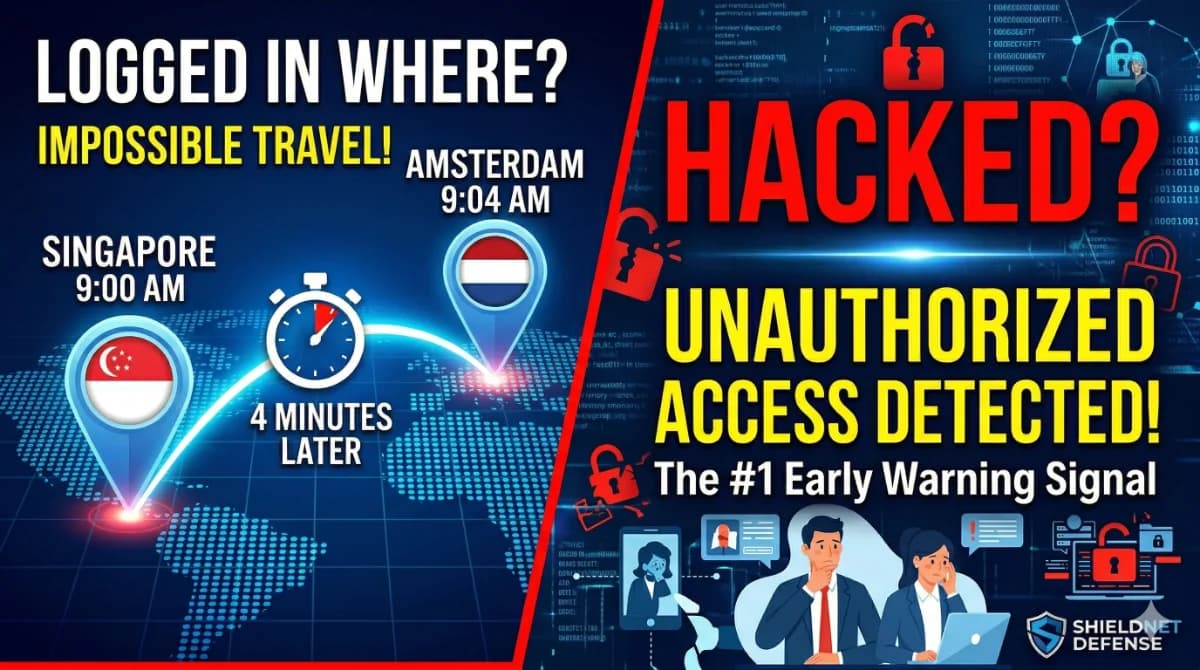
Your employee's account just logged in from Singapore – and then from Amsterdam four minutes later. No one traveled anywhere. Your business may already be compromised.
Unauthorized access detection is the process of identifying signs that an attacker has gained entry to your systems using stolen or misused credentials. For small and medium businesses, the most critical indicators include impossible travel alerts, suspicious login times, unfamiliar devices, and abnormal data access patterns. Catching these signals early – before an attacker escalates privileges or exfiltrates data – is the difference between a contained incident and a full breach.
This article explains the high-signal indicators your team should know, why each one matters in plain language, and how to build detection capability without a dedicated security team.
Why Unauthorized Access Hits SMBs the Hardest
Most security tools are built for enterprise environments with dedicated SOC teams. But attackers don't discriminate by size – in fact, they actively prefer smaller targets.
SMBs are being targeted nearly four times more than large organizations, according to the 2025 Verizon DBIR. The reason is straightforward: smaller businesses have fewer detection layers, slower response times, and less experienced security staff.
The primary method attackers use to get in is credentials – not exploits, not zero-days. The 2025 DBIR reinforces a foundational truth: breaches begin at the point of initial access and most often through stolen credentials or exploited device vulnerabilities. Specifically, stolen credentials were the initial access vector in 22% of all breaches, according to the Verizon 2025 DBIR – the highest of any single vector.
What makes credential-based attacks particularly dangerous for SMBs:
- Long dwell time: Credential-based breaches lingered undetected for approximately 292 days on average – far longer than other breach types – because attackers using valid logins don't trigger standard security alerts.
- High cost: The global average cost of a data breach reached $4.44 million in 2025, according to IBM, with breaches contained faster – under 200 days – costing $3.87 million versus $5.01 million for slower responses.
- Fast-growing ATO threat: Account takeover (ATO) fraud volume grew 141% from 2021 to 2025, and ATO is now the #1 fraud type for U.S. businesses, responsible for 31% of all fraud losses.
What Are the High-Signal Indicators of Unauthorized Access?
Not every login anomaly is a breach. But some signals carry a much higher probability of compromise. These are the indicators your detection system – or security provider – should be watching for.
1. Impossible Travel Alerts
This is one of the most reliable early indicators of account takeover. Impossible travel detection compares login metadata – including timestamps, IP geolocation, device fingerprints, and behavioral patterns – to identify when a user appears to have logged in from two locations that cannot physically be traveled between in the given timeframe.
Example: An employee logs in from Dubai at 9:00 AM, and then a login from London appears at 9:20 AM. No flight exists that fast. The second login is almost certainly a threat actor using stolen credentials.
Impossible travel is a strong indicator that an attacker is using stolen credentials, especially if the second login passes MFA checks.
What makes this signal powerful for SMBs:
- It does not require signature-based detection or malware analysis
- Impossible travel is one of the earliest indicators of user compromise that can be detected, and it works against any user-centric event that can be tied back to a location
- It's effective against Microsoft 365, Google Workspace, and cloud application logins
2. Logins from Unfamiliar Devices or Browsers
When an account suddenly authenticates from a device it has never used before – especially combined with a new location – this is a meaningful red flag. Legitimate users tend to use a consistent set of devices. A brand-new device fingerprint paired with a sensitive action like a password reset or bulk data download is a composite indicator that warrants immediate investigation.
3. Off-Hours and Atypical Login Times
User behavior baselines allow systems to distinguish a frequent traveler who regularly logs in from three countries from an account that has only ever been seen in one city. The same principle applies to time: an account that consistently logs in during business hours suddenly accessing systems at 2:00 AM on a weekend is a high-signal anomaly.
This is especially dangerous for finance and admin accounts, where attackers attempt to execute bulk transfers or export customer data when no one is watching.
4. Rapid Successive Failed Logins (Credential Stuffing)
Attackers using automated tools – known as credential stuffing – will attempt to validate stolen credential lists against your login portals. NIST recommends implementing automated mechanisms to limit the number of consecutive failed login attempts and to flag unusual login attempts based on factors like IP address, location, and device type.
A burst of failed login attempts followed by a single success is a strong compound signal: the attacker found a valid credential from a leaked dataset.
5. Post-Login Behavioral Anomalies
Once a suspicious login is flagged, what happens next matters. Malicious actors tend to move quickly – look for downstream activity indicating escalation or exfiltration, such as inbox forwarding rules, unauthorized MFA enrollments, and suspicious OAuth grants, which attackers often set up to maintain persistence.
Key post-login behaviors to monitor:
- New email forwarding rules being created (common in Business Email Compromise)
- Bulk file downloads or exports
- New admin account creation
- Changes to MFA settings on the account
- Access to sensitive directories the account doesn't normally touch
What Is the Difference Between Unauthorized Access Detection and Prevention?
These two concepts are complementary but distinct:
Dimension | Prevention | Detection |
|---|---|---|
Goal | Stop attackers from getting in | Identify attackers who are already in |
Tools | MFA, strong passwords, access policies | SIEM, UEBA, impossible travel alerts |
Timing | Before authentication | After authentication |
Limitation | Cannot stop all credential-based attacks | Requires behavioral baselines and monitoring |
Why both matter | Prevention reduces attack surface | Detection limits dwell time and breach cost |
Most SMBs invest only in prevention – strong passwords, MFA – and assume that is sufficient. But credential abuse remains the dominant vector across phishing, web attacks, and ransomware, with 22% of breaches beginning with credential abuse and 16% beginning with phishing – both rooted in valid-looking logins that bypass prevention controls.
MFA is not a silver bullet either. The 2025 DBIR notes a rise in MFA bypass strategies, including token theft, Adversary-in-the-Middle (AitM) phishing, and SIM swapping. Detection closes the gap that prevention cannot.
How Do You Set Up Unauthorized Access Detection Without a Security Team?
Most SMBs lack the manpower to manually review login logs or build custom detection rules. The practical answer is a managed detection layer that does this automatically.
Here is what an effective detection setup covers:
- Identity monitoring integration – Connect detection to Microsoft Entra ID (formerly Azure AD) or Google Workspace, where most login events occur for SMBs
- Impossible travel rules – Automatically flag logins that violate geo-velocity thresholds
- Behavioral baselining – Establish what "normal" looks like per account before alerting on anomalies
- Automated alert and response – When a suspicious login is detected, the system should be able to trigger a session termination or push an MFA challenge without waiting for a human analyst
- Audit-ready logs – All login events and anomaly detections should be logged for compliance reporting (ISO 27001, GDPR, PCI DSS)
How ShieldNet Defense Handles This
ShieldNet Defense provides continuous 24/7 monitoring that covers identity service integration with both Microsoft and Google Workspace – the two primary identity providers for SMBs.
Here is how each plan maps to detection capability:
Detection Capability | Basic Plan | Pro Plan | Ultimate Plan |
|---|---|---|---|
AI Defense 24/7 | ✅ | ✅ | ✅ |
Core detections (endpoint) | ✅ | ✅ | ✅ |
Google identity monitoring | ✅ | ✅ | ✅ |
Cloud monitoring (M365, SaaS posture) | ❌ | ✅ | ✅ |
Autopilot automated response | ❌ | ✅ | ✅ |
Log retention for investigation | 7 days | 30 days | 180 days |
Custom playbook automation | ❌ | ❌ | ✅ |
24/7 Security Engineer support | ❌ | ❌ | ✅ |
For most SMBs starting out, the Pro plan provides the critical combination: cloud and SaaS monitoring, automated response, and 30-day log retention – enough to detect, investigate, and contain a credential-based attack.
The Ultimate plan is the right fit for businesses in regulated industries (finance, fintech) where 180-day log retention and custom playbook automation are needed for compliance audits.
Ready to see what's happening in your environment? Start a free trial of ShieldNet Defense – no security team required.
FAQ
How do I know if my account has been compromised without detecting it?
Look for indirect signs: password reset emails you did not request, colleagues receiving emails you did not send, new inbox rules you did not create, or logins in your account activity from locations you have never visited. These are post-compromise artifacts attackers leave behind. A monitoring tool with 30+ day retention lets you investigate retroactively.
What are the red flags of an account takeover?
The most reliable red flags include: a login from a country you have never accessed from, a login followed immediately by MFA setting changes, multiple failed logins on the same account before a successful one, a new device authenticating on an admin account, and bulk file access or email exports shortly after login.
Is MFA enough to prevent unauthorized access?
MFA significantly reduces risk but does not eliminate it. Attackers use Adversary-in-the-Middle phishing, real-time phishing kits (such as Evilginx2), push fatigue attacks, and SIM swapping to bypass MFA. Detection capabilities – monitoring what happens after authentication – are essential alongside MFA to catch the cases where prevention fails.
Authoritative Citations:
- Verizon 2025 Data Breach Investigations Report (DBIR) – https://www.verizon.com/business/resources/reports/dbir/
- IBM Cost of a Data Breach Report 2025 – https://www.ibm.com/reports/data-breach
- NIST SP 800-63B: Digital Identity Guidelines (Authentication) – https://pages.nist.gov/800-63-3/sp800-63b.html
Related Articles

Jun 18, 2026
Webinar: What really happens when a startup gets hacked? A live cyberattack simulation and the critical first 24 hours
Most cyberattacks do not begin with sophisticated malware or advanced hacking techniques. They often start with a simple phishing email, a stolen password, or a trusted employee unknowingly granting access to the wrong person.

Jun 17, 2026
Business Email Compromise (BEC): How It Works and How SMEs Stop It
Business email compromise (BEC) is a social-engineering scam where attackers impersonate executives or vendors over email to steal money or credentials — no malware needed. Learn how BEC works and the controls that stop it.

Jun 16, 2026
What Is Web Content Filtering? How Small Businesses Block Risky & Distracting Sites
Content filtering software screens and blocks access to risky or distracting websites based on rules you set. Learn how DNS, proxy, and cloud-based web filtering works and how to choose the right solution for your small business.

Protect your business with ShieldNet 360
Get started and learn how ShieldNet 360 can support your business.