
Dec 11, 2025
BlogWhat is Threat Intelligence? A Practical Guide for Growing Startups 2025
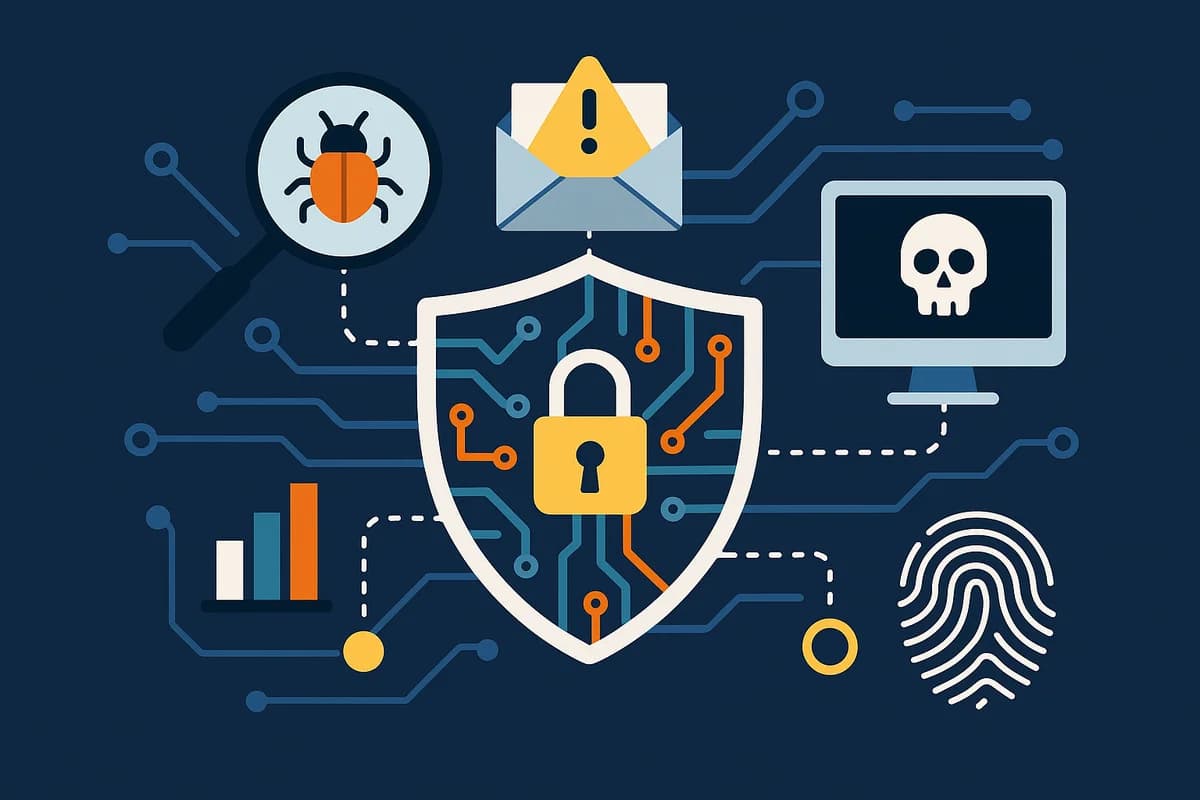
What is Threat Intelligence? The Practical Guide for Growing Startups
Our Cybersecurity Journey Continues
Welcome back, founders and business leaders! continuing our cybersecurity journey series. We’ve scaled to 100 employees with just a two-person IT team, and previously, we established our foundation with Asset Management and our internal ShieldNet Defense tool. But securing the inside wasn’t enough – we needed to understand the threats outside our network.
Threat intelligence is the collection, processing, and analysis of data to understand who might attack you, how they might do it, and what they’re targeting. For small teams, it means making informed security decisions based on real-world threat patterns rather than guessing where to focus your limited resources.
This practical guide demystifies threat intelligence for lean teams navigating the external threat landscape without enterprise-level resources.
What is Threat Intelligence in Cybersecurity?
Threat intelligence transforms raw security data into actionable insights. According to NIST, it’s “threat information that has been aggregated, transformed, analyzed, interpreted, or enriched to provide the necessary context for decision-making processes.”
For our two-person IT team managing a 100-employee startup, this initially sounded overwhelming – like something only massive enterprises with dedicated Security Operations Centers (SOCs) could handle. We quickly learned that threat intelligence, at its core, answers three fundamental questions:
- Who might attack you? (Threat actors targeting your industry or company size)
- How might they attack? (Attack methods, tactics, techniques, and procedures)
- What are they after? (Target assets, data types, or vulnerabilities)
The key insight: You don’t need to become expert threat hunters overnight. Start with accessible, practical threat intelligence that helps your lean team make informed security decisions.
Why Threat Intelligence Matters for Small IT Teams
When you’re managing cybersecurity with limited resources, every security decision carries weight. Should you invest in advanced email filtering or endpoint detection? Which vulnerabilities should you patch first? How do you prioritize when everything seems urgent?
Threat intelligence provides the context you need to answer these questions strategically. Here’s what changed for our team:
Before Threat Intelligence:
- Reacting to every security alert equally
- Patching vulnerabilities based on CVSS scores alone
- Generic security training that didn’t resonate with employees
- Spending equal effort on all potential threats
After Implementing Basic Threat Intelligence:
- Prioritizing threats actively targeting companies like ours
- Understanding which vulnerabilities attackers actually exploit
- Conducting timely, relevant security training based on current campaigns
- Allocating resources where real threats exist
According to IBM, actionable threat intelligence gives security teams insights to address vulnerabilities, prioritize threats, remediate risks, and improve overall security posture – exactly what small teams need to work smarter, not harder.
Understanding the Three Types of Threat Intelligence
Threat intelligence operates at different levels, each serving distinct purposes. Recorded Future categorizes threat intelligence into three main types:
Strategic Threat Intelligence
What it is: High-level information about the overall threat landscape, trends, and threat actor motivations.
Who uses it: Business executives, board members, security leadership
For our startup: Strategic intelligence helped us justify cybersecurity budget increases to leadership. When we presented data showing ransomware attacks targeting companies our size increased 150% over six months, securing additional security resources became much easier.
Practical example: Industry reports showing emerging threats to SaaS companies in your sector.
Tactical Threat Intelligence
What it is: Details about threat actors’ tactics, techniques, and procedures (TTPs) – the “how” of attacks.
Who uses it: Security operations teams, incident responders
For our startup: This is where our two-person IT team spends most of our threat intelligence effort. Understanding how attackers operate helps us configure defenses effectively.
Practical example: When threat reports highlighted a phishing campaign using fake Microsoft login pages targeting our industry, we immediately:
- Configured email filters to catch similar attempts
- Conducted 15-minute team training showing actual examples
- Implemented additional authentication checks for Microsoft 365
Operational Threat Intelligence
What it is: Specific, technical details about incoming or active attacks – indicators of compromise (IOCs) like malicious IP addresses, file hashes, or suspicious domains.
Who uses it: Network defenders, SOC analysts, incident response teams
For our startup: While we don’t have a SOC, we leverage operational intelligence by subscribing to threat feeds that automatically update our security tools with known malicious indicators.
Practical example: Receiving alerts about a specific malware variant’s file signature and configuring endpoint protection to block it proactively.
Common Threats Facing Growing Startups: What You Need to Know
Understanding the threat landscape specific to growing startups fundamentally changed our security approach. Here are the most prevalent threats targeting businesses our size:
Phishing and Business Email Compromise (BEC)
The Threat:
According to Proofpoint, phishing remains the #1 attack vector for small and medium businesses. Attackers impersonate executives, vendors, or trusted partners to trick employees into transferring money or revealing credentials.
Our Experience:
We encountered a sophisticated BEC attempt where attackers spoofed our CFO’s email requesting an urgent wire transfer. Because we’d implemented threat intelligence monitoring, we’d already trained employees about this specific tactic after seeing reports of similar attacks targeting companies in our industry.
Practical Defense:
- Subscribe to industry-specific phishing reports
- Implement email authentication (SPF, DKIM, DMARC)
- Conduct quarterly training using actual examples from threat intelligence
- Establish out-of-band verification for financial transactions
Ransomware
The Threat:
Ransomware attacks have shifted from spray-and-pray approaches to targeted attacks against specific business sizes. Fortinet reports that attackers research target companies to determine optimal ransom amounts and timing.
Our Experience:
Threat intelligence reports revealed attackers specifically targeting companies during funding rounds or acquisition negotiations – times when businesses are most likely to pay quickly to avoid disrupting deals.
Practical Defense:
- Implement robust backup systems (3-2-1 rule)
- Monitor threat reports for ransomware groups targeting your industry
- Deploy endpoint detection and response (EDR) tools
- Test incident response procedures quarterly
Credential Stuffing and Account Takeover
The Threat:
Attackers use leaked credential databases from previous breaches to access corporate accounts. With employees reusing passwords across personal and work accounts, this threat escalates quickly.
Our Experience:
After implementing threat intelligence monitoring, we discovered several employee email addresses in leaked credential databases. We immediately required password resets and implemented multi-factor authentication (MFA) company-wide.
Practical Defense:
- Monitor for company email addresses in breach databases
- Enforce MFA across all business applications
- Implement password managers
- Conduct credential hygiene audits quarterly
Indicators of Compromise (IOCs): The Fingerprints of Cyber Attacks
Indicators of Compromise are digital “fingerprints” that attackers leave behind. Learning to identify and leverage IOCs dramatically improved our security posture without requiring deep technical expertise.
What Are IOCs?
According to Cisco, IOCs are pieces of forensic data found in system log entries or files that identify potentially malicious activity. Common IOCs include:
Network-based IOCs:
- Suspicious IP addresses
- Unusual domain names
- Unexpected network traffic patterns
- Command and control (C2) server communications
Host-based IOCs:
- Malicious file hashes
- Registry key modifications
- Suspicious processes running
- Unexpected user account changes
Behavioral IOCs:
- Unusual login times or locations
- Abnormal data transfers
- Privilege escalation attempts
- Lateral movement across networks
How Small Teams Can Use IOCs
You don’t need sophisticated threat intelligence platforms to leverage IOCs effectively. Here’s our practical approach:
1. Start with Free Threat Intelligence Feeds
We subscribe to several free sources that automatically update our security tools:
- CISA Cyber Threat Indicators: Government-sourced IOCs targeting critical infrastructure
- AlienVault Open Threat Exchange (OTX): Community-driven threat intelligence sharing
- Abuse: Malware-focused threat intelligence feeds
- FBI InfraGard: Industry-specific threat alerts (free membership)
2. Automate IOC Integration
Rather than manually checking IOCs, configure your existing security tools to automatically ingest threat feeds:
- Firewall rules blocking known malicious IPs
- Email filters rejecting messages from suspicious domains
- Endpoint protection scanning for known malicious file hashes
- SIEM alerts for behavioral IOCs
3. Establish Baseline Normal Behavior
Understanding what’s “normal” in your environment makes suspicious activity immediately visible:
- Typical login times and locations for employees
- Standard data transfer volumes
- Regular application usage patterns
- Expected network traffic flows
Practical IOC Success Story
Last quarter, our threat intelligence feed flagged a new phishing campaign using specific malicious domains. Because we’d automated IOC integration into our email filter, those phishing attempts were blocked before reaching employee inboxes. We prevented what could have been a significant breach – all because we’d established basic threat intelligence processes.
Staying Informed: Accessible Threat Intelligence Sources for Lean Teams
One of our biggest discoveries: You don’t need expensive threat intelligence platforms to stay informed. Numerous free, reputable sources provide actionable intelligence for small IT teams.
Government and Public Sector Resources
CISA (Cybersecurity & Infrastructure Security Agency)
- What it provides: Timely threat alerts, cybersecurity advisories, and best practices
- Why we use it: CISA offers free, authoritative guidance tailored to various business sizes
- Time commitment: 10-15 minutes weekly reviewing alerts
FBI Internet Crime Complaint Center (IC3)
- What it provides: Reports on trending cyber crimes and scams
- Why we use it: Identifies emerging fraud schemes targeting businesses
- Time commitment: 5 minutes weekly
US-CERT (United States Computer Emergency Readiness Team)
- What it provides: Technical alerts and vulnerability notes
- Why we use it: Early warnings about critical vulnerabilities
- Time commitment: 10 minutes weekly
Industry-Specific Newsletters
KrebsOnSecurity
- Focus: Investigative journalism on cybercrime
- Best for: Understanding attacker motivations and methods
- Frequency: Several times weekly
- Cost: Free
Schneier on Security
- Focus: Security analysis and commentary
- Best for: Strategic security thinking
- Frequency: Daily
- Cost: Free
The CyberWire Daily Podcast
- Focus: Daily cybersecurity news briefing
- Best for: Staying current during commutes
- Frequency: Daily, 20-minute episodes
- Cost: Free
Vendor Threat Intelligence Reports
Many cybersecurity vendors publish excellent threat intelligence that’s accessible to non-customers:
Microsoft Digital Defense Report
- What it covers: Annual comprehensive threat landscape analysis
- Why it’s valuable: Massive data set covering trends across industries
- When to read: Annually for strategic planning
Verizon Data Breach Investigations Report (DBIR)
- What it covers: Analysis of thousands of confirmed breaches
- Why it’s valuable: Statistical insights on attack patterns by industry
- When to read: Annually, focusing on your industry sector
IBM X-Force Threat Intelligence Index
- What it covers: Global threat trends and attack techniques
- Why it’s valuable: Identifies emerging threats before they become widespread
- When to read: Annually with quarterly updates
Building Your Threat Intelligence Program: A Practical Framework
Starting a threat intelligence program doesn’t require dedicated analysts or expensive platforms. Here’s the framework we developed for our two-person IT team:
Phase 1: Foundation (Months 1-2)
Goal: Establish basic awareness and information sources
Action Steps:
- Subscribe to 3-5 free threat intelligence sources
- Select one government source (CISA)
- Select one industry newsletter (relevant to your sector)
- Select one technical feed (US-CERT)
- Schedule weekly threat intelligence review
- 30-minute Friday afternoon time block
- Review the week’s alerts and advisories
- Identify anything relevant to your environment
- Create simple tracking spreadsheet
- Columns: Date, Threat Type, Relevance (High/Medium/Low), Action Taken
- Track what you’re seeing and how you respond
Time Investment: 2 hours weekly
Phase 2: Application (Months 3-4)
Goal: Start applying threat intelligence to security decisions
Action Steps:
- Implement IOC automation
- Configure firewall to auto-block known malicious IPs
- Set up email filter with threat intelligence feed
- Deploy free EDR tool with threat intelligence integration
- Conduct targeted security training
- When threat reports highlight specific campaigns, run 15-minute team briefings
- Use actual examples from threat intelligence
- Make it relevant and timely
- Document threat-informed decisions
- When prioritizing security projects, reference threat intelligence
- Build the business case with current threat data
- Track ROI on threat intelligence-driven decisions
Time Investment: 3 hours weekly
Phase 3: Optimization (Months 5-6)
Goal: Refine processes and demonstrate value
Action Steps:
- Measure effectiveness
- Track blocked threats attributed to threat intelligence
- Document prevented incidents
- Calculate time/money saved
- Expand sources strategically
- Add industry-specific intelligence
- Join relevant information sharing groups (ISACs)
- Connect with peers in similar companies
- Automate reporting
- Create monthly threat landscape briefing for leadership
- Include relevant threats, actions taken, results achieved
- Tie to business objectives
Time Investment: 3 hours weekly (steady state)
Phase 4: Continuous Improvement (Ongoing)
Goal: Evolve with the threat landscape
Action Steps:
- Quarterly review of threat intelligence sources (are they still relevant?)
- Annual assessment of threat intelligence program maturity
- Regular feedback loop: What intelligence proved most valuable?
Comparison: DIY Threat Intelligence vs. Managed Services
Approach | Small DIY (Our Approach) | Managed TI Platform | Enterprise SOC |
Cost | $0-500/month | $5,000-15,000/month | $50,000+/month |
Team Size Required | 1-2 people (part-time) | 2-3 people | 5+ dedicated analysts |
Setup Time | 1-2 weeks | 1-3 months | 3-6 months |
Best For | 50-250 employees | 250-1,000 employees | 1,000+ employees |
Intelligence Sources | Free public feeds | Premium feeds + analysis | Custom intelligence |
Automation Level | Basic IOC blocking | Automated analysis | Full threat hunting |
Customization | Generic to industry | Tailored to company | Highly customized |
Key Takeaway for Growing Startups: Start with DIY using free resources. Once you exceed 250 employees or face industry-specific sophisticated threats, consider managed services. Enterprise SOC solutions make sense at 1,000+ employees or for highly regulated industries.
FAQ: People Also Ask About Threat Intelligence
What is the main purpose of threat intelligence?
The main purpose of threat intelligence is to provide actionable insights that help organizations prevent, detect, and respond to cyber threats more effectively. According to IBM, threat intelligence gives security teams insights to address vulnerabilities, prioritize threats, remediate risks, and improve overall security posture. For small teams, it transforms raw security data into clear, prioritized actions.
What are the 3 Ps of threat intelligence?
The three Ps of threat intelligence are proactive, predictive, and preventive. According to Recorded Future, these approaches enhance security capabilities by actively seeking out and identifying potential threats before they materialize. This framework helps small teams shift from reactive incident response to proactive threat prevention.
How does threat intelligence differ from threat detection?
Threat detection identifies suspicious activities or attacks targeting your systems, while threat intelligence provides context about who’s attacking, their methods, and motivations. Think of threat detection as your burglar alarm going off, and threat intelligence as understanding the burglary patterns in your neighborhood, which houses thieves target, and their preferred break-in methods. Both are essential, but threat intelligence helps you prevent the alarm from ever needing to trigger.
What are the four types of threat intelligence?
While many frameworks exist, the most common four types are:
- Strategic Intelligence: High-level threat landscape trends for executive decision-making
- Tactical Intelligence: Detailed information about adversary tactics, techniques, and procedures (TTPs)
- Operational Intelligence: Specific details about incoming or active attacks
- Technical Intelligence: Machine-readable indicators like IP addresses, file hashes, and domains
Small teams typically focus on tactical and operational intelligence, which provide the most immediate, actionable value.
Can small businesses afford threat intelligence?
Absolutely. Many highly effective threat intelligence sources are completely free, including government resources like CISA alerts, industry newsletters, and community threat feeds. Our two-person IT team at a 100-employee startup runs an effective threat intelligence program for under $500 monthly, primarily for tools that automate threat intelligence application. The real investment is time: 2-4 hours weekly reviewing intelligence and applying insights.
How do you know if threat intelligence is relevant to your organization?
Assess relevance by asking three questions:
- Industry alignment: Does the threat target businesses in your sector?
- Technology overlap: Do you use the same systems or software the threat exploits?
- Attack complexity: Can the threat bypass your current defenses?
Start by focusing on threats that answer “yes” to all three questions. As your program matures, expand to threats answering “yes” to any two.
What tools do you need to implement threat intelligence?
For basic threat intelligence, you need surprisingly few specialized tools:
Minimum Requirements (Most are free):
- Email client (for subscribing to threat intelligence newsletters)
- Spreadsheet (for tracking threats and responses)
- Existing security tools (firewall, email filter, endpoint protection) that accept threat feeds
- Calendar (to schedule weekly threat intelligence review)
Nice to Have:
- Free threat intelligence platform (AlienVault OTX, MISP)
- SIEM solution with threat intelligence integration
- Automated IOC management tool
Not Needed Initially:
- Expensive threat intelligence platform subscriptions
- Dedicated threat intelligence analysts
- Custom threat hunting tools
How often should you review threat intelligence?
For small IT teams, we recommend:
- Daily: Quick scan of critical/emergency alerts (5 minutes)
- Weekly: Comprehensive review of threat intelligence sources (30-60 minutes)
- Monthly: Team briefing on relevant threats requiring awareness (15-30 minutes)
- Quarterly: Strategic review of threat landscape and program effectiveness (2 hours)
- Annually: Complete threat intelligence program audit and source evaluation (4 hours)
This schedule provides comprehensive coverage without overwhelming lean teams.
Conclusion: Your Next Steps in the Threat Intelligence Journey
Threat intelligence transformed our security posture from reactive guessing to proactive, informed defense – all with a two-person IT team and minimal budget. You don’t need enterprise resources to leverage threat intelligence effectively.
Key Takeaways:
✓ Start Simple: Begin with free government and industry threat intelligence sources
✓ Focus on Relevance: Prioritize threats targeting your industry and technology stack
✓ Automate Where Possible: Let tools apply IOCs automatically – save manual effort
✓ Make it Actionable: Every piece of intelligence should inform a specific security decision
✓ Measure Impact: Track prevented incidents and time saved to demonstrate value
Your Immediate Action Plan:
- This Week: Subscribe to CISA alerts and one industry-relevant newsletter
- This Month: Schedule weekly 30-minute threat intelligence review time blocks
- This Quarter: Implement automated IOC blocking in your firewall and email filter
- This Year: Build comprehensive threat intelligence program following our four-phase framework
Remember: Cybersecurity isn’t just an IT problem – it’s a business risk. Understanding threat intelligence empowers your entire organization to recognize and respond to threats effectively.
Our journey continues. In the next part of this series, we’ll dive deeper into specific threat intelligence techniques, including how to conduct threat modeling for your unique business, building an incident response playbook informed by threat intelligence, and scaling your program as your company grows.
Building strong cybersecurity with lean teams isn’t about massive budgets – it’s about focusing on fundamentals, leveraging accessible resources, and continuously learning from the threat landscape.
Stay secure, stay informed.
About the Author:
Jocelyn Austria serves as COO and SVP of UNEY, leading cybersecurity initiatives for a growth-stage startup. This series documents practical, implementable security strategies for lean IT teams navigating the complexities of modern cybersecurity.
Related Articles

Oct 9, 2026
I replied to a phishing email. Am I at risk?
Replied to a phishing email? Learn what risks you face, what attackers can learn from your reply, and what to do next to protect your account and business.
Oct 8, 2026
Real or Fake? How to verify a sharepoint file invitation
Received a SharePoint file invitation? Learn how to spot fake SharePoint emails, verify shared files safely, and protect your Microsoft 365 account from phishing.

Oct 1, 2026
I paid a fake invoice. What should my business do?
Paid a fake invoice? Learn what your business should do immediately to contact the bank, preserve evidence, secure accounts, investigate the fraud, and reduce further losses.

Protect your business with ShieldNet 360
Get started and learn how ShieldNet 360 can support your business.