
Mar 27, 2026
BlogSecurity alerts in plain language: Examples and CEO templates
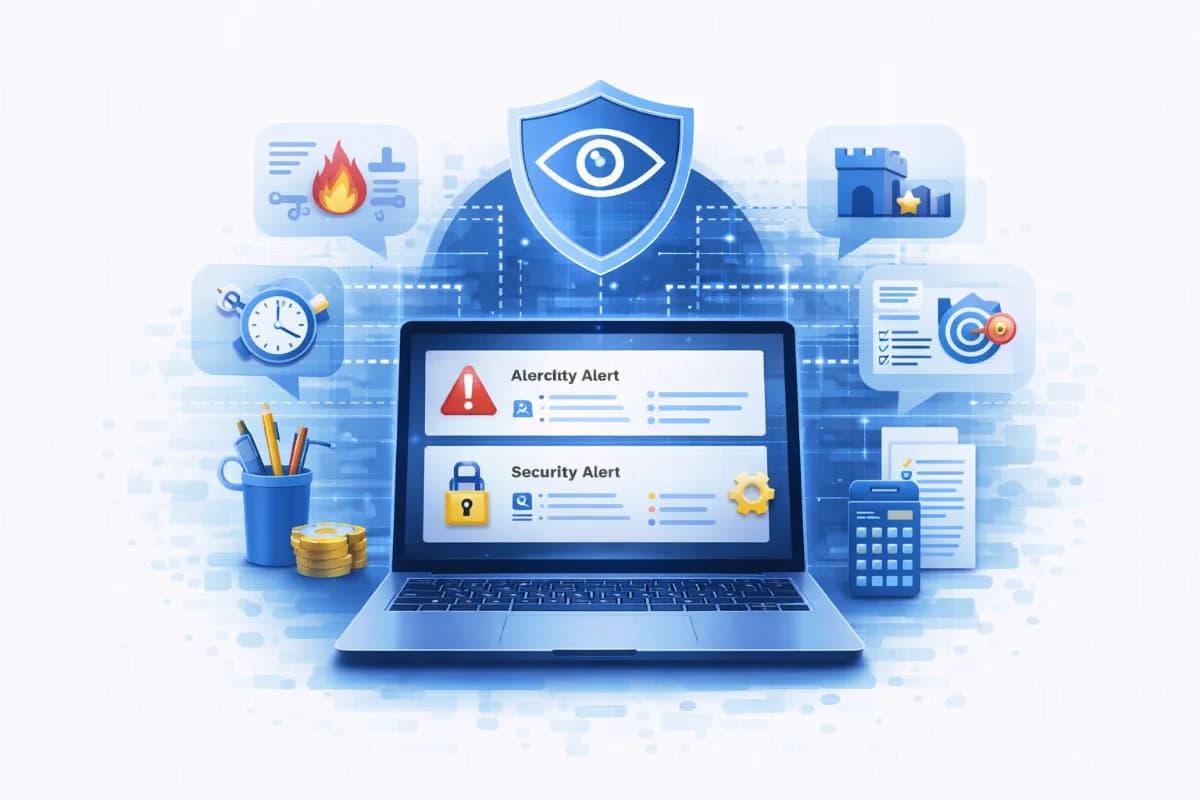
Plain language security alerts with security alert examples, executive security reporting, and non-technical alerts templates for CEOs: what happened, impact, actions, and next steps.
CEOs and business owners don’t need raw logs; they need clarity. Plain language security alerts translate technical signals into decisions: what happened, what it means for the business, what was done, and what leadership should do next. For SMEs, this is especially important because security work is often handled by lean teams, and miscommunication is a major reason incident escalate. This guide provides practical templates for non-technical alerts and executive security reporting, plus security alert examples you can copy into email, Slack, or a ticketing system.
Why this topic matters
Most security alerts are written for analysts, not for decision-makers. SMEs suffer when leadership receives vague messages like “suspicious activity detected” without context, because it creates either panic or indifference. The business needs fast, confident decisions: stop a payment, reset accounts, notify a customer, or approve downtime for containment. Plain language security alerts reduce decision latency by providing a concise story and clear options.
A realistic scenario is a finance team receiving a vendor payment change request while IT simultaneously sees a suspicious sign-in alert. If the CEO hears only “there’s an alert,” they may not act quickly, and fraud may proceed. If the CEO receives an executive-style alert that explains likely business impact, containment actions already taken, and what decision is required now, the response becomes faster and more controlled. This is how executive security reporting protects the business even when the team is small.
Key factors and features to consider
What “plain language” means in security alerts
Plain language does not mean removing detail; it means putting the detail in the right order. A CEO needs a one-minute summary first, then supporting evidence if they ask. The message should avoid jargon, define acronyms, and focus on business outcomes like money at risk, customer impact, and operational disruption. The most important feature is decisiveness: it must be clear whether this is informational, urgent, or critical.
Non-technical alerts need a consistent structure
Non-technical alerts should follow a repeatable structure so leaders learn how to read them quickly. The best structure is: what happened, impact, what we did, and what you do. This creates a predictable “decision slot” that prevents back-and-forth questions. It also reduces the risk of overreacting because the alert includes current status and confidence. Consistency is the core of effective executive security reporting.
Security alert examples should map to common SME incidents
SMEs most commonly face account takeover, phishing and invoice fraud, ransomware-like behavior, data exposure through sharing, and vendor access issues. Your templates should include these scenarios and show the exact language to use. Each example should include time, scope, and evidence highlights, because those details build trust. Avoid absolute claims unless confirmed; use confidence language such as “likely,” “confirmed,” or “under investigation.”
Evidence and follow-up are part of the alert
A good alert includes a short evidence summary and a follow-up plan. Evidence might be “new device sign-in” or “mailbox forwarding rule created,” not a list of logs. Follow-up clarifies what will happen next and when the CEO can expect an update. This builds calm and accountability. If you use a workflow like ShieldNet Defense, note that it can automatically generate a plain-language incident narrative, attach evidence, and keep the timeline consistent for later reporting.
Executive security reporting is different from incident chat
Incident chat is for responders; executive reporting is for decisions. Keep executive alerts short, decision-oriented, and time-bound. Include who is the incident owner and what is the next update time. Offer options when leadership approval is needed, such as whether to pause payments or whether to shut down a system temporarily. This keeps the CEO in control without dragging them into technical threads.
Detailed comparisons or explanations
Plain language alerts vs technical alerts: what changes
Technical alerts answer “what did the system detect,” while plain language security alerts answer “what does it mean and what should we do.” The translation requires correlation: one suspicious sign-in may not matter, but suspicious sign-in plus mailbox rule creation plus unusual downloads matters a lot. This is why incident grouping improves executive reporting quality. A tool-driven workflow can help, but the template is still needed to ensure the output is decision-ready.
A practical example is ransomware suspicion. A technical alert might say “mass file modifications detected,” which could be normal for a batch job. A CEO alert should say whether critical business files are at risk, whether systems are isolated, and whether operations are impacted. It should also state what decision is required, such as approving a temporary shutdown of file sharing. This is the difference between noise and leadership-ready information.
Templates as a control: reducing risk through communication discipline
Templates are a security control because they reduce confusion and speed response. When teams use the same language and structure, incidents are easier to coordinate, and less time is lost explaining basics. Templates also reduce the risk of inconsistent statements to customers or partners. For SMEs, communication discipline is often as important as technical controls because it prevents a manageable incident from turning into a chaotic crisis.
Templates also support post-incident review. If every executive alert contains what happened, impact, actions taken, and next steps, you can reconstruct decisions and timings later. This helps with compliance, insurance, and customer trust. It also helps leadership see patterns over time, such as repeated account takeover attempts, which supports budgeting decisions. Executive security reporting becomes a data stream for governance, not just messaging.
Best practices and recommendations
- Use one consistent format for all CEO alerts: what happened, impact, what we did, what you do
- Always include time, scope, and confidence level, and avoid technical jargon
- Include a decision request only when needed, and offer clear options with trade-offs
- Keep the main message under one minute to read, with evidence highlights as bullets
- Define an update cadence so leadership knows when they will hear next
- Use a system to auto-generate incident narratives where possible, such as ShieldNet Defense, then apply the template for clarity
To apply this, create a shared folder of templates and require responders to copy-paste from them rather than writing from scratch. Practice in tabletop drills so the team learns what “good” looks like under pressure. Review a few real alerts each month and tune the language for clarity and decisiveness. If you use ShieldNet Defense, configure it to output incident summaries in plain language and attach evidence automatically, then have the incident owner send the CEO version using the template for consistent executive security reporting.
- Alert severity labels to standardize: Info, Warning, Critical, and “Decision needed”
- A short evidence section: 3–5 bullets maximum, focused on human-readable signals
- A clear ownership line: incident owner name, contact channel, and next update time
These standards prevent ambiguity. Severity labels reduce leadership anxiety because they signal urgency. A short evidence section builds trust without overwhelming the reader. Ownership and next update time create accountability and reduce “are we doing anything” questions. This is how plain language security alerts scale in SMEs.
FAQ
What should a CEO do when they receive a security alert?
A CEO should first confirm severity and whether a decision is needed now. If the alert requests a decision, act quickly on the trade-off, such as pausing payments or approving temporary system isolation. If the alert is informational, focus on ensuring the incident owner has resources and authority to execute the plan. CEOs should also ask for the next update time so communication stays controlled.
How detailed should executive security reporting be?
Executive security reporting should be detailed enough to support decisions but not so detailed that it becomes a technical investigation. Use a short narrative with clear impact statements and 3–5 evidence bullets. If leadership needs deeper detail, provide a separate technical appendix for the response team. SMEs benefit when executives get decision-grade summaries, not dashboards.
How do we write non-technical alerts without oversimplifying?
Do not remove facts; reorder them. State what happened and what it likely means, then add evidence bullets that justify the conclusion. Use confidence language to avoid overclaiming, such as “likely,” “suspected,” or “confirmed.” Include what actions were already taken so the alert shows control. This approach keeps alerts accurate and understandable.
What are the most useful security alert examples for SMEs?
The most useful security alert examples cover account takeover, invoice fraud attempts, ransomware suspicion, sensitive data sharing exposure, and vendor access anomalies. These are common, high-impact scenarios where leadership decisions may be required. Each example should include business impact, not just technical detail. SMEs should also maintain a template for “near-miss” events because they support preventive budgeting.
Can automation generate plain language security alerts reliably?
Automation can generate strong first drafts by correlating signals and summarizing evidence, especially for routine incidents. However, SMEs should still apply a template and human review for clarity, business context, and decision requests. Tools like ShieldNet Defense can help by producing plain-language incident narratives, attaching evidence, and recording timelines consistently. The best model is automation for speed and consistency, with human oversight for judgment.
Conclusion
Plain language security alerts help CEOs make fast, confident decisions by turning technical signals into a clear incident story: what happened, impact, what we did, and what you do. For SMEs, these templates reduce confusion, speed response, and create consistent executive security reporting that supports audits and budgeting. If you want a practical next step, adopt the templates below, run a tabletop drill to practice them, and consider an AI-first workflow like ShieldNet Defense to auto-generate incident summaries and evidence that you can deliver to leadership in plain language.
------------------------------------
Templates and security alert examples
Template 1: CEO alert (copy-paste)
What happened: [One sentence describing the incident in plain language.]
Impact: [What data/money/operations may be affected, with current status.]
What we did: [Immediate actions already taken, in plain language.]
What you do: [Decision needed or “No action needed now.” Include options if needed.]
Evidence highlights:
- [Signal 1]
- [Signal 2]
- [Signal 3]
Owner and next update: [Name/role], next update by [time].
This template works because it forces clarity and separates facts from decisions. It keeps the CEO focused on impact and actions, not on technical noise. Evidence highlights provide confidence without overwhelming detail. Ownership and update time reduce anxiety and prevent repeated status checks.
Template 2: Critical incident (decision needed)
What happened: [Confirmed/suspected incident type, e.g., “Likely account takeover in finance email.”]
Impact: [Worst-case and current confirmed impact. Mention time sensitivity.]
What we did: [Containment steps and what is blocked/isolated.]
What you do: Choose one:
- Option A: [Safer, more disruptive option]
- Option B: [Less disruptive, higher risk option]
Recommendation: [Recommended option and why.]
Evidence highlights:
- [Signal 1]
- [Signal 2]
Owner and next update: [Name/role], update by [time].
This template is designed for leadership decisions under time pressure. It presents options with trade-offs and a recommendation, which reduces decision paralysis. It also keeps the incident narrative consistent for later reporting and evidence.
Example 1: Account takeover (finance email)
What happened: Likely unauthorized access to the finance email account, followed by a new forwarding rule and unusual attachment downloads.
Impact: Payment fraud risk is elevated; no confirmed fraudulent transfer yet. Customer invoice data may have been viewed. Operations can continue, but finance actions should be paused until verification completes.
What we did: Revoked active sessions, forced re-authentication, disabled the new forwarding rule, and started a threat investigation to confirm scope.
What you do: Approve a temporary pause on outbound payments for 2 hours while we validate all recent payment-change requests, or accept the risk and continue with enhanced verification only.
Evidence highlights:
- New device sign-in from an unfamiliar location
- Forwarding rule created within minutes of sign-in
- Unusual volume of attachment downloads
Owner and next update: IT/Security owner, next update by [time].
This example shows how to write a non-technical alert that still supports decisive action. It states what is confirmed and what is suspected, frames impact as business risk, and requests a clear decision. It also sets an update expectation so leadership stays calm.
Example 2: Ransomware-like activity on a workstation
What happened: A workstation is showing behavior consistent with ransomware, including rapid file changes and unusual network activity.
Impact: Potential risk to shared folders and operational documents; no confirmed impact to critical servers yet. If the behavior spreads, downtime impact could be significant.
What we did: Isolated the workstation from the network, blocked suspicious outbound destinations, and initiated a scan and recovery workflow. We are checking whether shared drives were accessed.
What you do: No action needed right now unless we confirm spread. Be prepared to approve temporary shutdown of file sharing if we detect lateral movement.
Evidence highlights:
- Rapid file modifications across multiple folders
- New outbound connections to previously unseen destinations
- Security tool flagged suspicious encryption-like behavior
Owner and next update: IT/Security owner, next update by [time].
This example is structured to prevent panic while keeping leadership ready for a potential decision. It explains current confirmed impact versus potential worst-case impact and shows that containment is already underway. It also pre-frames what decision might be required later.
Example 3: Sensitive file exposure via public link
What happened: A sensitive folder was accidentally shared publicly via a link, and it may have been accessible outside the company.
Impact: Customer documents may have been exposed if the link was accessed; we are verifying access logs to confirm. This may affect customer trust and contractual obligations depending on scope.
What we did: Disabled public sharing, rotated access permissions, and started reviewing access logs and downstream copies.
What you do: No immediate decision needed. If external access is confirmed, approve customer communication and remediation steps once we quantify the scope.
Evidence highlights:
- Public link detected for a restricted folder
- Link existed for [time window]
- Access log review in progress
Owner and next update: IT/Security owner, next update by [time].
This example demonstrates executive security reporting that is calm and evidence-based. It avoids overclaiming until access is confirmed and outlines next steps clearly. It also prepares leadership for the possibility of customer communication without forcing premature action.
Example 4: Vendor account anomaly
What happened: Unusual activity detected on a vendor account with access to our systems, including login attempts and access patterns outside normal hours.
Impact: Potential third-party risk; no confirmed data access beyond normal scope yet. If the account is compromised, it could be used to access internal systems and data.
What we did: Restricted vendor access temporarily, requested vendor verification, and started threat investigation across related systems.
What you do: Approve a temporary restriction of vendor access for 24 hours while we verify the vendor’s account integrity, or approve continued access with stricter monitoring.
Evidence highlights:
- Multiple failed logins followed by a successful login
- Access attempts outside typical vendor maintenance window
- New IP address not previously associated with the vendor
Owner and next update: IT/Security owner, next update by [time].
This example shows how to present third-party risk in a decision-oriented way. It includes two clear options and explains the trade-off in business terms. It also demonstrates that containment is targeted, which reduces fear of unnecessary disruption.
Template note for ShieldNet Defense
If you use ShieldNet Defense, you can map its incident summaries directly into these templates. ShieldNet Defense can help by converting raw alerts into plain-language incidents, attaching evidence highlights automatically, and keeping a consistent incident timeline that supports executive reporting.
Related Articles
Mar 27, 2026
Real-time threat detection: how it works without hiring analysts
Real-time threat detection for SMEs: behavior-based detection, suspicious activity detection, and threat investigation with minutes-level flagging without hiring analysts.
Mar 27, 2026
SOC as a Service for small business: Costs and buyer guide
SOC as a Service (SOCasS) for small business explained with outsourced SOC, managed SOC, virtual SOC pricing models, pros/cons, AI-first alternatives, and vendor questions.
Mar 26, 2026
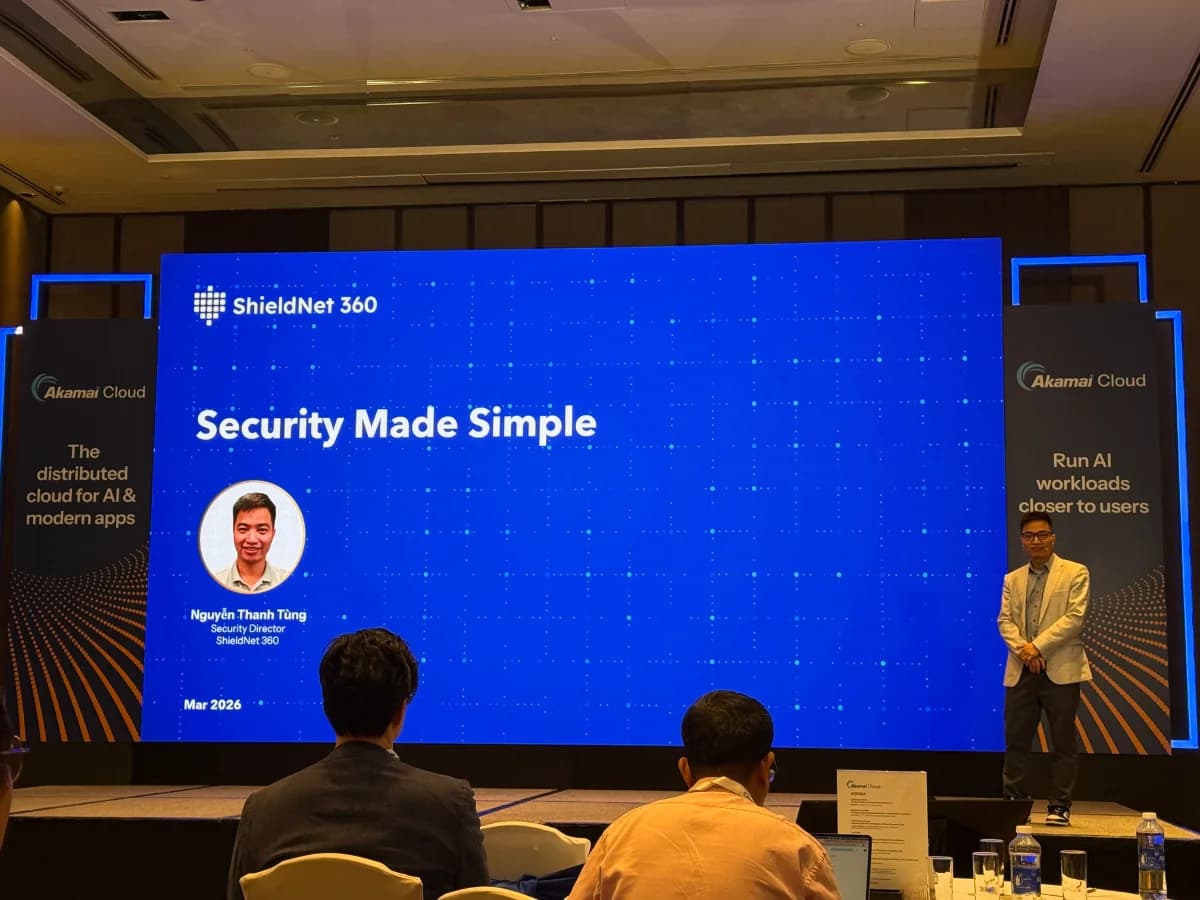
ShieldNet 360 shares how it builds and scales AI-powered cybersecurity at Akamai Cloud Day in Ho Chi Minh City
On March 25, ShieldNet 360 joined Akamai Cloud Day in Ho Chi Minh City, an event centered on the theme “Where IT Leaders Decide the Future of AI.”

Protect your business with ShieldNet 360
Get started and learn how ShieldNet 360 can support your business.